
BuildRunKit Strategy Hub: Strategy Dashboard
BuildRunKit Strategy Hub: Strategy Dashboard
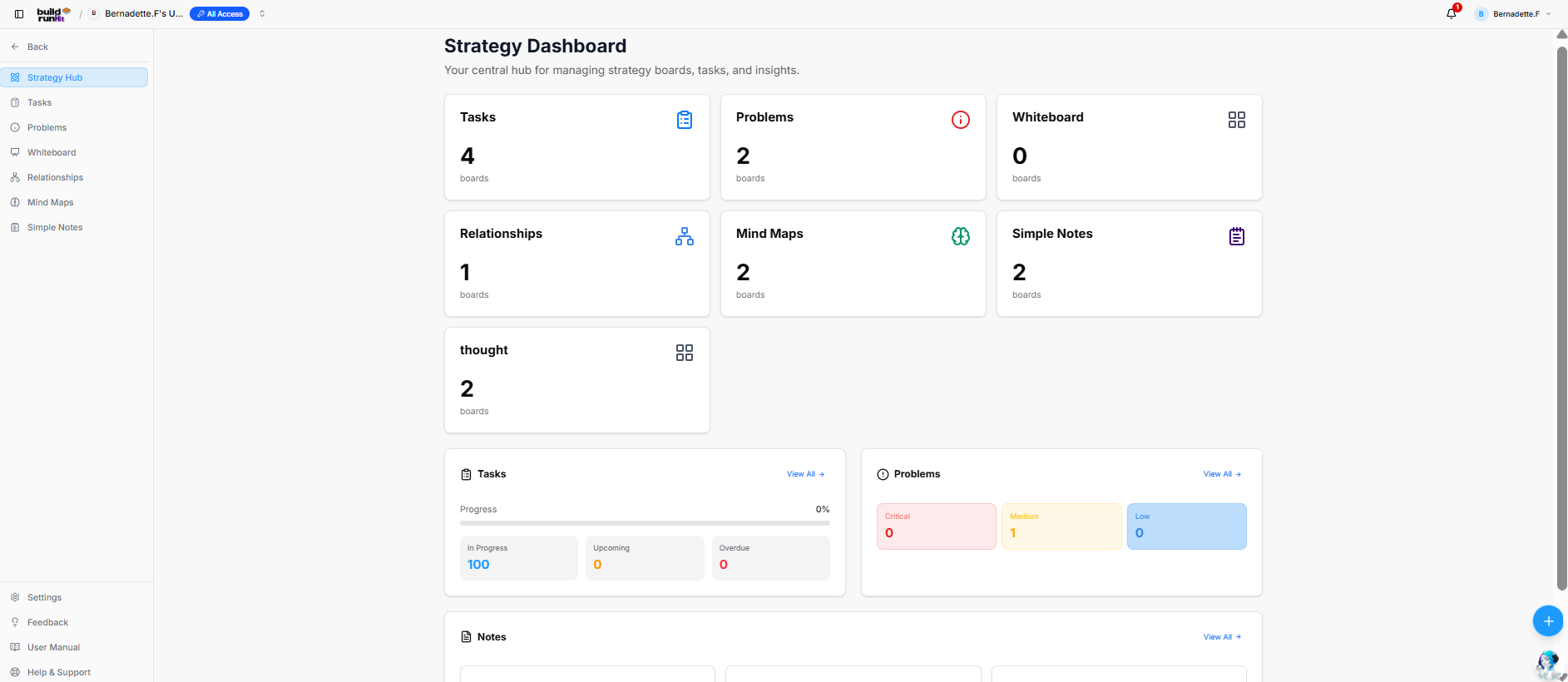
The Strategy Dashboard serves as the central hub for managing strategy boards, task tracking, problem mapping, and documentation insights across projects.
Strategy Board Cards
Top metrics cards display the total active boards configured for each category:
-
Tasks: Total task boards (e.g.,
4 boards). -
Problems: Total problem mapping boards (e.g.,
2 boards). -
Whiteboard: Total whiteboard canvas boards (e.g.,
0 boards). -
Relationships: Total relationship mapping boards (e.g.,
1 boards). -
Mind Maps: Total mind map boards (e.g.,
2 boards). -
Simple Notes: Total simple note collection boards (e.g.,
2 boards). -
thought: Total thought collection boards (e.g.,
2 boards).
Activity & Status Summary Panels
-
Tasks Panel:
-
View All ->: Navigation link to the main Tasks directory.
-
Progress Bar: Overall task completion tracking percentage (e.g.,
0%). -
Status Counters: Breaks down active tasks by operational state (In Progress:
100, Upcoming:0, Overdue:0).
-
-
Problems Panel:
-
View All ->: Navigation link to the main Problems directory.
-
Severity Indicators: Tracks tracked issues by priority level (Critical:
0, Medium:1, Low:0).
-
-
Notes Panel:
-
View All ->: Navigation link to view all simple notes and documentation entries.
-
Header & Quick Actions
-
Page Title: Strategy Dashboard
-
Sub-description: "Your central hub for managing strategy boards, tasks, and insights."
-
Quick Create (+): Floating action button to instantly add new strategy items or boards.
No comments to display
No comments to display