
BuildRunKit CRM: Companies Sub-Section
BuildRunKit CRM: Companies Sub-Section
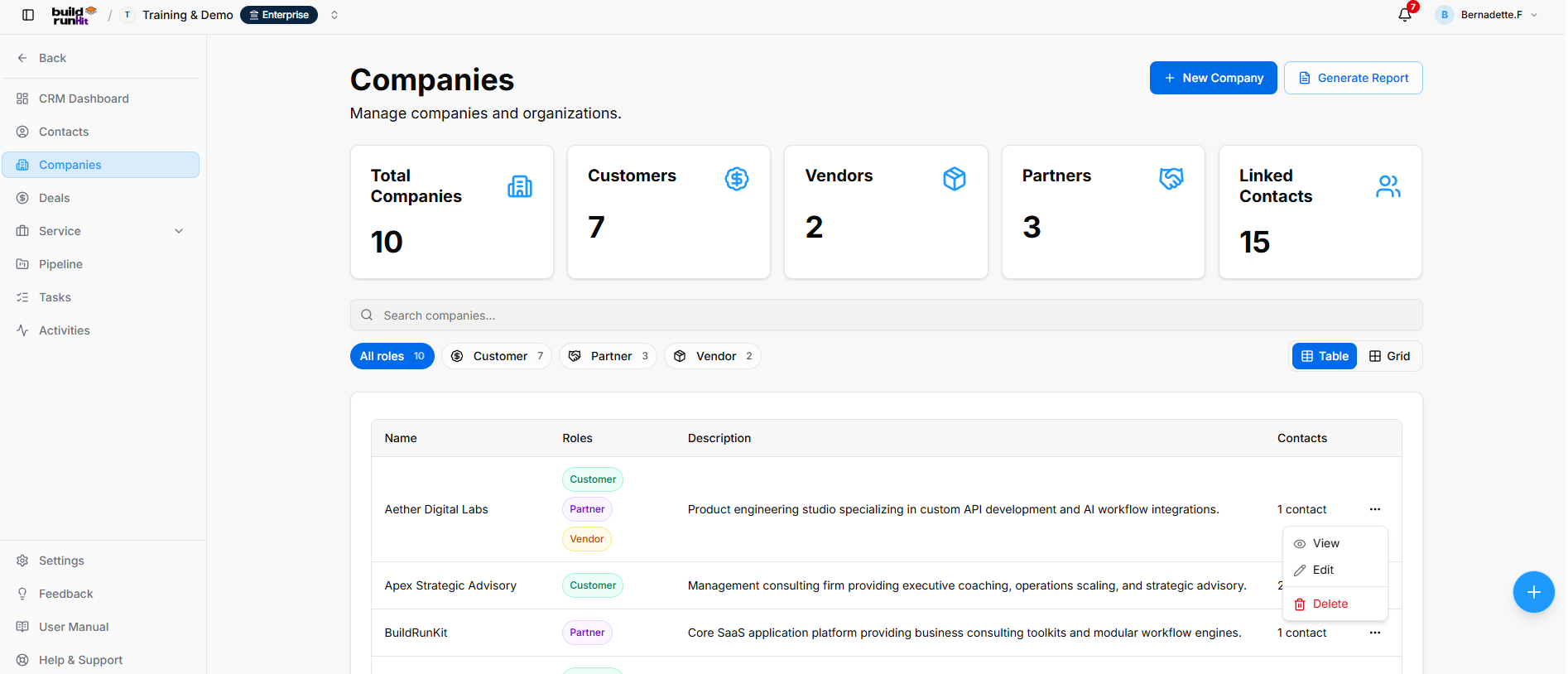
The Companies sub-section provides a central directory for managing organizations and their associated contacts.
Companies Directory
Header & Action Buttons
- New Company: Opens the company creation form.
- Generate Report: Opens the CRM Companies Report dialog.
Company Summary Metrics
The summary cards display:
- Total Companies: Number of companies in the directory.
- Customers: Number of companies with the Customer role.
- Vendors: Number of companies with the Vendor role.
- Partners: Number of companies with the Partner role.
- Linked Contacts: Number of contacts associated with companies.
These figures reflect the workspace data and may change over time.
Directory Controls & Search Bar
- Search companies…: Searches for company records.
- Role filters: Filter the directory by All roles, Customer, Partner, or Vendor.
- Table / Grid: Switches between table and grid views.
Companies Table Data Columns
The table displays:
- Name: Company name.
- Roles: Roles assigned to the company, such as Customer, Partner, or Vendor.
- Description: Company description.
- Contacts: Number of contacts linked to the company.
Row Actions Menu (...)
- View: Opens the company profile.
- Edit: Opens the company editor.
- Delete: Removes the company record from the directory.
CRM Companies Report
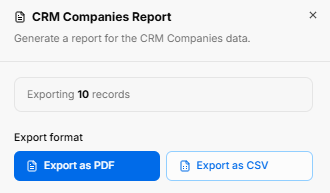
The report dialog displays the number of records to export and provides Export as PDF and Export as CSV options.
Viewing a Company
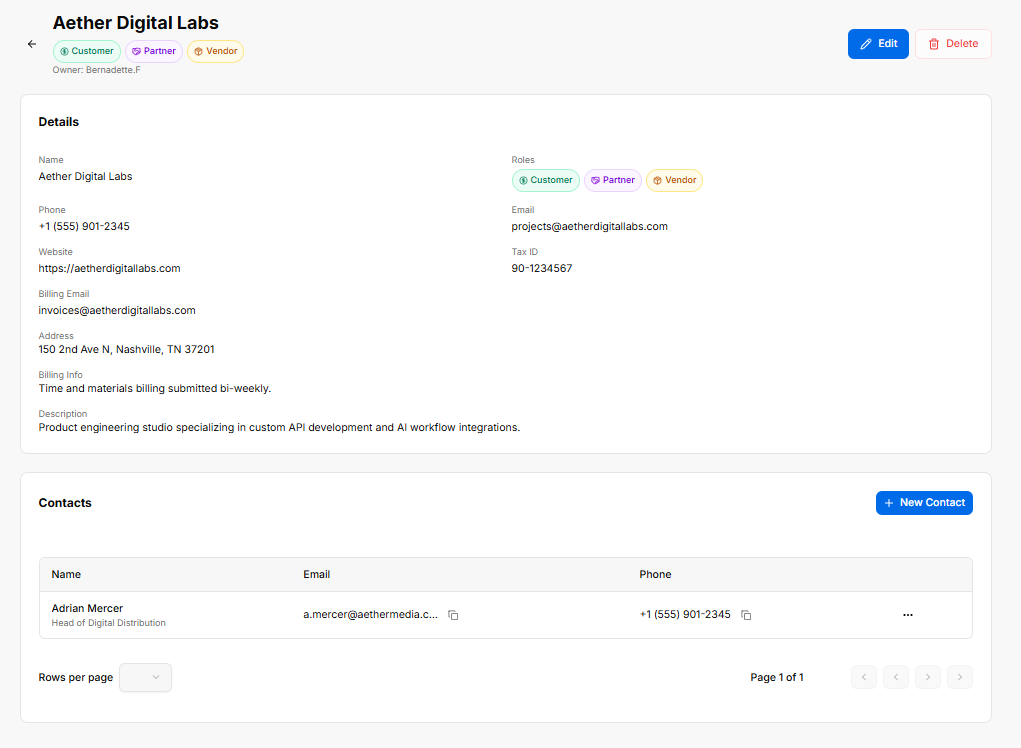
The company profile displays the company name, assigned roles, owner, and available details, including:
- Phone and email
- Website and address
- Tax ID and billing email
- Billing information and description
The Contacts section lists associated contacts, with their name, email, and phone number. Use + New Contact to add a contact to the company.
BuildRunKit CRM: Adding a New Company
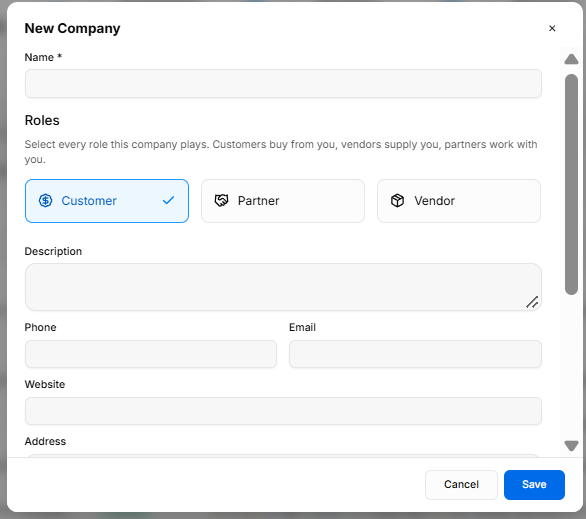
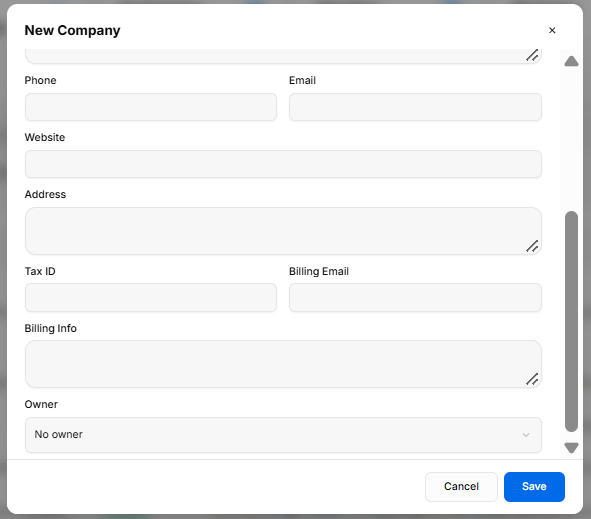
The New Company form provides fields for creating an organization profile.
Input Fields & Form Controls
- Name *: Required field for the company name.
- Roles: Select the roles that apply: Customer, Partner, and/or Vendor. The form explains that customers buy from you, vendors supply you, and partners work with you.
- Description: Field for company details.
- Phone and Email: Company contact information.
- Website: Company website.
- Address: Company address.
- Tax ID: Company tax identification number.
- Billing Email: Email address for billing correspondence.
- Billing Info: Field for billing details or instructions.
- Owner: Dropdown for assigning an owner; No owner is available.
Modal Actions
- X: Closes the form.
- Cancel: Closes the form without saving.
- Save: Saves the company record.
BuildRunKit CRM: Editing a Company
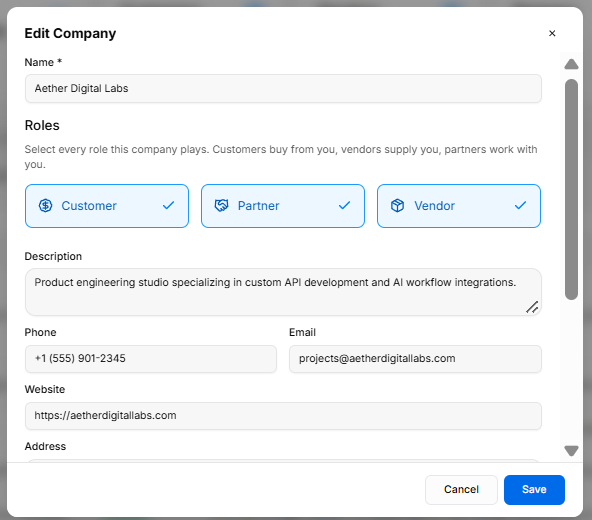
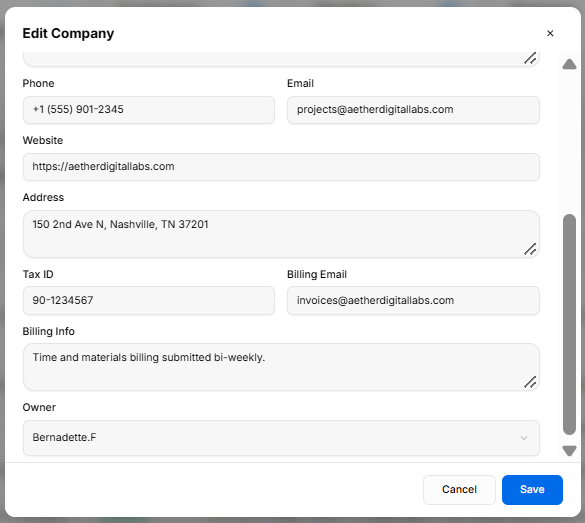
The Edit Company form allows users to update company details and roles.
Edit Company Fields
The form includes fields for Name, Roles, Description, Phone, Email, Website, Address, Tax ID, Billing Email, Billing Info, and Owner.
Modal Actions
- X: Closes the form.
- Cancel: Closes the form without saving changes.
- Save: Saves the updated company information.
No comments to display
No comments to display