
BuildRunKit Projects Dashboard Overview
BuildRunKit Projects: Projects Dashboard
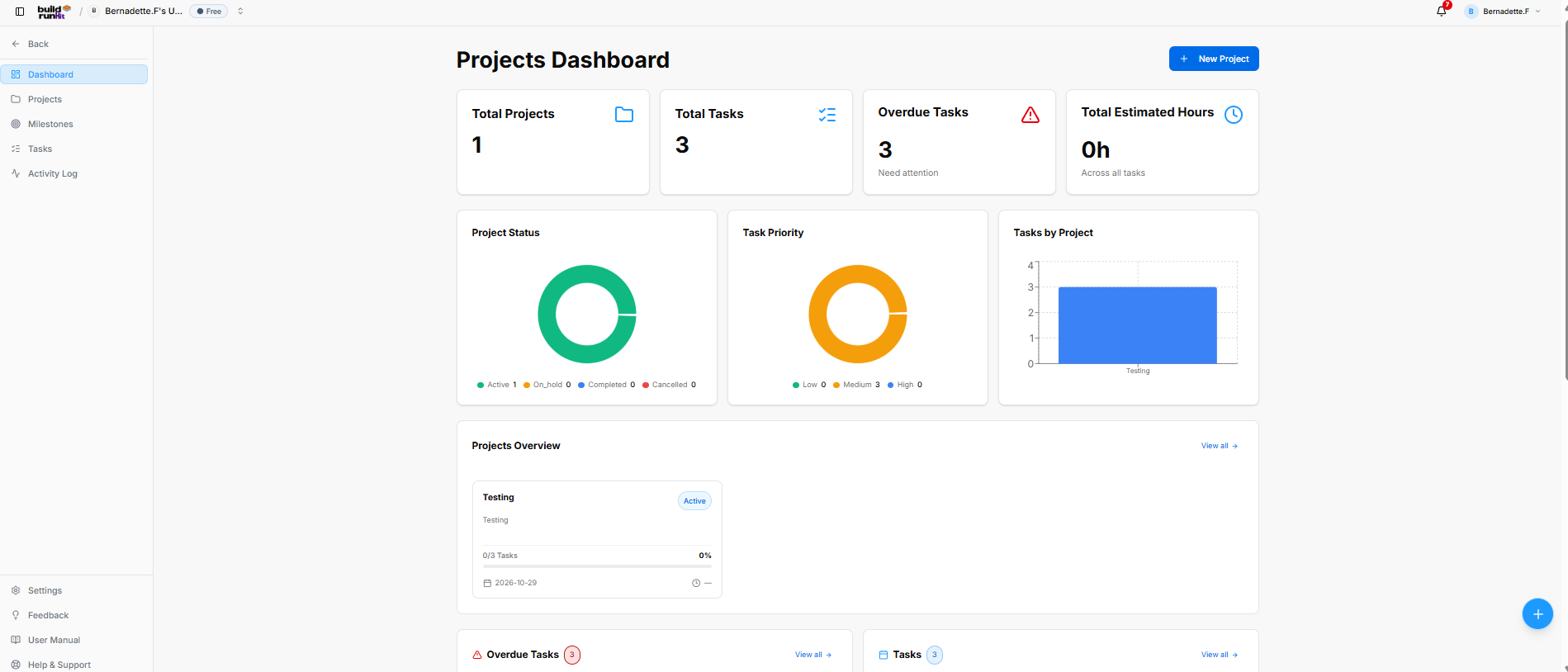
The Projects Dashboard provides an overview of project and task activity, with shortcuts to project-related areas and actions.
Location & Navigation Sidebar
The sidebar provides access to:
- Back: Returns to the main workspace navigation.
- Dashboard
- Projects
- Milestones
- Tasks
- Activity Log
- Settings, Feedback, User Manual, and Help & Support
Header Actions
- Projects Dashboard: Identifies the dashboard page.
- + New Project: Starts the process of creating a project.
- The floating + button opens Quick Actions, including shortcuts to create a project, milestone, or project task.
Top Metric Cards
The dashboard displays summary cards for:
- Total Projects: The number of projects in the workspace.
- Total Tasks: The number of tasks across projects.
- Overdue Tasks: The number of overdue tasks requiring attention.
- Total Estimated Hours: The estimated hours across tasks.
These figures reflect the workspace’s project data and may change over time.
Analytics & Visual Chart Panels
The dashboard includes charts for:
- Project Status: Displays project counts by status: Active, On hold, Completed, and Cancelled.
- Task Priority: Displays task counts by priority: Low, Medium, and High.
- Tasks by Project: Shows task counts for individual projects.
Projects Overview
The Projects Overview section provides a preview of projects and a View all link to the projects list.
Project cards can show the project name and status, along with task progress and a date.
Task Lists
The dashboard includes Overdue Tasks and Tasks panels. Each panel has a View all link to its corresponding list. The screenshot shows the panel headings and counts, but the task details are below the visible area.
Recent Activity
The Recent Activity section includes a View all link to the full activity log. Its table displays:
- Event: The activity type, such as a task or project being created.
- Project: The associated project.
- User: The user who performed the action, if available.
- Date: The activity date.
No comments to display
No comments to display