
BuildRunKit Projects: Projects Sub-Section
BuildRunKit Projects: Projects Sub-Section
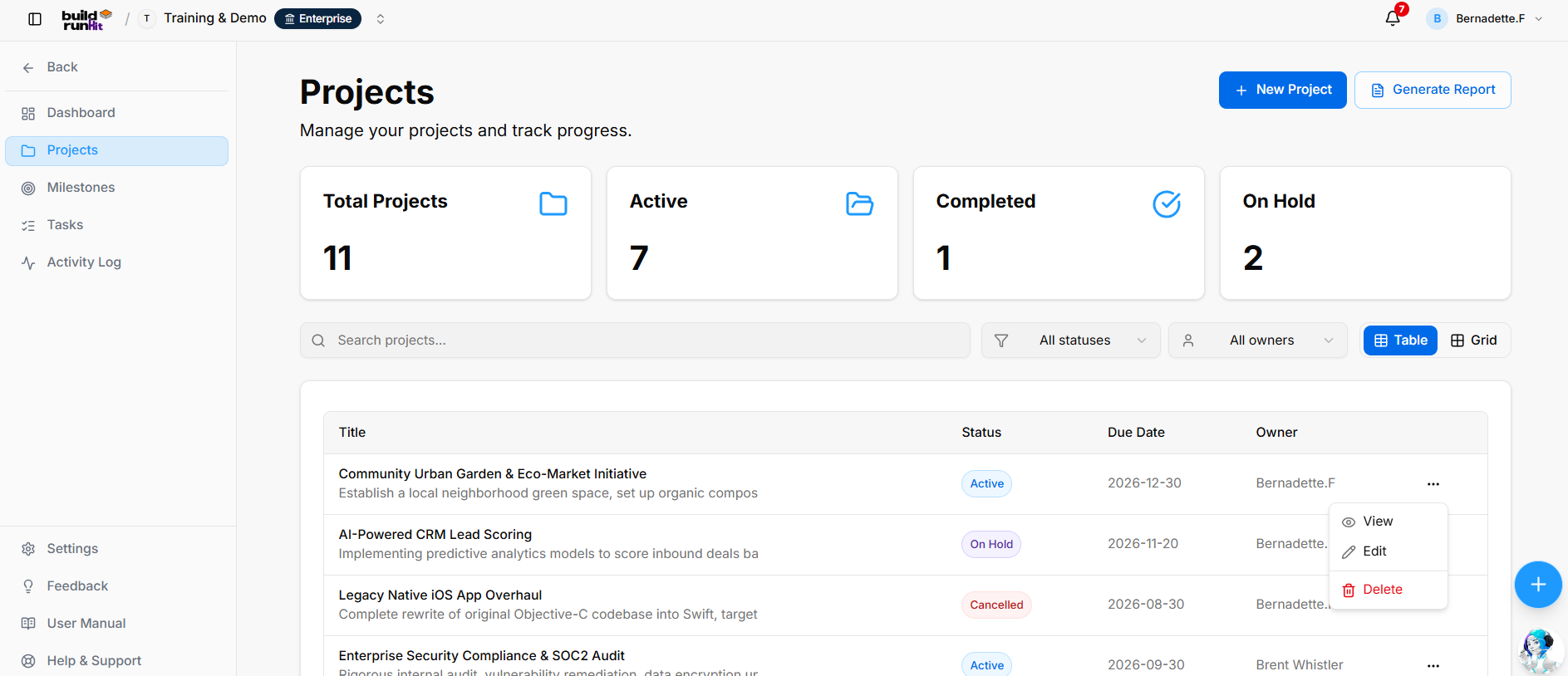
The Projects sub-section provides a central place to manage project records, review project progress, and generate reports.
Projects List Subsection
Page Header & Primary Actions
- Projects: Page heading.
- Manage your projects and track progress.: Page description.
- New Project: Opens the project creation form.
- Generate Report: Opens the Projects Report dialog.
Top Metric Summary Cards
The page displays summary cards for:
- Total Projects
- Active
- Completed
- On Hold
The counts reflect the workspace’s project data and may change over time.
Search, Filter, and Layout Bar
- Search projects…: Search for projects by keyword.
- All statuses: Filter projects by status.
- All owners: Filter projects by owner.
- Table / Grid: Switch between table and grid views.
Projects Data Table
The table displays:
- Title: Project name and description.
- Status: The project’s current status.
- Due Date: The project’s due date.
- Owner: The assigned project owner, if any.
- Actions (...): The row menu provides View, Edit, and Delete.
Viewing a Project
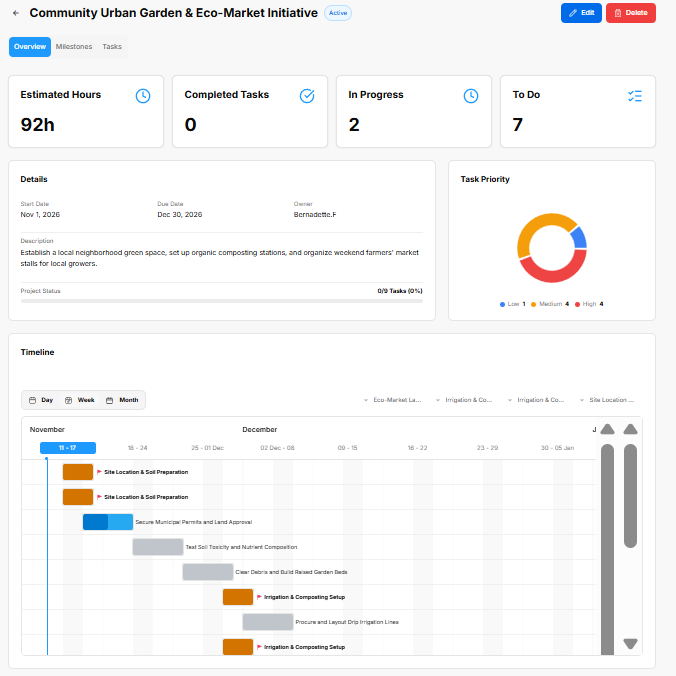
The project overview displays the project name and status, with Edit and Delete actions. Tabs provide access to Overview, Milestones, and Tasks.
The Overview tab includes:
- Estimated Hours
- Completed Tasks
- In Progress
- To Do
- A Details section showing the start date, due date, owner, description, and task progress.
- A Task Priority chart showing tasks by priority.
- A Timeline with Day, Week, and Month viewing options.
Projects Report Modal
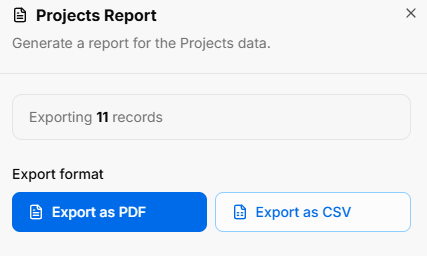
The Projects Report dialog displays the report description and the number of records to export. It provides Export as PDF and Export as CSV options.
BuildRunKit Projects: New Project Modal
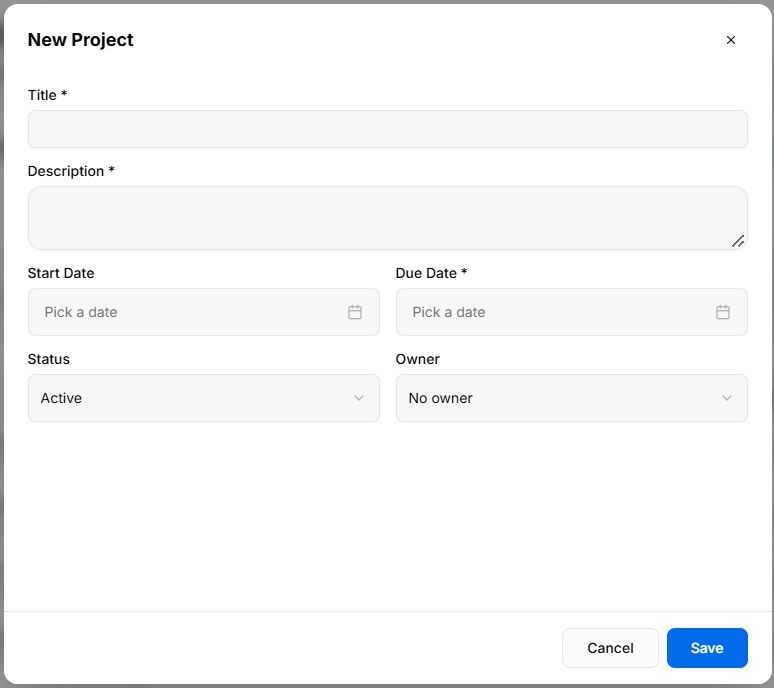
The New Project form includes:
- Title *: Required project title.
- Description *: Required description of the project.
- Start Date: Project start date.
- Due Date *: Required project due date.
- Status: Project status, set to Active by default.
- Owner: Project owner, set to No owner by default.
Use Save to create the project, Cancel to close the form without saving, or X to close it.
BuildRunKit Projects: Editing a Project
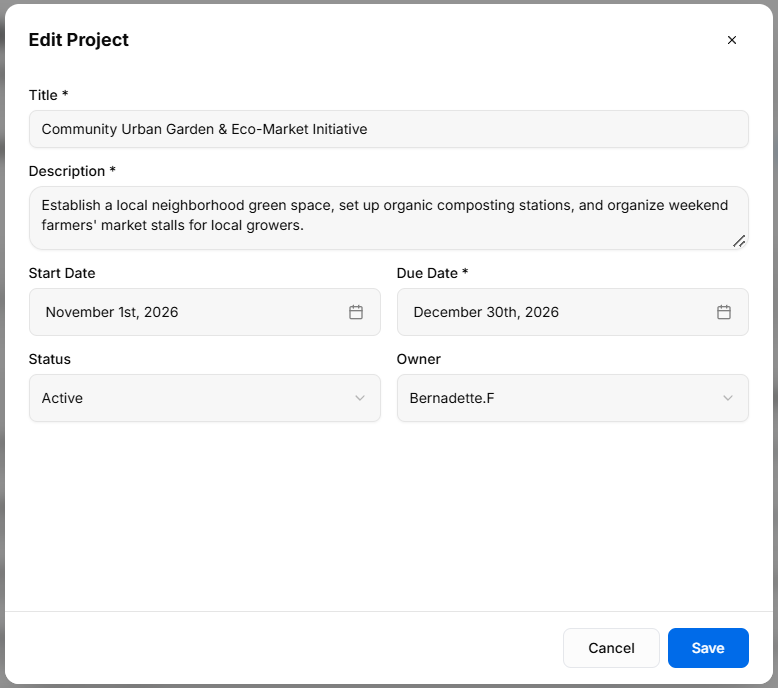
The Edit Project form allows users to update the project title, description, start date, due date, status, and owner. Use Save to save changes, Cancel to close without saving, or X to close the form.
No comments to display
No comments to display