
BuildRunKit Invoices: Invoices Sub-Section
BuildRunKit Invoices: Invoices Sub-Section
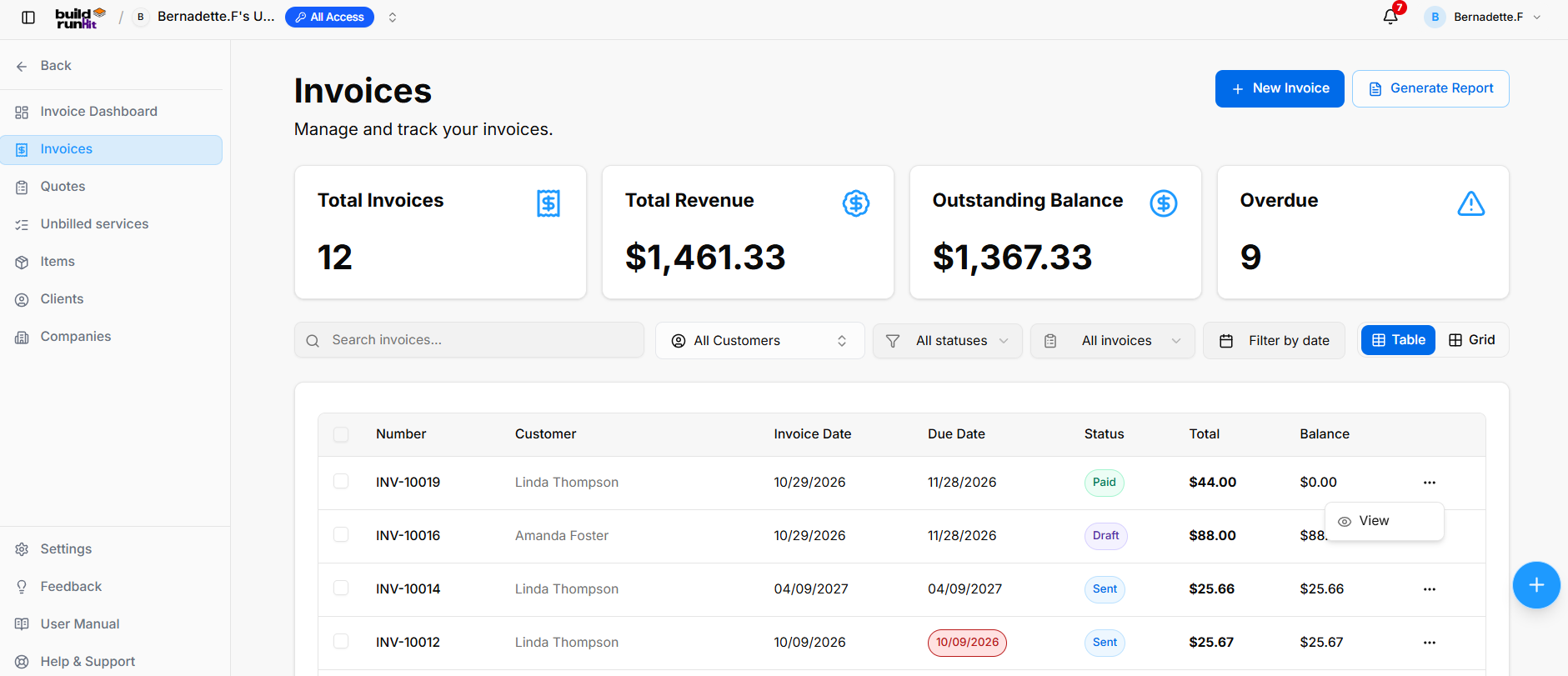
The Invoices page provides access to invoice records, invoice creation, and invoice reporting.
Navigation Sidebar
Invoice Summary
Summary cards display Total Invoices, Total Revenue, Outstanding Balance, and Overdue. The figures reflect the workspace’s invoice data and can change over time.
Search and Filters
The page provides a Search invoices… field and filters for All Customers, All statuses, All invoices, and Filter by date. The Table and Grid controls switch between viewing layouts.
Invoices Table
The table displays invoice Number, Customer, Invoice Date, Due Date, Status, Total, and Balance. A three-dot menu is available on invoice rows; the screenshot shows a View action.
Header Actions and Reports
- + New Invoice opens the invoice creation form.
- Generate Report opens the invoice export dialog.
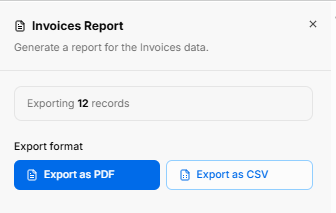
The export dialog displays the number of records being exported and offers Export as PDF and Export as CSV.
Invoice Details
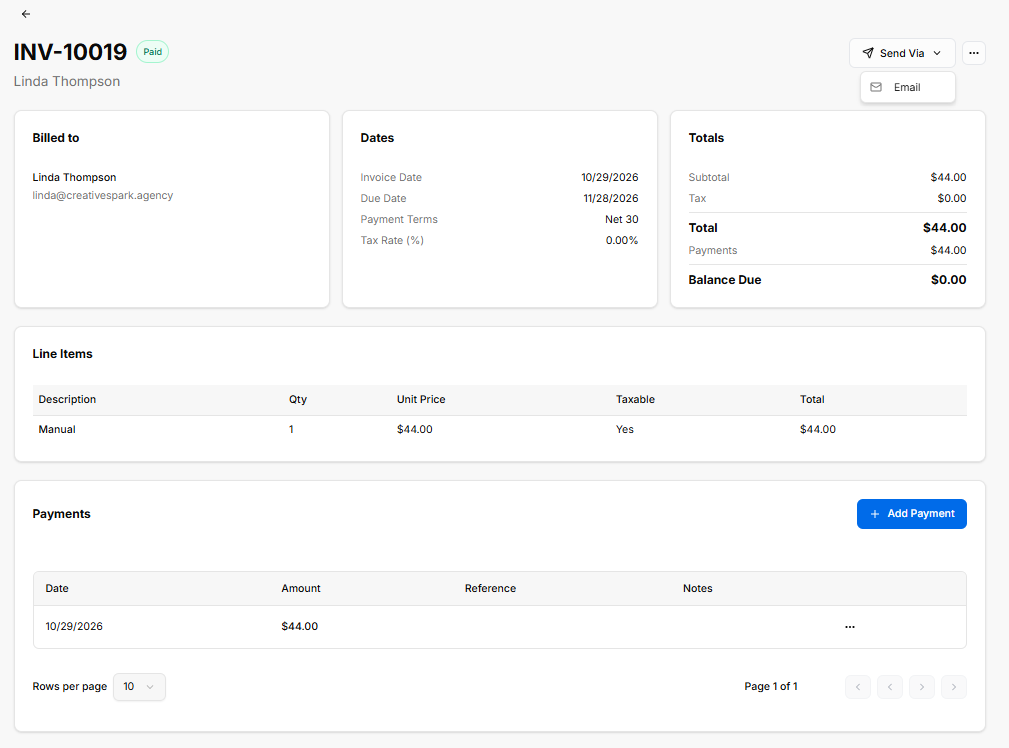
The invoice details page displays the invoice number and status, the billed customer’s name and email, and sections for Dates, Totals, Line Items, and Payments.
The Dates section shows the invoice date, due date, payment terms, and tax rate. The Totals section shows the subtotal, tax, total, payments, and balance due. The Line Items table shows each item’s description, quantity, unit price, taxable status, and total.
The Payments section lists payment dates, amounts, references, and notes. Use + Add Payment to enter a payment.
Sending an Invoice by Email
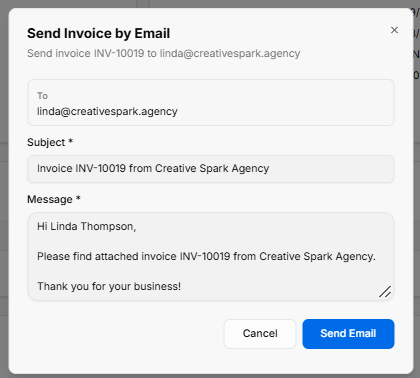
Adding a Payment
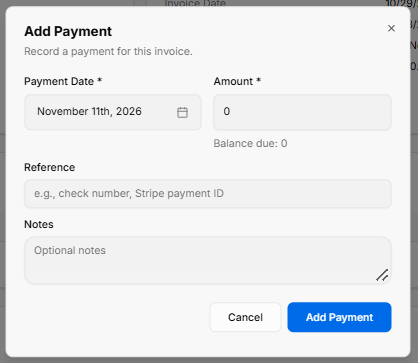
The payment dialog includes required Payment Date and Amount fields. It also provides Reference and Notes fields and displays the balance due. Use Add Payment to submit the payment.
Creating a New Invoice
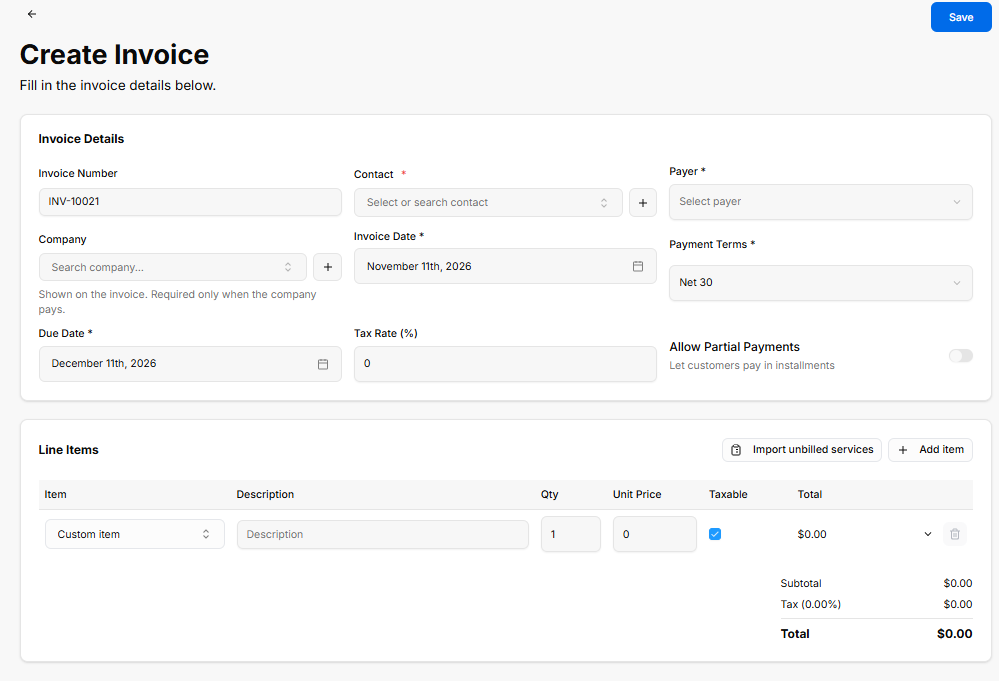
The Create Invoice form includes the following invoice details:
- Invoice Number, displayed on the form.
- Contact * and Payer * fields.
- Company, with the note: “Shown on the invoice. Required only when the company pays.”
- Invoice Date *, Payment Terms *, and Due Date *.
- Tax Rate (%).
- An Allow Partial Payments toggle, described as allowing customers to pay in instalments.
The Line Items section includes Import unbilled services and + Add item actions. The item table provides Item, Description, Qty, Unit Price, Taxable, and Total fields. The form displays the Subtotal, Tax, and Total. Use Save to save the invoice.
No comments to display
No comments to display