
BuildRunKit Invoices: Items Sub-Section
BuildRunKit Invoices: Items Sub-Section
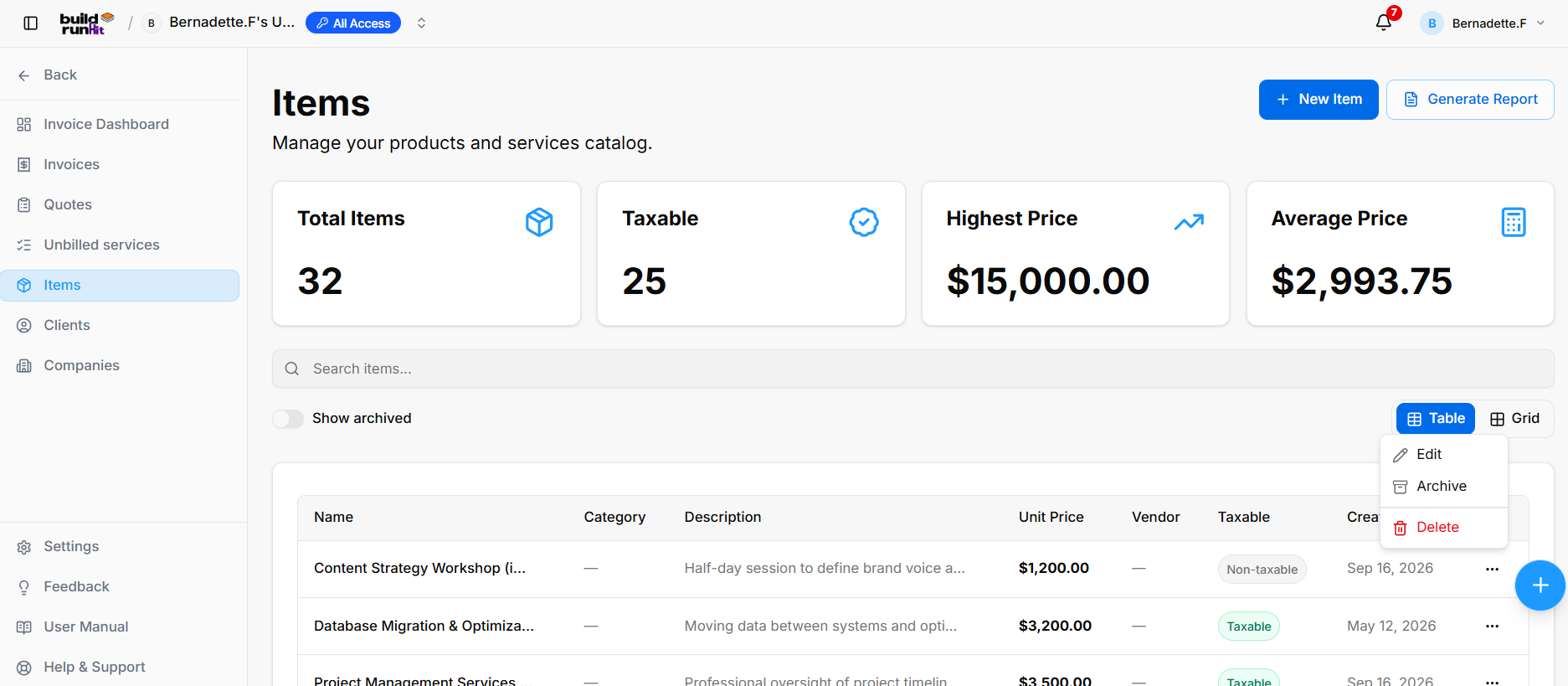
The Items sub-section provides a central catalog for managing products and services used on invoices.
Item Summary Metrics
The summary cards display key catalog metrics:
- Total Items: Tracks the number of items in the catalog.
- Taxable: Displays the number of taxable items.
- Highest Price: Shows the highest item price in the catalog.
- Average Price: Shows the average price across catalog items.
These values reflect the workspace’s catalog and may change over time.
Directory Controls & Search Bar
- Search items…: Search the catalog for items.
- Show archived: Toggle to include archived items in the directory.
- View Switcher: Switch between Table and Grid views.
Items Table Data Columns
The table displays:
- Name: Item or service name.
- Category: The item’s category, if assigned.
- Description: Details about the item or service.
- Unit Price: The item’s price per unit.
- Vendor: The assigned vendor, if any.
- Taxable: Indicates whether the item is taxable or non-taxable.
- Created At: The date the item was added to the catalog.
Row Actions Menu (...)
- Edit: Opens the item editor.
- Archive: Archives the item.
- Delete: Deletes the item from the catalog.
Header & Action Buttons
- + New Item: Opens the form for creating a catalog item.
- Generate Report: Opens the Invoice Items Report export dialog.
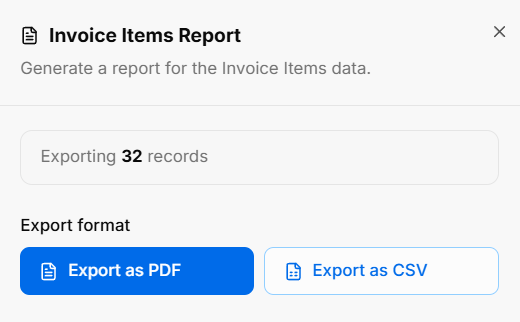
The report dialog displays the number of records being exported and provides Export as PDF and Export as CSV options.
Selecting an Item for a Line Item
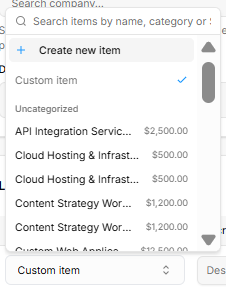
When adding a line item to an invoice, quote, deal, or service delivery, search for an item by name or category, then select a saved item. You can also choose Custom item to enter a one-off item.
To add a new catalog item from the picker, choose + Create new item. If you entered a search term, it is used to prefill the new item’s name. After you save the item, it is added to the line item. The picker can also show items grouped by category, including Uncategorized.
BuildRunKit Invoices: Creating a New Item
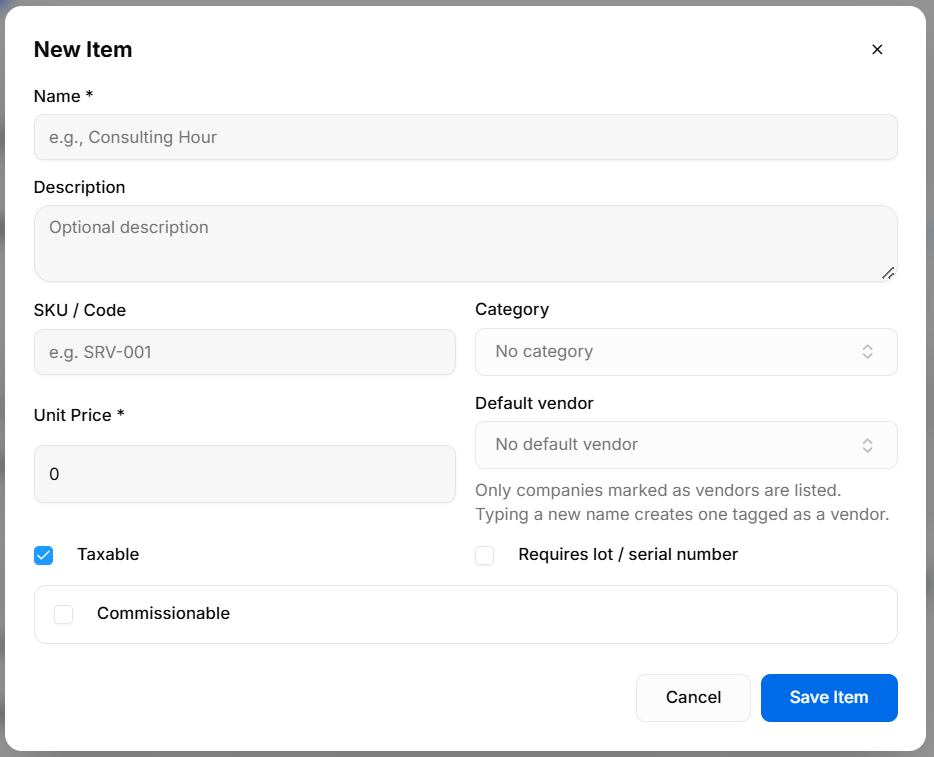
The Item form provides a way to add products or services to the catalog for use as invoice line items.
Input Fields & Form Controls
- Name *: Required field for the item name.
- Description: Optional field for item details.
- SKU / Code: Field for an item code or SKU.
- Category: Field for assigning a category.
- Unit Price *: Required field for the item’s unit price.
- Default vendor: Select a default vendor. Only companies marked as vendors are listed; typing a new name creates a company tagged as a vendor.
- Taxable: Checkbox to indicate whether tax applies. It is checked by default in the form shown.
- Requires lot / serial number: Checkbox for items that require lot or serial-number tracking.
- Commissionable: Checkbox to mark the item as commissionable.
Header & Action Buttons
- Close (X): Closes the form.
- Cancel: Closes the form without saving.
- Save Item: Saves the item to the catalog.
BuildRunKit Invoices: Editing an Item
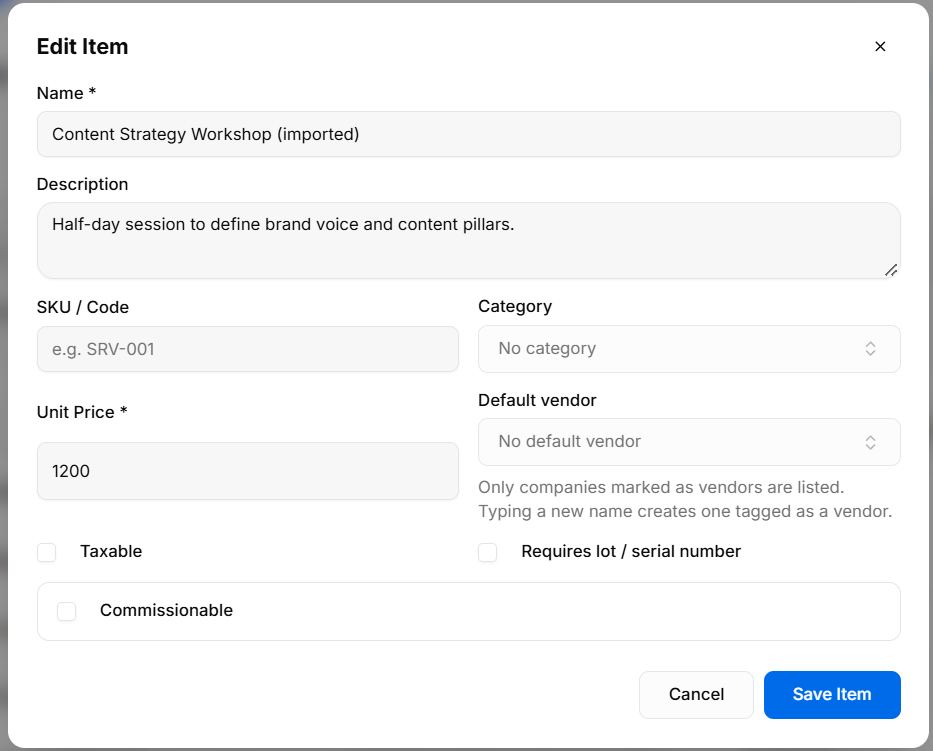
The Edit Item form allows users to update an item’s name, description, SKU / Code, category, unit price, default vendor, and tax, lot / serial-number, and commissionable settings. Use Save Item to save changes or Cancel to close without saving.
No comments to display
No comments to display