
Mentor Alliance Business Coach Kit – My Plans
Mentor Alliance Business Coach Kit – My Plans
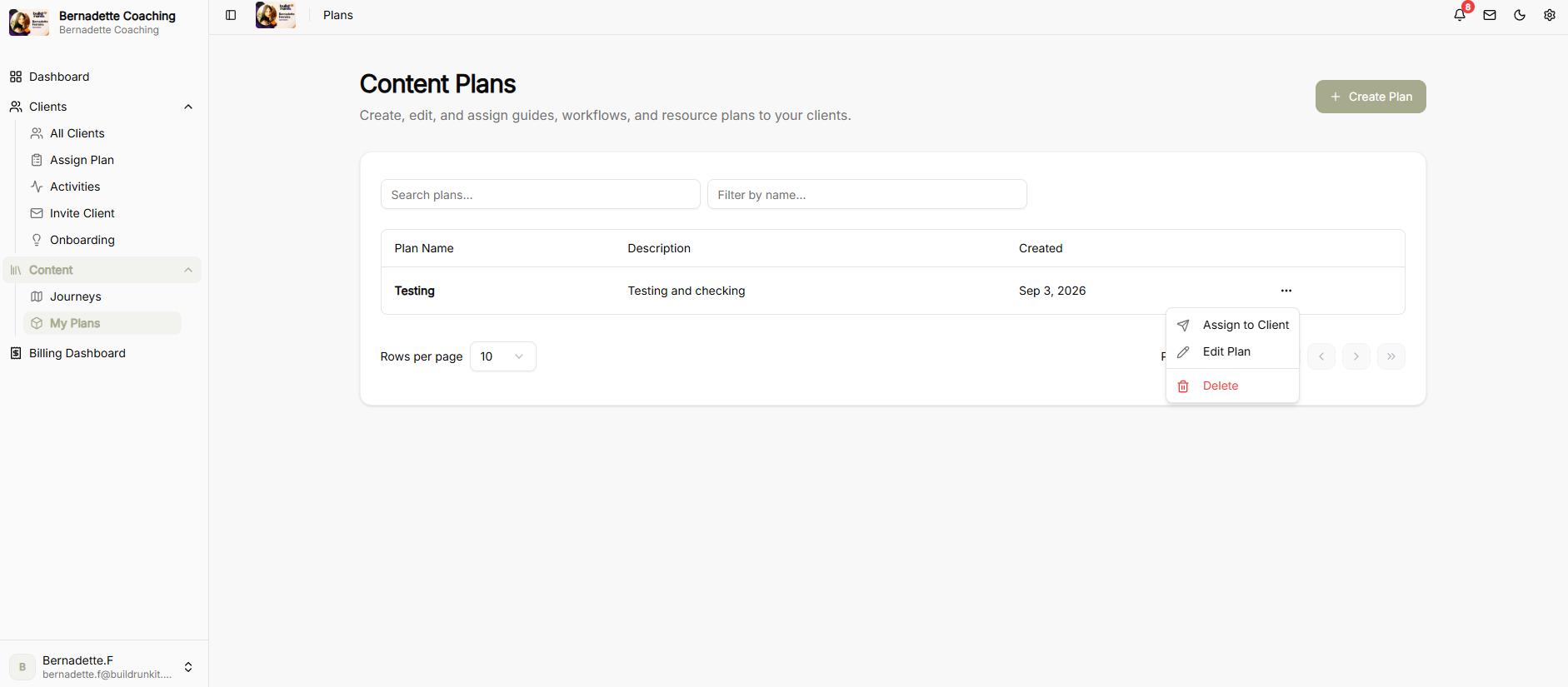
The My Plans module allows coaches to create, edit, assign, and customize content plans for client onboarding by combining custom journeys, pre-built templates, and file attachments.
Assigning a Plan
-
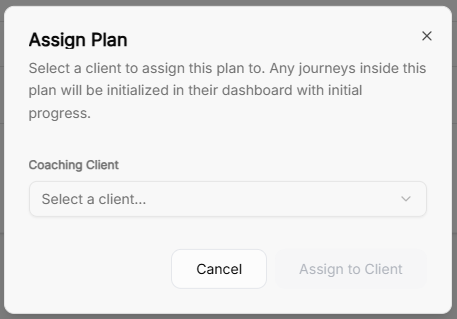
Assign Plan Modal: Select a coaching client from the dropdown menu to assign a content plan.
-
Automatic Progress Tracking: Assigning a plan initializes all included journeys directly on the client’s dashboard with initial progress tracking enabled.
Editing & Building Content Plans
-
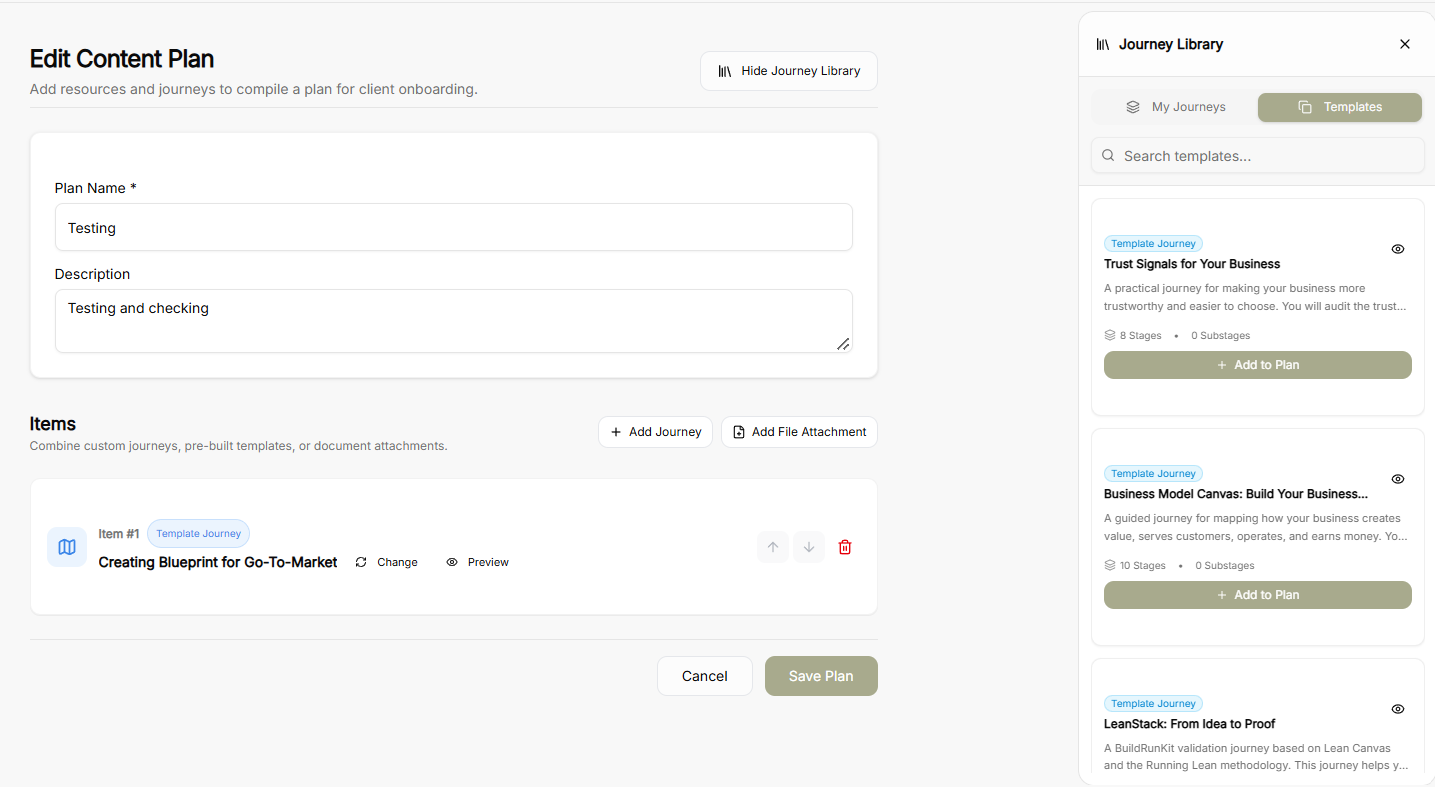
Plan Details: Define or update the mandatory Plan Name and Description.
-
Adding Content Items:
-
Add Journey: Append journeys directly into the plan sequence.
-
Add File Attachment: Attach supplementary documents or resources.
-
-
Journey Library Side Panel:
-
Toggle between My Journeys and Templates tabs to find relevant content.
-
Click + Add to Plan on any card to include it in the active plan.
-
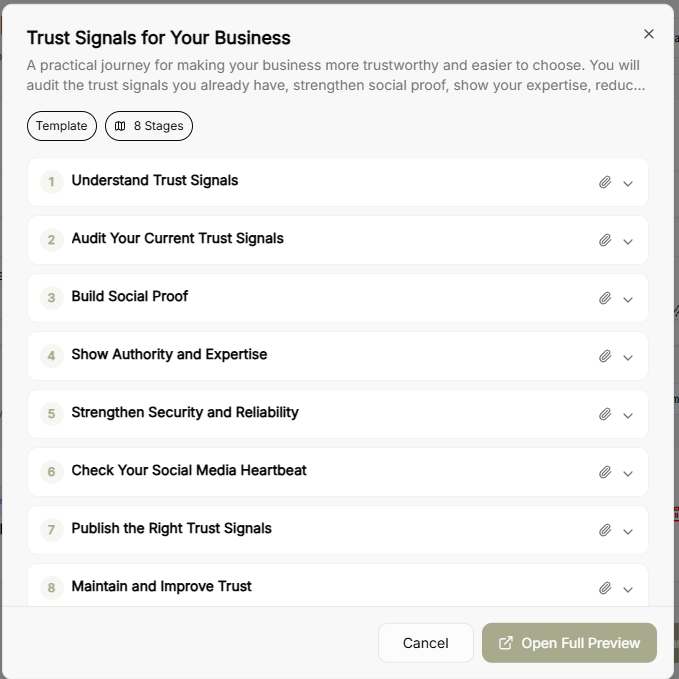
Click the Eye Icon on any journey card in the library or item row to launch a quick preview popup.
-
-
Journey Quick Preview Modal: Displays the journey’s full stage breakdown, stage descriptions, and total stage counts with an option to Open Full Preview.
-
Item Management: Reorder items in the plan using the up/down arrows or remove them using the trash icon.
Creating a New Plan
-
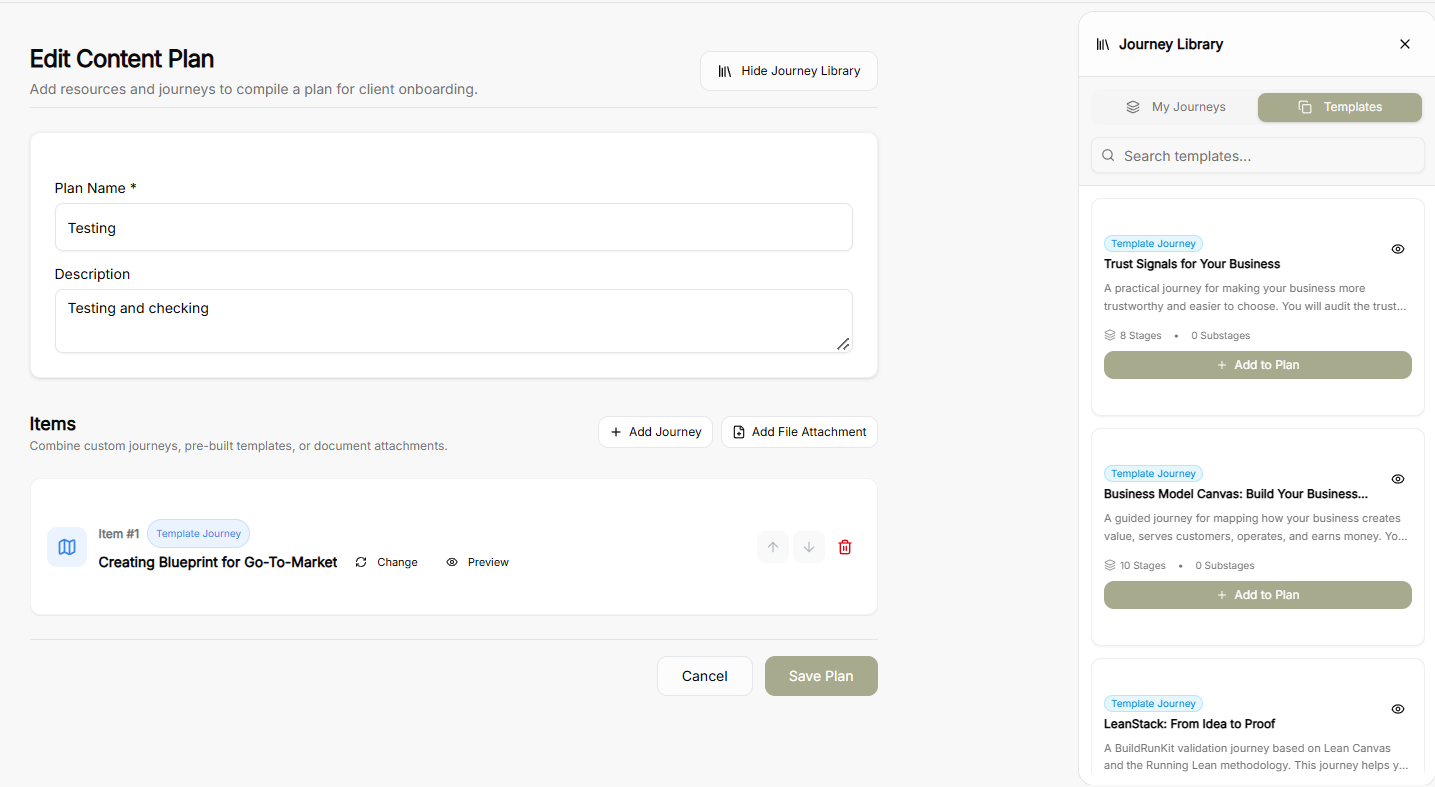
Plan Creator Canvas: Set a Plan Name and Description on a fresh canvas.
-
Library & Attachment Options: Open the Journey Library sidebar to browse through My Journeys or Templates, preview journeys via the eye icon, and attach required documents before clicking Save Plan.
No comments to display
No comments to display