
Mentor Alliance Business Coach Kit – Clients Roster
Mentor Alliance Business Coach Kit – Clients Roster
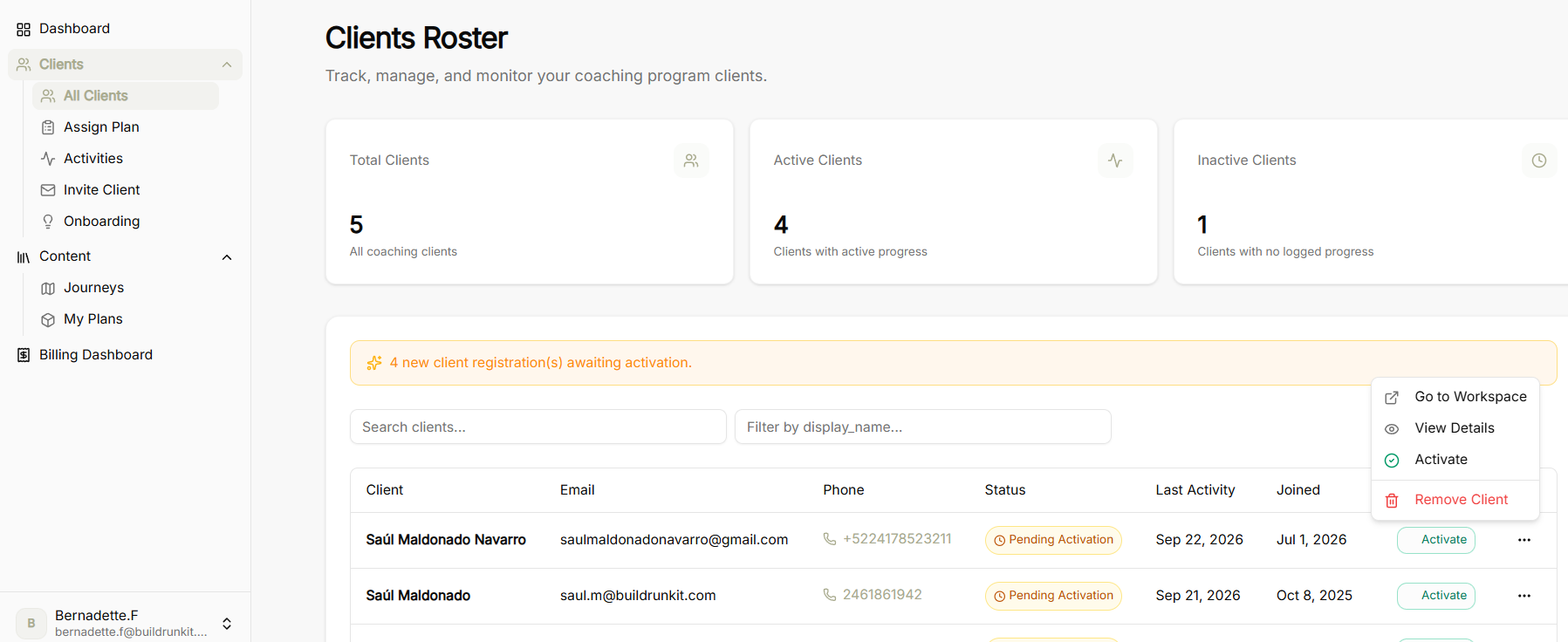
The Clients Roster screen allows coaches to track, manage, and monitor all clients enrolled in their coaching program.
Summary Metrics
-
Total Clients: Overview of all coaching clients in your database.
-
Active Clients: Count of clients currently making active progress through assigned journeys.
-
Inactive Clients: Count of clients with no recent logged progress or activity.
Directory Controls & Registration Alerts
-
Activation Alert Banner: Highlighting new client registrations awaiting activation.
-
Search Clients: Search field to locate specific clients by name or keyword.
-
Filter Options: Dropdown filter to sort or filter records by display name or status.
Clients Table & Actions
Table Columns
-
Client: Name of the client.
-
Email: Primary contact email address.
-
Phone: Contact telephone number.
-
Status: Current account status badge (e.g., Pending Activation).
-
Last Activity: Timestamp of the client's most recent interaction on the platform.
-
Joined: Registration date.
No comments to display
No comments to display