
Mentor Alliance Business Coach Kit – Settings
Mentor Alliance Business Coach Kit – Settings
The Settings module allows coaches to manage public branding info, profile details, security settings, platform display preferences, and automated notification lead times.
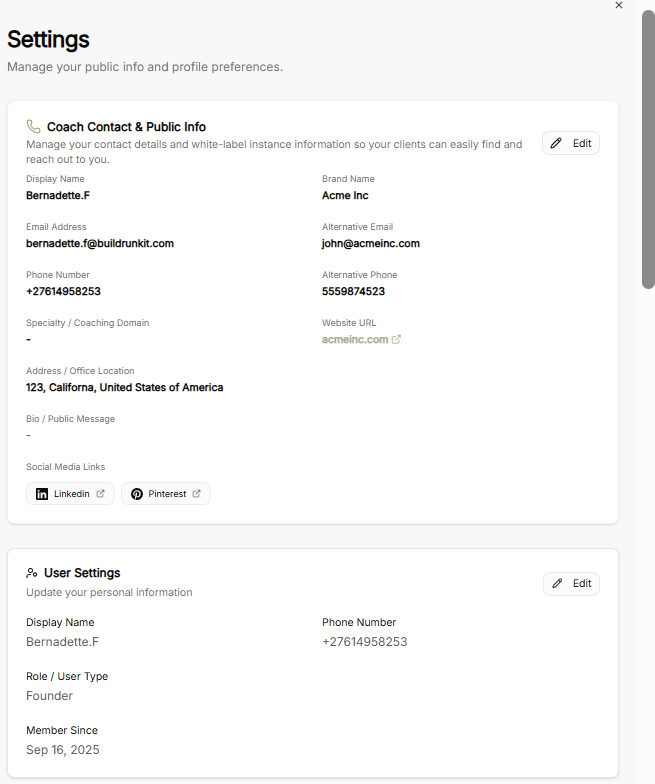
Coach Contact & Public Info
-
White-Label Branding: Display public details shown to clients, including Display Name, Brand Name, Website URL, Office Location, Bio, and connected Social Media Links (LinkedIn, Pinterest).
-
Contact Details: Set primary and alternative contact channels, including Email Address, Alternative Email, Phone Number, and Alternative Phone.
-
Edit Controls: Use the Edit button to update public-facing coach information.
User Settings & Email Address
-
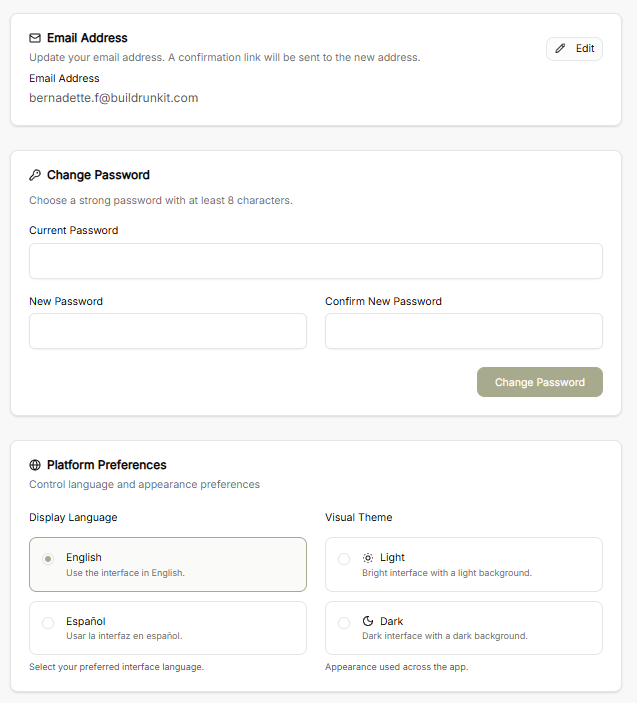
Personal Profile: View and edit personal account details such as Display Name, Phone Number, Role / User Type (e.g., Founder), and Member Since date.
-
Email Address Management: Update account login email with confirmation verification sent to the new address.
Security & Platform Preferences
-
Change Password: Update security credentials by entering the Current Password along with the New Password confirmation (minimum 8 characters).
-
Display Language: Toggle interface language between English and Español.
-
Visual Theme: Switch the platform interface appearance between Light and Dark modes.
Notification Preferences
-
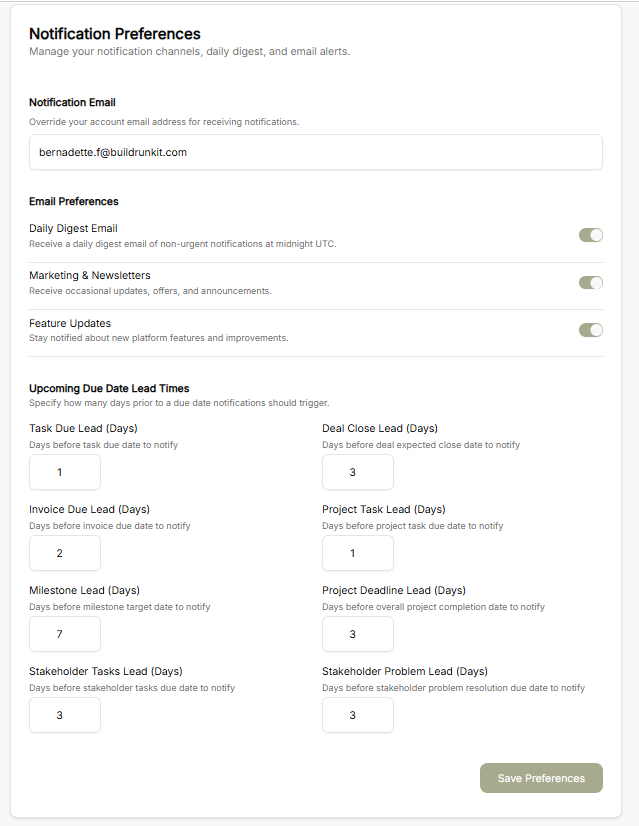
Notification Email: Set an explicit email address to override default account notifications.
-
Email Subscriptions: Toggle options for Daily Digest Email (sent at midnight UTC), Marketing & Newsletters, and Feature Updates.
-
Upcoming Due Date Lead Times: Set specific advance notification days for upcoming deadlines, including:
-
Task Due Lead
-
Deal Close Lead
-
Invoice Due Lead
-
Project Task Lead
-
Milestone Lead
-
Project Deadline Lead
-
Stakeholder Tasks Lead
-
Stakeholder Problem Lead
-
-
Save Preferences: Confirm and apply all updated notification triggers.
No comments to display
No comments to display