Mentor Alliance Business Coach Kit – My Plans
Mentor Alliance Business Coach Kit – My Plans
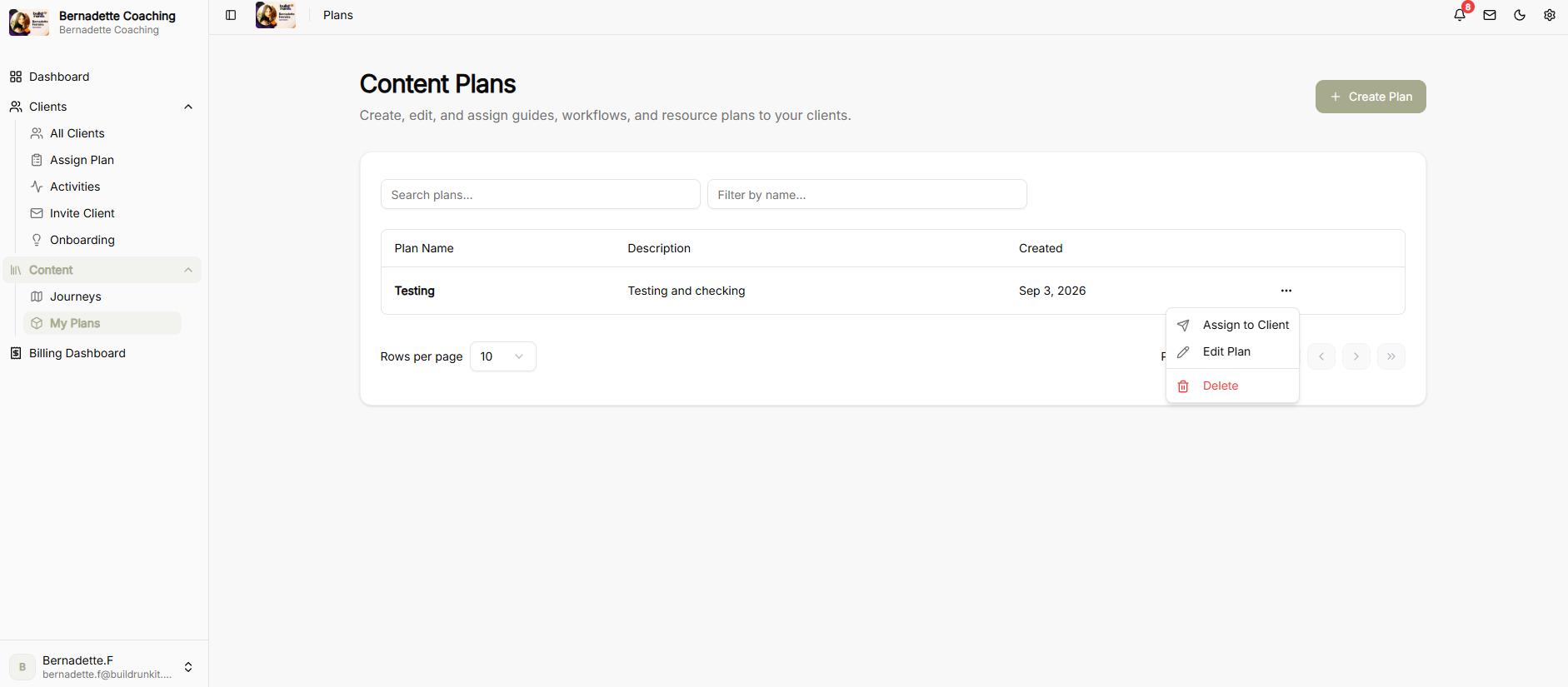
The My Plans module allows coaches to create, edit, assign, and customize content plans for client onboarding by combining custom journeys, pre-built templates, and file attachments.
Assigning a Plan
-
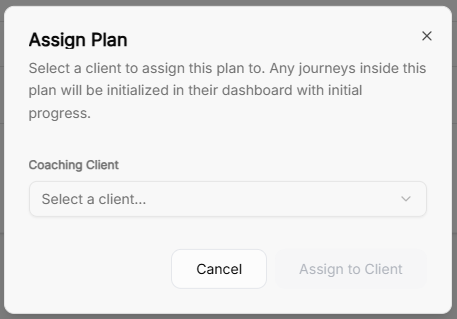
Assign Plan Modal: Select a coaching client from the dropdown menu to assign a content plan.
-
Automatic Progress Tracking: Assigning a plan initializes all included journeys directly on the client’s dashboard with initial progress tracking enabled.
Editing & Building Content Plans
-
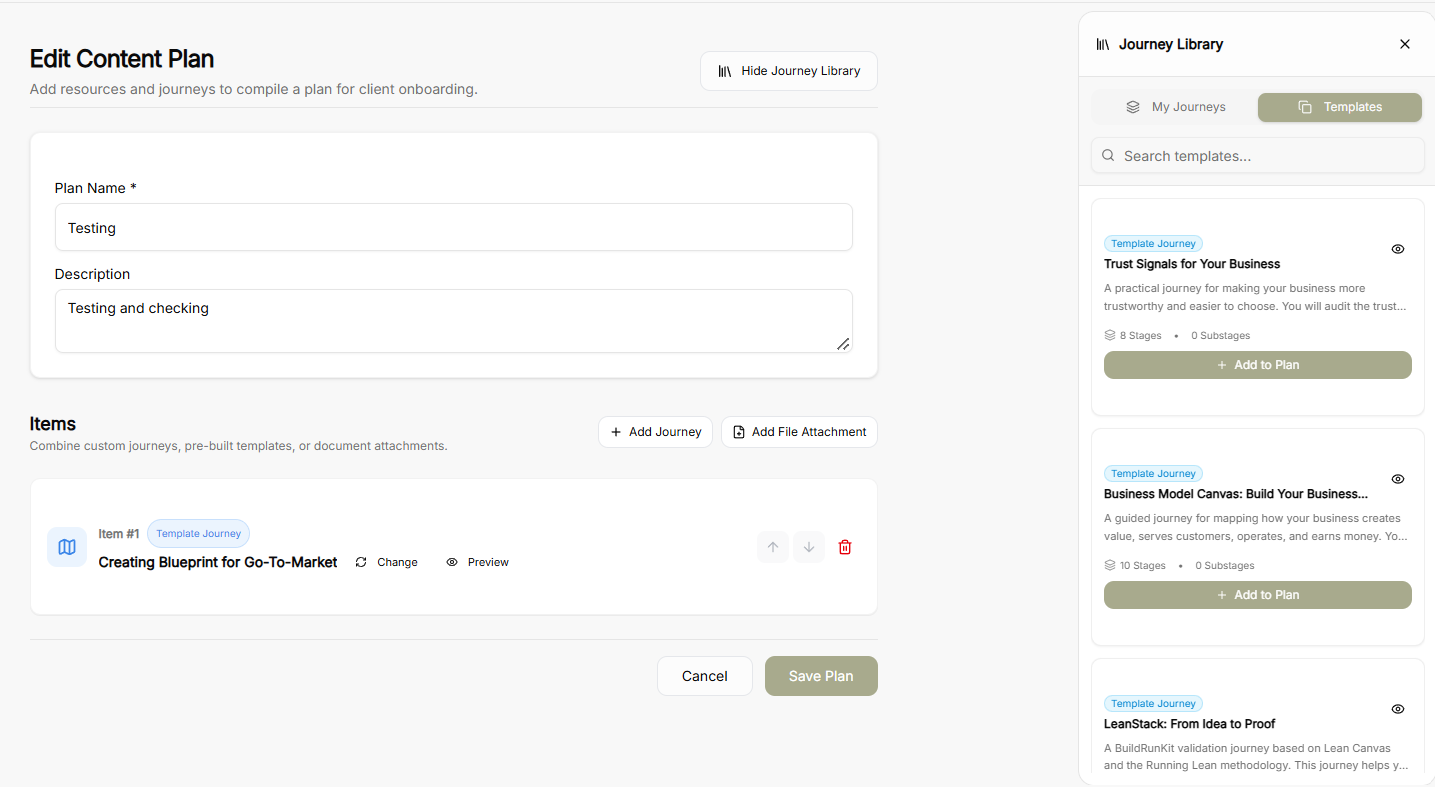
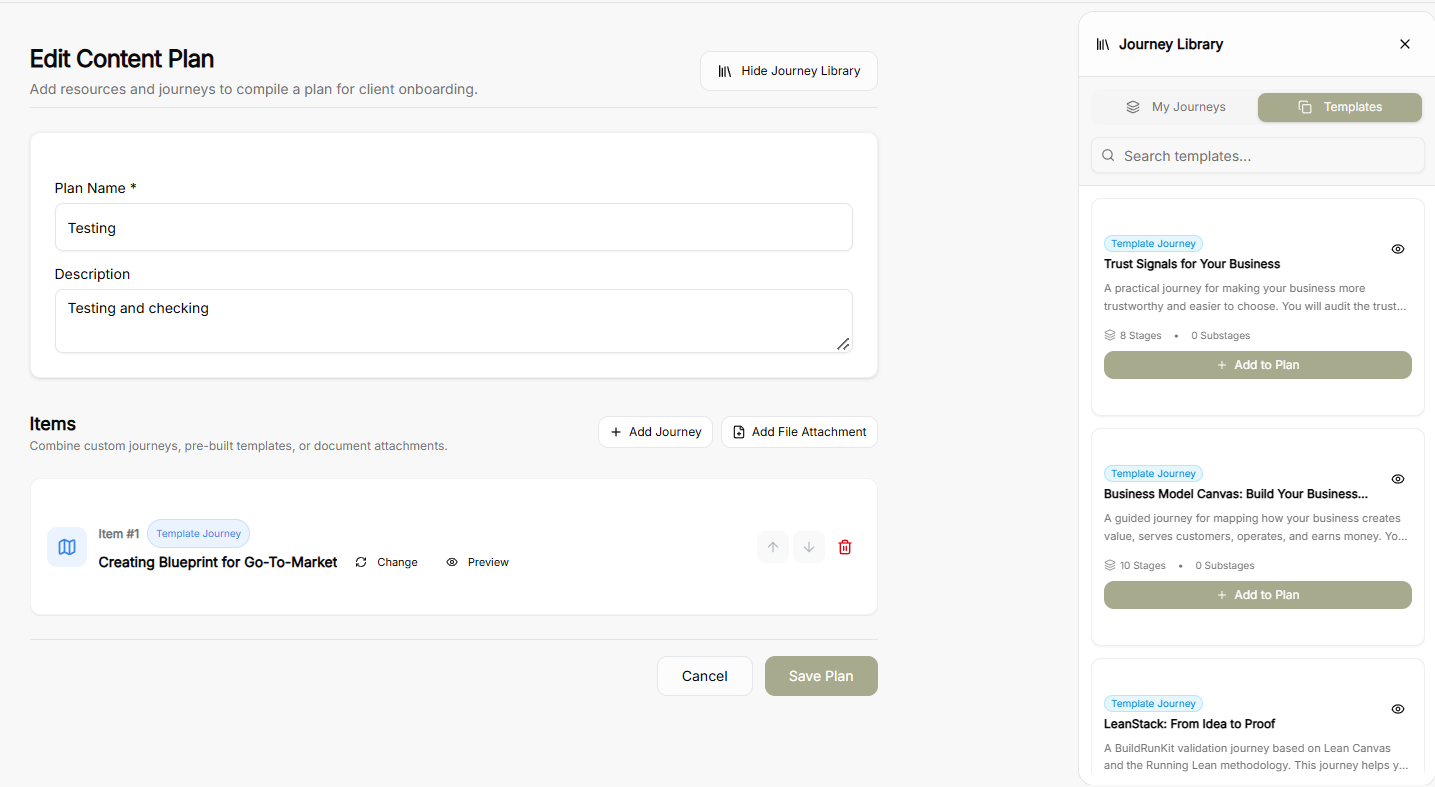
Plan Details: Define or update the mandatory Plan Name and Description.
-
Adding Content Items:
-
Add Journey: Append journeys directly into the plan sequence.
-
Add File Attachment: Attach supplementary documents or resources.
-
-
Journey Library Side Panel:
-
Toggle between My Journeys and Templates tabs to find relevant content.
-
Click + Add to Plan on any card to include it in the active plan.
-
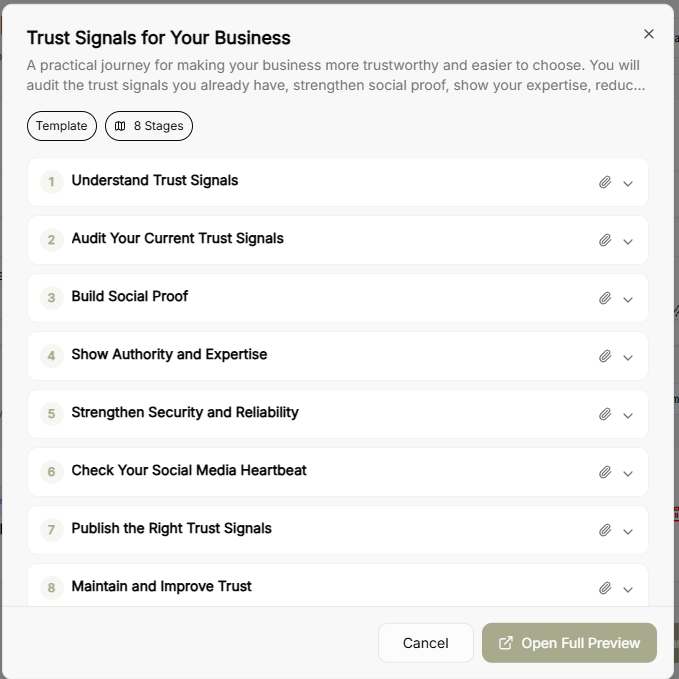
Click the Eye Icon on any journey card in the library or item row to launch a quick preview popup.
-
-
Journey Quick Preview Modal: Displays the journey’s full stage breakdown, stage descriptions, and total stage counts with an option to Open Full Preview.
-
Item Management: Reorder items in the plan using the up/down arrows or remove them using the trash icon.
Creating a New Plan
-
Plan Creator Canvas: Set a Plan Name and Description on a fresh canvas.
-
Library & Attachment Options: Open the Journey Library sidebar to browse through My Journeys or Templates, preview journeys via the eye icon, and attach required documents before clicking Save Plan.