
Mentor Alliance Business Coach Kit – Onboarding
Mentor Alliance Business Coach Kit – Onboarding
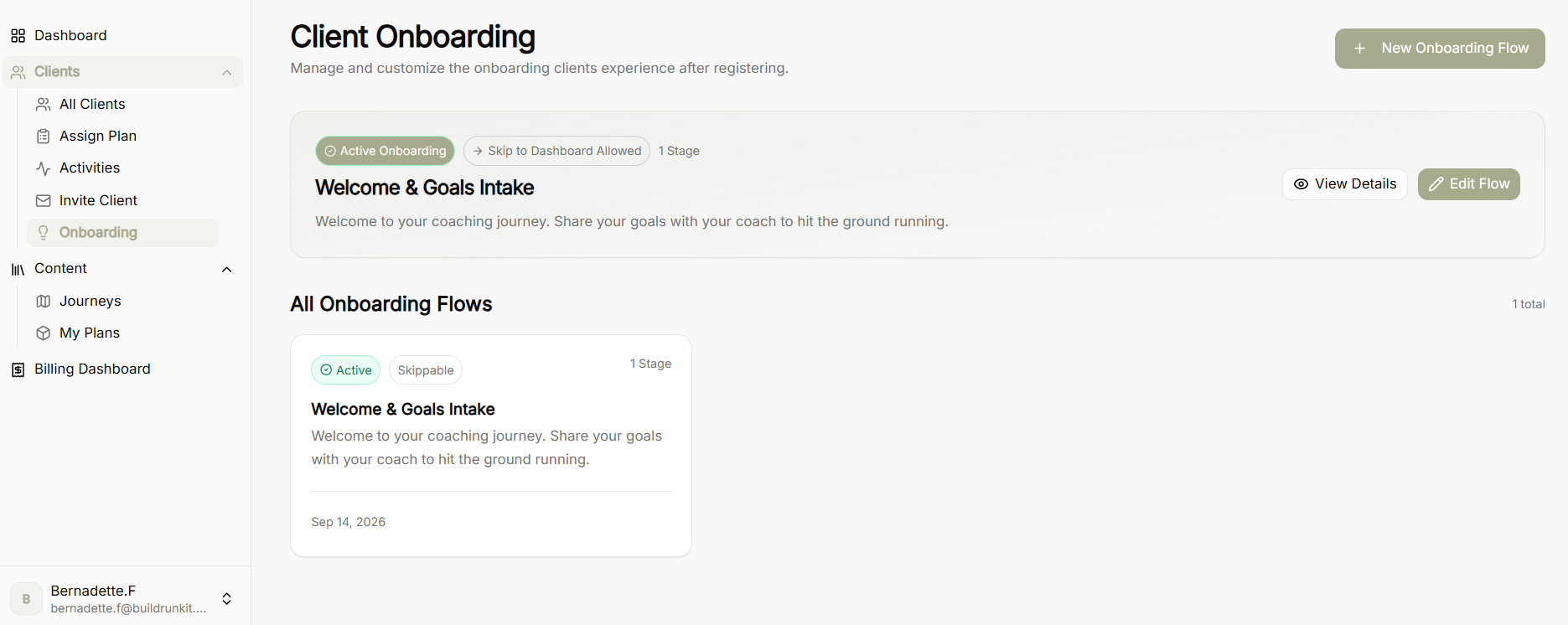
The Onboarding module enables coaches to create, edit, and manage customized first-touch onboarding experiences that new clients encounter immediately after registering.
Client Onboarding Overview Dashboard
-
Active Onboarding Banner: Displays the designated primary onboarding sequence, highlighting total stage count, skippability permissions, and direct actions (View Details or Edit Flow).
-
New Onboarding Flow Button: Launches the builder to design a brand-new onboarding experience.
-
All Onboarding Flows: Library displaying all saved onboarding sequences with status tags (Active, Skippable) and creation dates.
View Details Screen
-
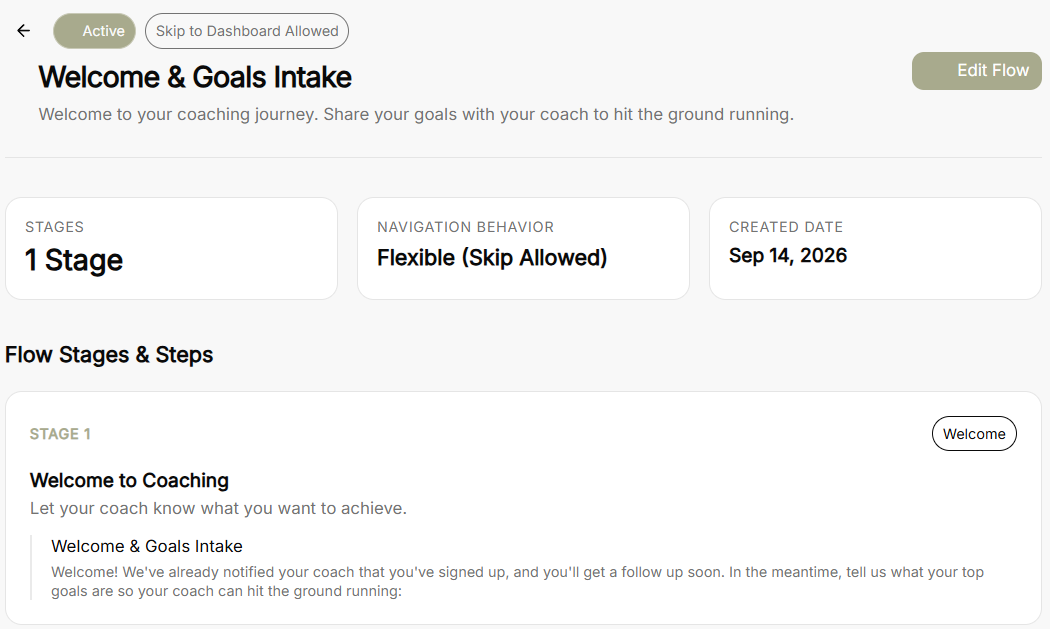
Flow Summary Header: Displays total stage count, navigation behavior (Flexible - Skip Allowed or Mandatory), and original creation date.
-
Flow Stages & Steps Summary: Renders a read-only breakdown of each stage, including stage titles, descriptions, and individual step prompts configured for the client intake.
-
Edit Flow Button: Direct shortcut to open the editor and update the current flow.
Edit & Create Onboarding Experience Flow Builder
-
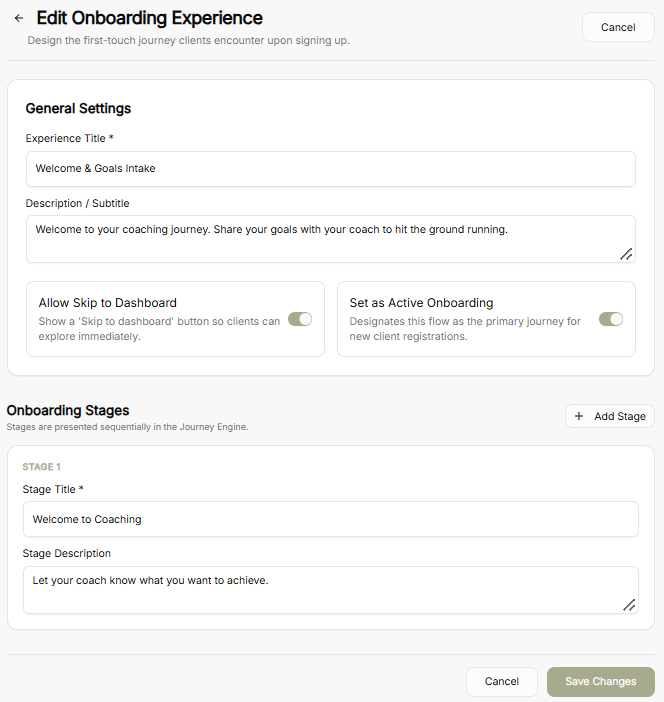
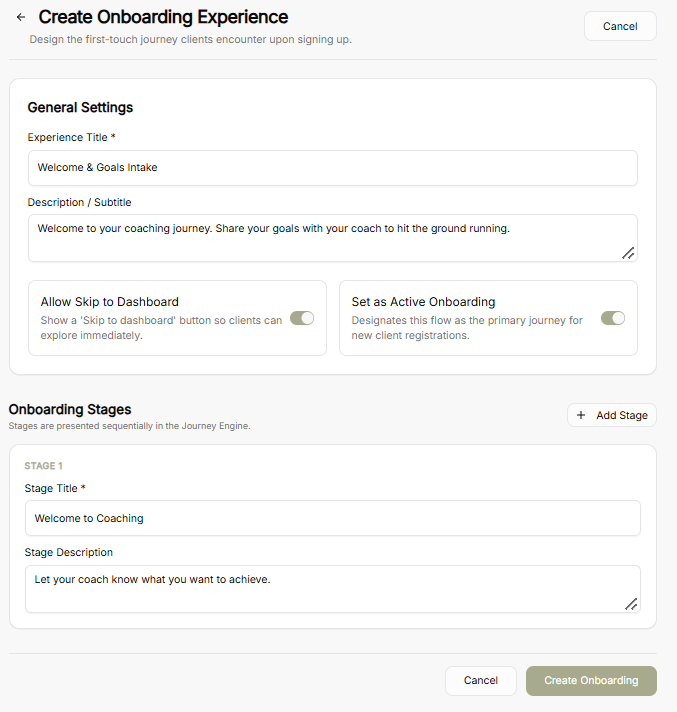
General Settings:
-
Experience Title: Set or modify the public title for the onboarding flow.
-
Description / Subtitle: Add guidance text explaining the purpose of the intake to new clients.
-
Allow Skip to Dashboard Toggle: Enables or disables a "Skip to dashboard" button, allowing clients to bypass onboarding and explore the platform right away.
-
Set as Active Onboarding Toggle: Designates the specific flow as the primary journey assigned to new client registrations.
-
Onboarding Stages:
-
-
Stage Title & Description: Configure distinct sequential stages to break intake steps into manageable parts.
-
Add Stage Button: Append additional sequential stages to the onboarding journey.
-
-
Save / Create Controls: Confirm updates with Save Changes or publish a new experience with Create Onboarding.
No comments to display
No comments to display