
BuildRunKit Strategy Hub: Problems Sub-Section
BuildRunKit Strategy Hub: Problems Sub-Section
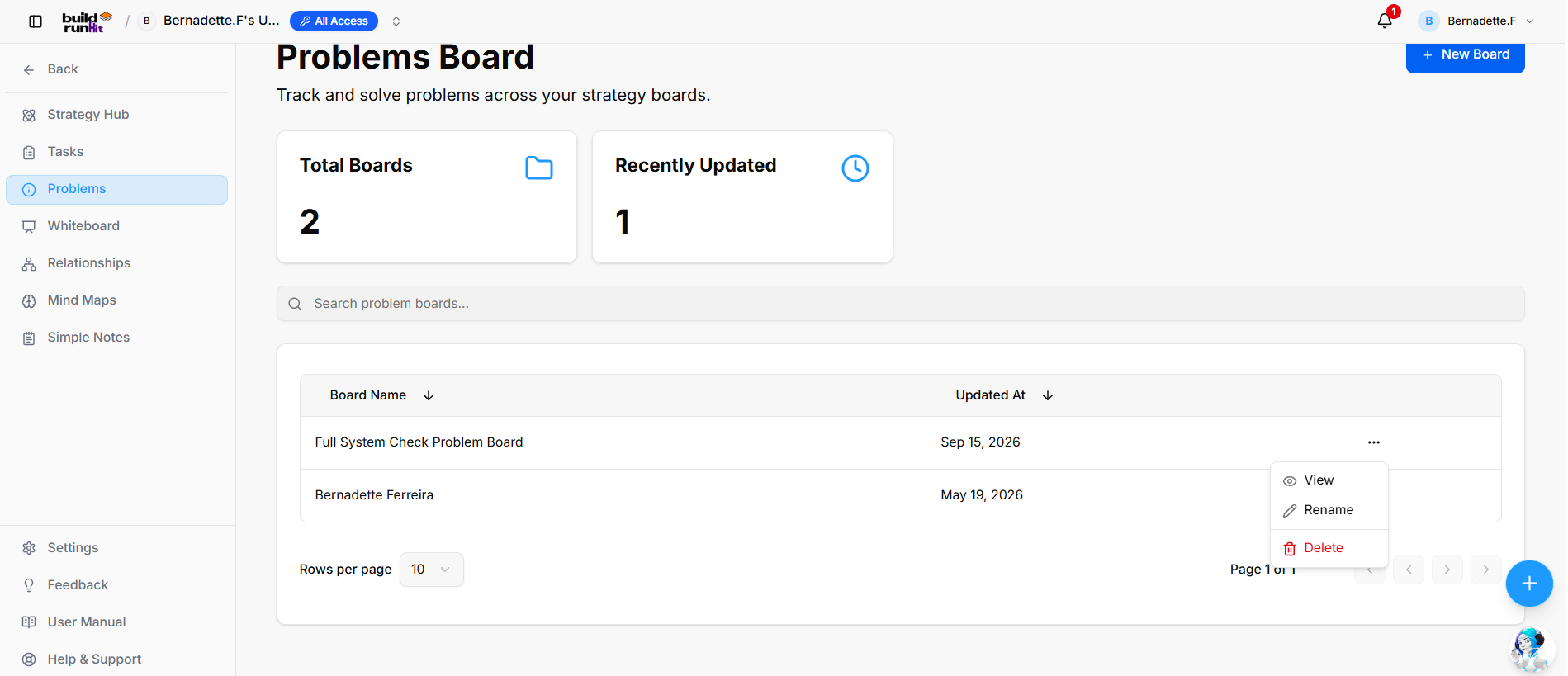
The Problems sub-section provides centralized tracking to log, manage, and resolve issues across strategy boards.
Summary Metrics
Top KPI cards highlight board counts and recent activity:
-
Total Boards: Tracks the overall number of created problem boards (e.g.,
2). -
Recently Updated: Counts problem boards with recent activity or modifications (e.g.,
1).
Directory Controls & Search
-
Search problem boards...: Global filter input for locating boards by name.
-
Rows per page: Dropdown selector to set board density per page (e.g.,
10). -
Pagination: Directional controls to step through board directory pages (e.g., Page 1 of 1).
Problems Table Data Columns
-
Board Name: Title assigned to the problem board (e.g., Full System Check Problem Board, Bernadette Ferreira). Includes a sort arrow.
-
Updated At: Date of the most recent changes (e.g., Sep 15, 2026, May 19, 2026). Includes a sort arrow.
Row Actions Menu (...)
Clicking the three dots icon on any board row displays quick options:
-
View: Opens the selected problem board workspace.
-
Rename: Displays an inline input to update the board title.
-
Delete: Removes the problem board record from the system.
Header & Action Buttons
-
+ New Board: Primary blue action button to open the problem board setup interface.