
Saved Outcomes Sub-sections
Saved Outcomes Repository
Sub-sections
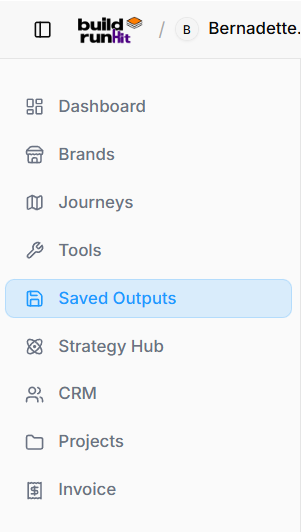
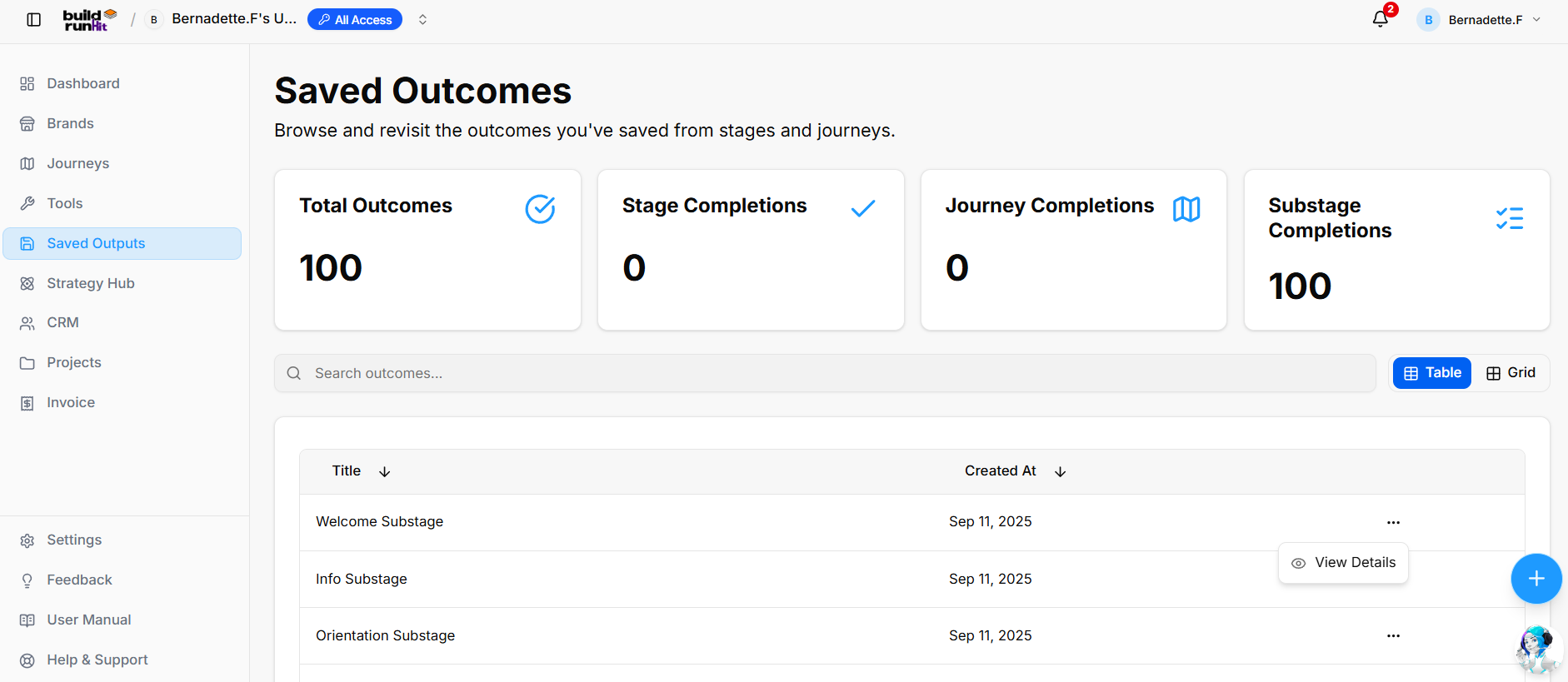
The Saved Outputs module (displayed as Saved Outcomes) sectiontracks two core elements of your progress: Founder Journey Sub-Stage Completions and saved Output Subsections. It serves as a centralizedcentral digitallog filingshowing cabinetwhat forsteps youryou progress.completed, Insteadwhen ofthey holdingwere staticfinished, textand the exact outputs or marketingdocuments assets,generated thisduring repositoryeach acts as a running historical record of every major decision, milestone, and phase completion achieved across the platform.sub-stage.
1.Metrics AccessingSummary Your Saved WorkCards
Locating your historical logs is straightforward within the workspace structure:
2. Managing the Master Log Dashboard
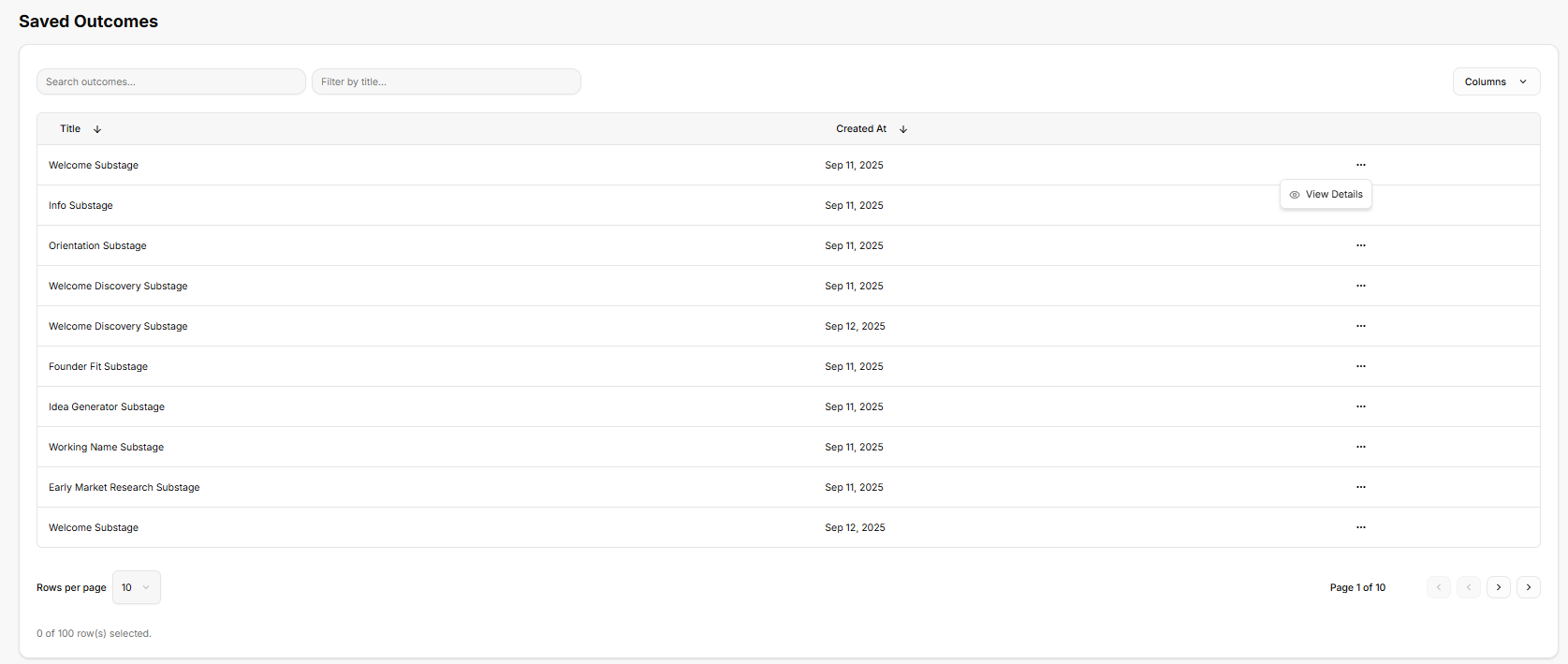
Once inside the repository, the platform provides a structured, high-level data table built to help organize and locate individual business milestones:
Search and Filter Functions: Text entry fields at the top allow quick sorting by specific titles or keywords to pull up exact records instantly.0).
ChronologicalJourney RecordCompletions: Keeping:Tracks Everyend-to-end generatedfinished milestonefounder isjourneys logged(e.g., as a separate row, showing the precise title of the entry alongside an automatic timestamp indicating exactly when it was achieved.0).
ActionableSubstage Entries:Completions: SelectingTracks completed founder journey sub-stages and their associated outputs (e.g., 100).
Search & View Controls
Search Input Field: Real-time search bar to quickly filter completed sub-stages or saved output subsections by keyword (e.g., "Search outcomes...").
View Toggles: Switch layout between Table view and Grid view.
Sub-Stage Progress & Saved Outputs Log
Title Column: Shows the horizontalspecific ellipsiscompleted founder journey sub-stage or saved output subsection (e.g., Welcome Substage, Info Substage, Orientation Substage).
Created At Column: Displays the timestamp recording when the sub-stage was completed and saved (e.g., Sep 11, 2025).
Action Menu: Context menu (...) onwith anyoptions loggedto rowView opensDetails, up a quick action menu whereallowing you can click View Details to pull upinspect the deeperfull record.saved output, responses, or generated content for that specific sub-stage.
Viewing
3. Reviewing Individual MilestoneOutcome Details
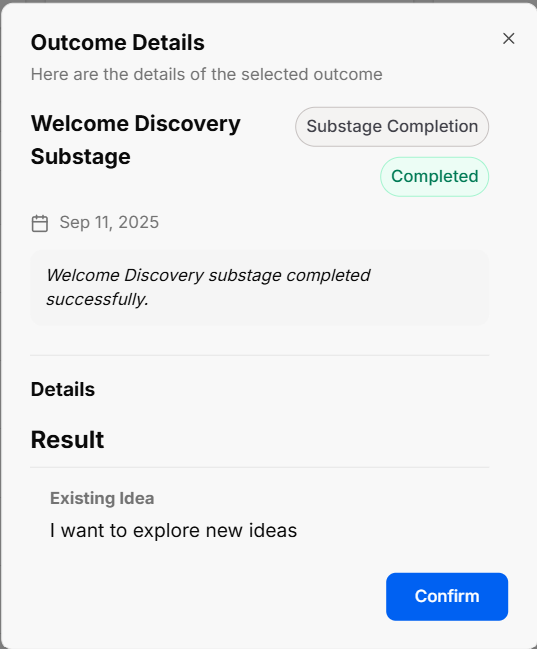
OpeningWhen aclicking specificView recordDetails triggersfrom athe cleanaction pop-upmenu on any log entry, an Outcome Details modal window thatopens breaksto downshow exactlyfull whatsub-stage thatinformation historicaland logrecorded represents:results:
-
StatusSubstage Title &TypeMetadata:Badges: The window clearly labelsDisplays the sub-stage title (e.g., Welcome Discovery Substage), entrytypecategory (such as ae.g., SubstageCompletion)Completion), status (e.g., Completed), anddisplaystimestampa(e.g.,distinctSepgreen11,stamp confirming its status as Completed.2025). -
LoggedConfirmationActivityMessage:Summary:CalloutTheboxwindowconfirmingprovidessuccessfulacompletionquick(e.g.,text"WelcomeconfirmationDiscoveryofsubstagethecompletedmilestone reached, followed by a Details canvas. When a stage is marked complete, this space holds the specific notes, operational logs, or data blocks tied directly to that point in the journey.successfully."). -
ContextDetailsControl:&AResultprominentSection: Displays saved user inputs, selected choices, or prompt responses recorded during the sub-stage (e.g., Existing Idea: "I want to explore new ideas").
Confirm Button: Blue action button atto acknowledge and close the bottommodal allows you to easily acknowledge the historical view and return to the main tracking list.view.