
BuildRunKit Invoices: Clients Sub-Section
ManagingBuildRunKit CustomersInvoices: Clients Sub-Section
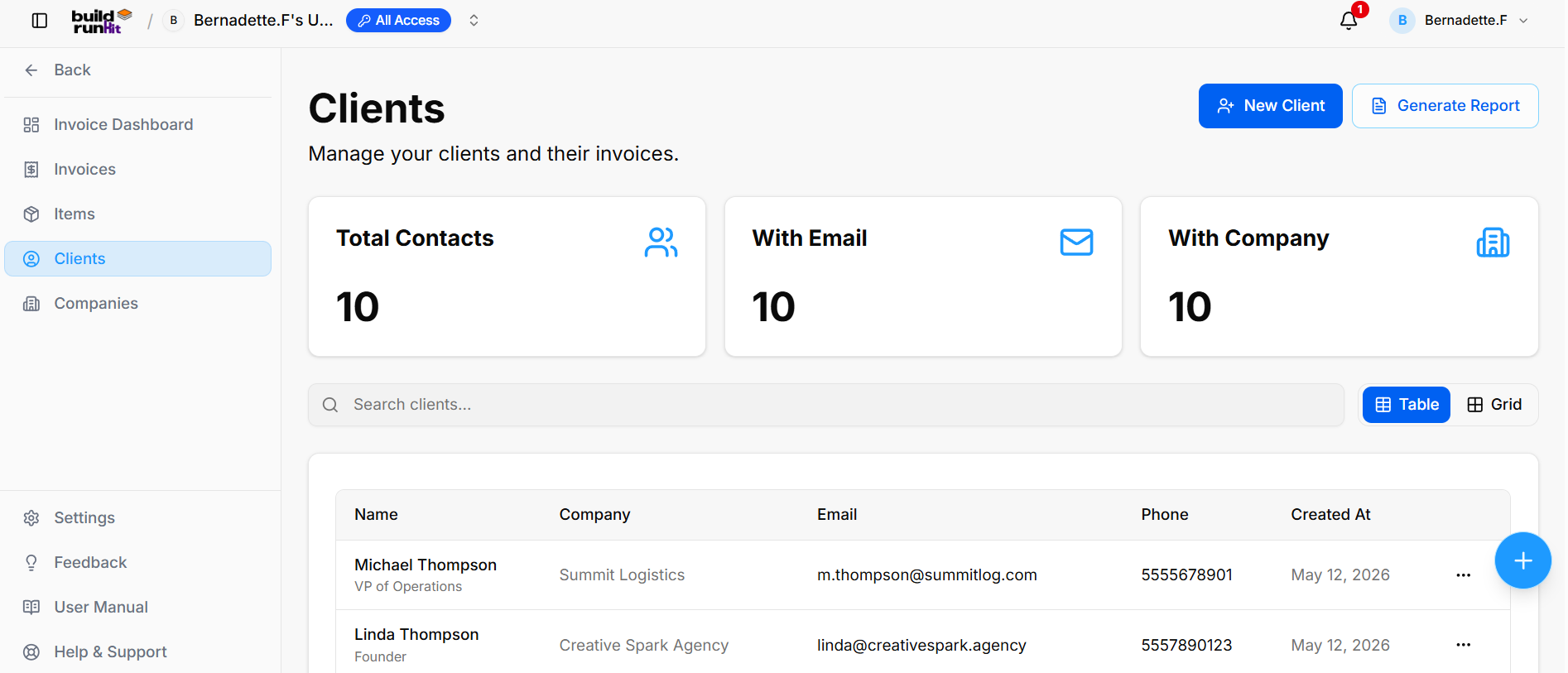
The CustomersClients sub-section isprovides wherecentral youdirectory storemanagement for client profiles, contact information, associated companies, and organizebilling all client contact information. Having a populated customer list allows you to quickly select recipients when creating new invoices.accounts.
The
Client CustomerSummary ListMetrics View
Top
WhenKPI youcards clickdisplay Customerskey indirectory thebreakdown sidebar,totals:
you’ll
-
Total
Customers:Contacts:TheTrackstotalthe overall number ofcontactsregisteredinclientyourprofilescurrent(e.g.,workspace.10). -
With
Email:Email:TheDisplaysnumbertotal count ofcustomersclientthatprofileshavewitha reachableattached emailaddressaddresseson(e.g.,file.10). -
With
Address:Company:TheHighlightsnumberclientofprofilescustomerslinkedwithtoaspecificsavedcompanybillingrecords (e.g.,10).
Directory Controls & Search Bar
Search clients...: Global filter input for locating clients by name, company, email, or details.
View Switcher: Toggle viewing modes between Table (list layout) and Grid (card layout).
Clients Table Data Columns
Name: Primary contact name and title/role.
Company: Associated organization or business entity (e.g., Summit Logistics, Creative Spark Agency).
Email: Primary contact email address.
SearchPhone: &Contact Filter:phone Usenumber the(e.g., search5555678901, bar to find a client by Name, Email, or Company.5557890123).
CustomCreated Columns:At: ClickDate when the Columnsclient dropdownprofile towas choose which information you want to see in the tablecreated (e.g., Phone,May Company,12, or Created Date)2026).
Generating
Row Actions Menu (...)
Clicking the three dots icon on any client row displays quick record management actions:
IfEdit: youOpens needthe asetup physicaleditor to update contact information or digitalcompany listassignment.
Delete: clickRemoves the client profile from the directory.
Header & Action Buttons
+ New Client: Direct action button to open the client creation modal.
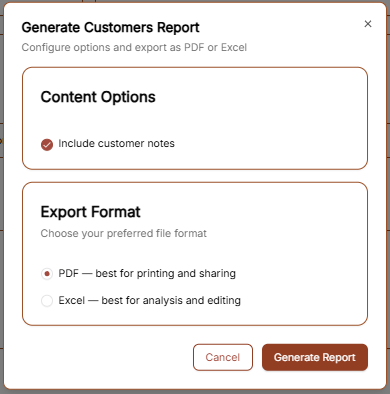
Generate Report: button atOpens the topInvoice right.Clients AReport windowexport will appear with the following options:modal:
-
ContentExportOptions:Count:CheckDisplaysthetotal"Include customer notes" box if you want your internal memos about thetargeted clienttorecordsbe(e.g.,includedExportingin10the file.records). -
Export
FormatFormat: - Allows
PDF:instantBestdownloadsforviasharingExportaasclean, professional-looking list.
Excel: Best if you need to edit the dataPDF or uploadExport itas to another system.CSV.
Click Generate Report to save the file to your computer.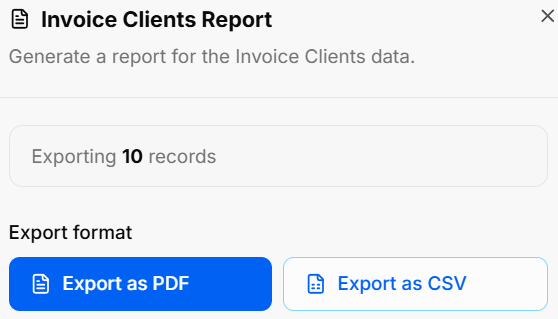
AddingBuildRunKit Invoices: Creating a New CustomerClient
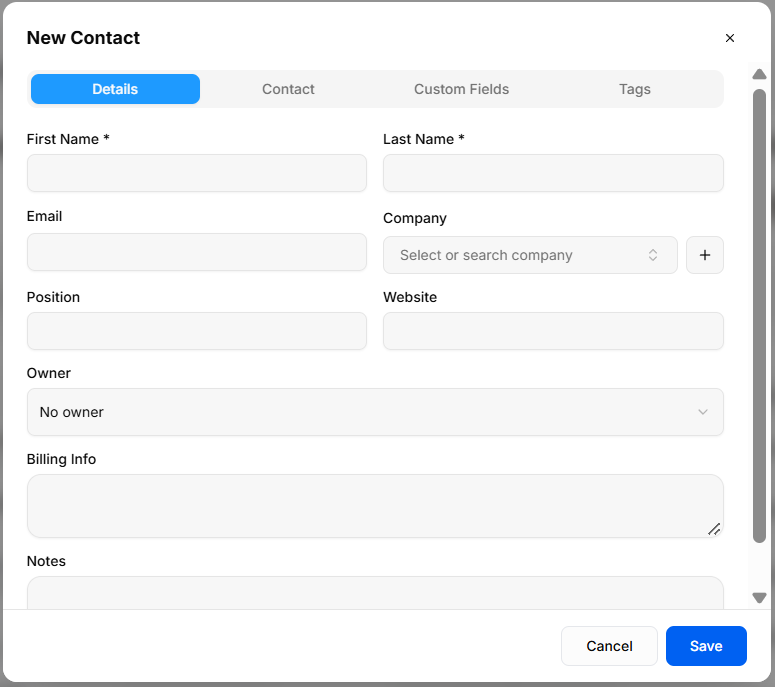
ToThe New Contact modal provides a multi-tab interface for adding customer profiles to the Clients directory.
Details Tab
First Name *: Required field to enter the client's first name.
Last Name *: Required field to enter the client's last name.
Email: Text field for primary email address.
Company: Dropdown menu (Select or search company) to assign an existing company, or click + to quick-add a new client to your workspace, click the brown + New Customer button at the top right of the Customers page. This will open the setup form where you can enter the following details:organization.
PrimaryPosition: Identity:Text Enterfield theto Firstenter Namejob andtitle Lastor Namerole.
Website: Text field for organization URL.
Owner: Dropdown menu to assign an internal account manager (required)No owner).
ContactBilling Details:Info: AddText theirarea Emailfor addressclient-specific andinvoicing Phoneinstructions numberor sobilling you can reach them regarding their invoices.addresses.
ProfessionalNotes: Info:Text Ifarea theyfor representgeneral ainternal business,account entercomments.
Contact PositionTab
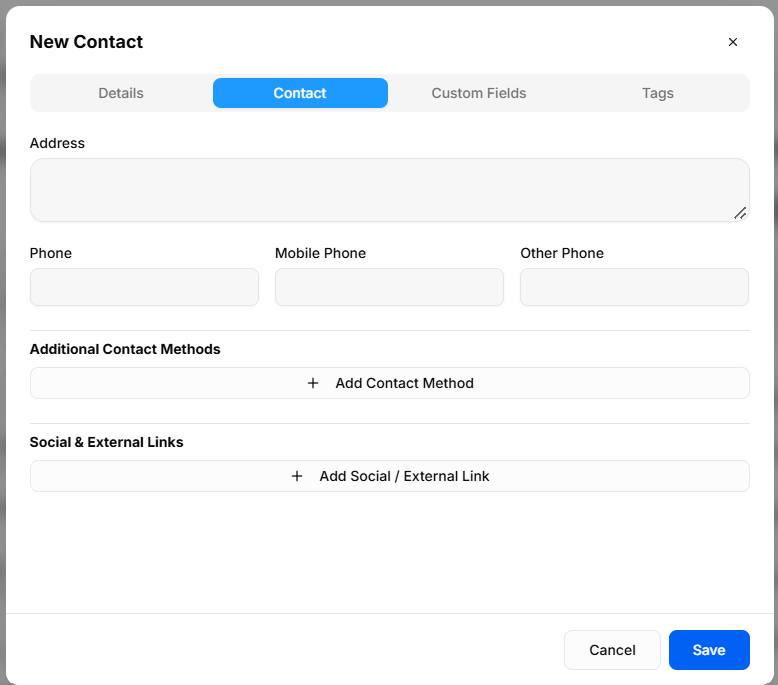
Address: Text area for primary physical or mailing address.
BillingPhone: Address:Numeric Entertext thefield fullfor Addresslandline (Street, City, State, Zip) to ensure it appears correctly on their generated invoices.contact.
InternalMobile Notes:Phone: UseNumeric thetext Notesfield sectionfor cell phone contact.
Other Phone: Numeric text field for secondary contact numbers.
Additional Contact Methods: + Add Contact Method button to addrecord anyalternate privatecommunication detailschannels.
Social that& youExternal wantLinks: + Add Social / External Link button to keepattach foronline yourprofiles records.(e.g., TheseLinkedIn, can be included in your exported reports if you choose.X).
Custom Fields Tab
Once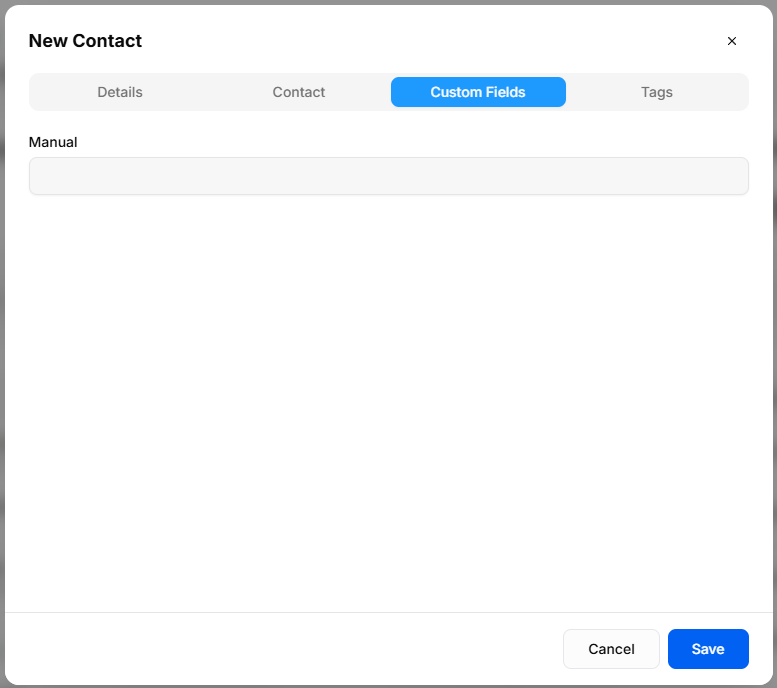
Manual: clickConfigured thetext browninput Createfield Customergenerated from global Custom Field settings (e.g., Manual).
Tags Tab
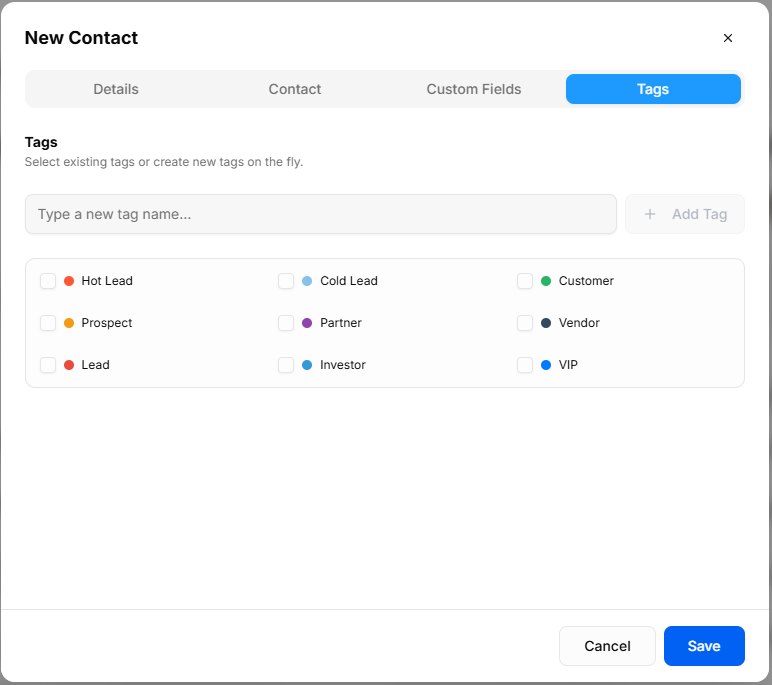
Type a new tag name...: Input field with + Add Tag button to savecreate new tags on the recordfly.
Pre-set Tag Selection: Checkbox toggles to yourassign database.color-coded client categories (Hot Lead, Cold Lead, Customer, Prospect, Partner, Vendor, Lead, Investor, VIP).
Header & Action Buttons
Close (x): Top-right button to exit overlay without saving.
Cancel: Outline button to discard entries and close the modal.
Save: Primary blue button to create the client record.