
BuildRunKit CRM: Pipeline Sub-Section
GoldilocksBuildRunKit CRM: SalesPipeline PipelineSub-Section
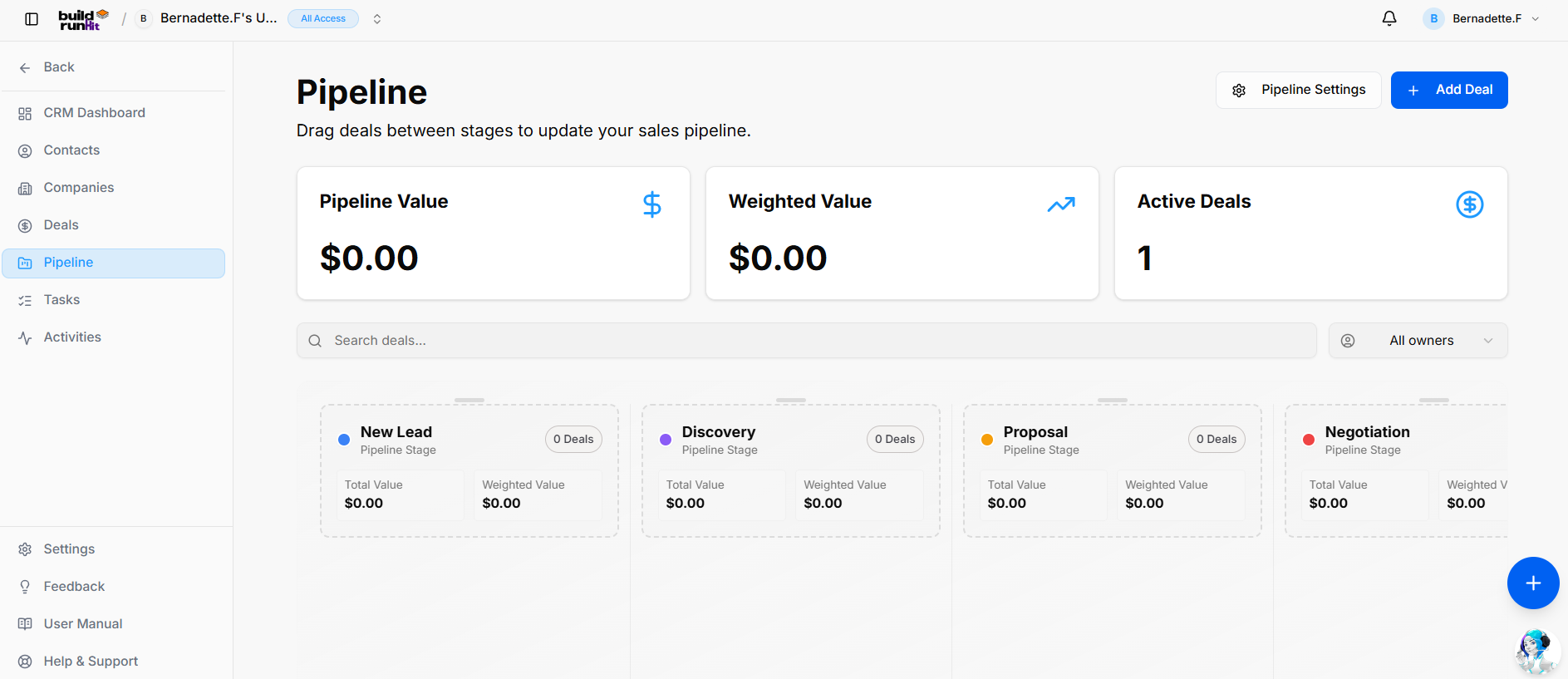
Pipeline Dashboard
The Pipeline pagesub-section allowsoffers a Kanban-style view of your sales process, allowing you to visualizedrag and managedrop yourdeals salesacross flowcustom withstages drag-and-drop.while Thismonitoring boardstage-by-stage providesvaluations.
Header real-time& overviewAction of your business health through high-level metrics:Buttons
-
TotalPipelinePipeline:Settings:DisplaysAccessthestagetotalconfigurationsfinancialtovaluecustomize,ofadd,allordealsreordercurrentlypipelinein the board.stages. -
Weighted+Value:AddShowsDeal: Direct action button to open theadjusteddeal creation modal.
Pipeline Metrics Cards
Pipeline Value: Total unweighted financial value ofacross yourall active pipeline based on the probability of deals closing.stages.
Weighted Value: Cumulative projected value calculated using probability percentages.
Active Deals:Deals: The total countCount of open opportunities currently beingmoving tracked.through the pipeline.
View
CustomizingControls Your& Pipeline
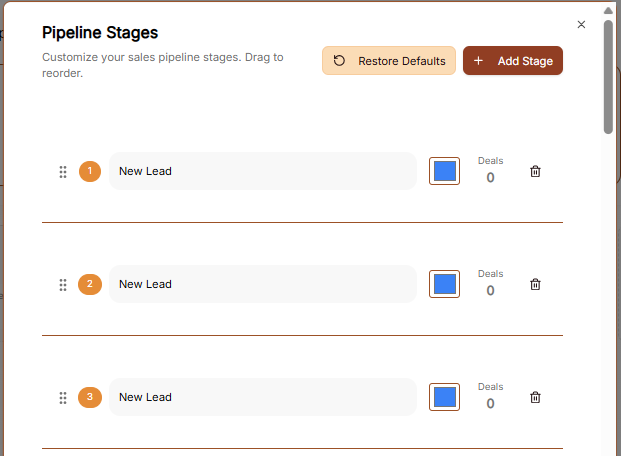
To modify how your sales process is organized, use the Pipeline Settings link located at the top of the board.
Managing Pipeline Stages:Search
-
PipelineSearchSettings:deals...:ClickGlobalthistextlinkinput toaccesslocatethedealcustomizationcardsareabywhere you can addtitle orchange the stages of your sales cycle.contact. -
CustomizeAllStages:ownersWithinDropdown:theFiltersettings,activeyou can adjust your pipeline to fit your specific business needs, such as renamingstage columnsorbyreorderingassignedyourteamworkflow.member.
Pipeline Stages (Kanban Columns) Each column summarizes stage metrics (Total Value, Weighted Value, and deal count) and supports drag-and-drop deal movement across stages:
New Lead: Initial entry point for incoming prospects.
Discovery: Stage Columns:for Byqualifying default,lead your deals are organized into stages including New Lead, Discovery, Proposal,requirements and Negotiation.budget fit.
StageProposal: Totals:Quote Eachor stageformal headerproposal showsdelivered to the number of deals in that specific phase and their combined value.
Managing Deals
Add Deal: Click the brown + Add Deal button at the top right of the dashboard to immediately create a new opportunity within the selected pipeline.prospect.
DealNegotiation: Tracking:Active Individualcontract cardsor onscope terms evaluation.
Closed Won: Final stage for successfully closed opportunities.
Closed Lost: Archive stage for deals that did not convert.
BuildRunKit CRM: Pipeline Settings Modal
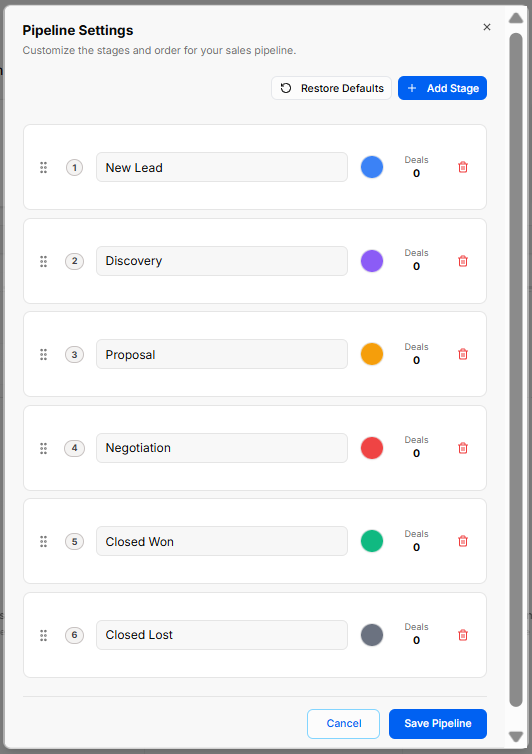
Clicking the boardPipeline showSettings button opens a configuration modal that allows you to customize the Deal Name, Customer,stages and order for your sales pipeline:
Restore Defaults: Resets the Totalpipeline Amountstages, sequence order, and color coding back to the system default configuration.
+ Add Stage: Adds a new customizable stage row to your sales process.
Stage Controls & Ordering:
Drag Handle (::): Click and drag to reorder stage sequence numbers.
Sequence Indicator: Displays the numerical order of each stage (1 through 6).
Stage Name Input: Editable text field to customize stage labels (e.g., New Lead, Discovery, Proposal, Negotiation, Closed Won, Closed Lost).
Color Picker Circle: Assigns distinct visual color indicators to each stage for quick reference.Kanban identification.
Deals Counter: Displays the total count of active deals currently assigned to that stage.
Trash Bin Icon: Deletes individual stages from the pipeline.
Modal Actions: Click Cancel to discard changes or Save Pipeline to apply the updated stage configuration.