
BuildRunKit CRM: Companies Sub-Section
BuildRunKit CRM: Companies Sub-Section
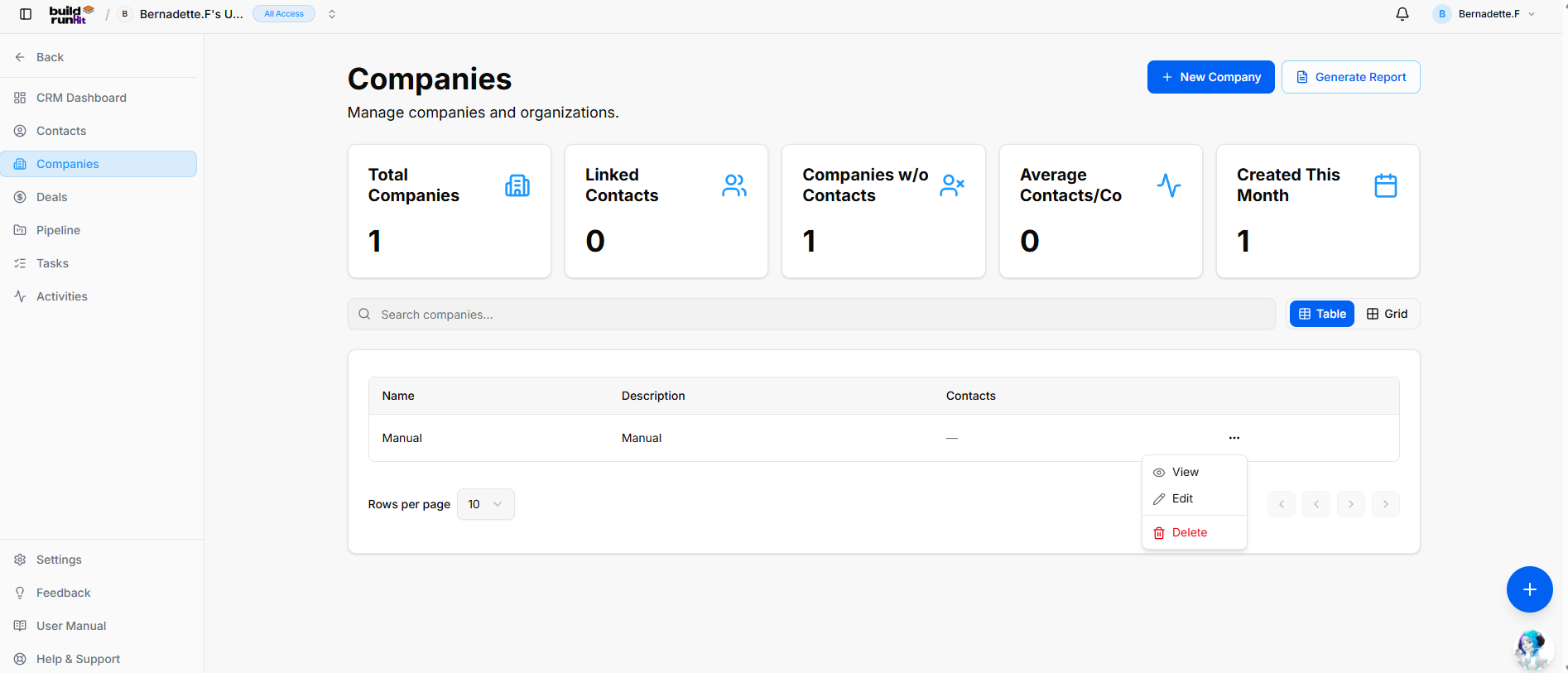
The Companies sub-section provides central organizational tracking for client businesses, partner organizations, and parent accounts.
Header & Action Buttons
-
+ New Company: Direct action button to open the company setup modal.
-
Generate Report: Opens the CRM Companies Report export modal:
-
Export Count: Displays total targeted organization records (e.g., Exporting 1 records).
-
Export Format Options: Allows instant downloads via Export as PDF or Export as CSV.
-
Company Summary Metrics
Top KPI cards display key account breakdown totals:
-
Total Companies: Tracks the overall number of registered organization profiles.
-
Linked Contacts: Counts individual contact records attached across all company profiles.
-
Companies w/o Contacts: Identifies orphaned company records requiring contact assignment.
-
Average Contacts/Co: Displays the mean contact ratio per parent organization profile.
-
Created This Month: Highlights recent client onboarding growth and newly registered companies.
Directory Controls & Search Bar
-
Search companies...: Global filter input for locating accounts by name or description keywords.
-
View Switches: Toggle viewing modes between Table (list layout) and Grid (card layout).
-
Rows per page: Dropdown selector to control row density per page (e.g., 10 rows).
-
Pagination: Standard directional controls to step through company pages.
Companies Table Data Columns
-
Name: Primary registered company or trading entity name.
-
Description: High-level summary of the company's business focus or internal account notes.
-
Contacts: Total linked contact profiles associated with the organization.
Row Actions Menu (...)
Clicking the three dots icon on any company row displays quick record management actions:
-
View: Opens the dedicated company profile view showing linked contacts, attached deals, and account history.
-
Edit: Opens the setup editor to update organization details, company descriptions, or associated profiles.
-
Delete: Removes the organization record from the CRM directory.