Managing Your Activities
Managing Your Activities
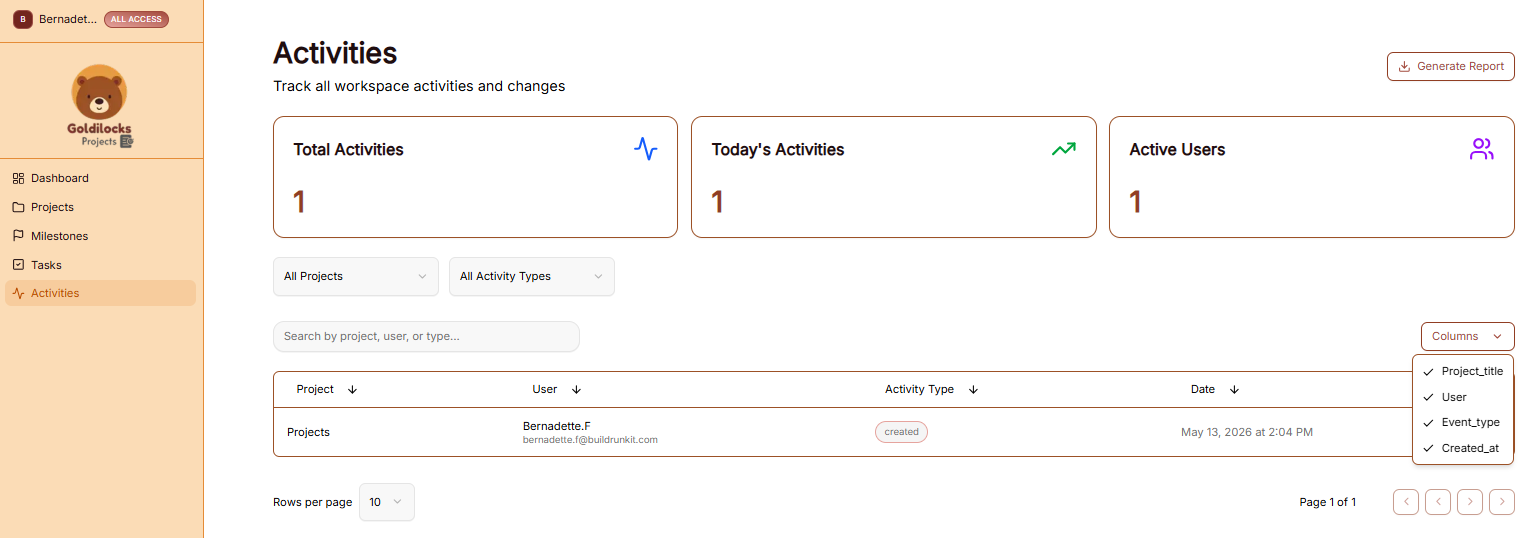
The Activities module provides a complete audit trail for your workspace, allowing you to track all project-related changes and team interactions in real time.
Managing Your Activities
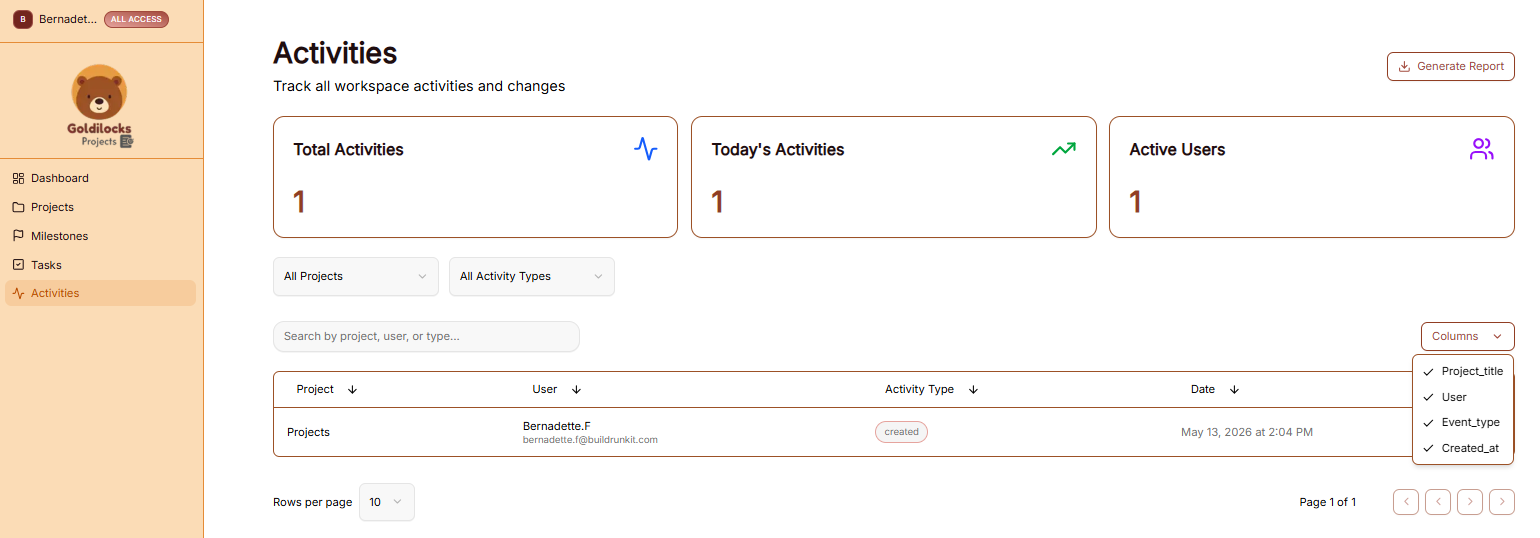
The Activities page serves as a centralized log to help you monitor productivity and workspace history:
-
Navigation: Click on Activities in the left-hand sidebar to access the activity log.
-
Activity Overview Cards: Three cards at the top provide quick statistics:
-
Total Activities: The cumulative number of actions recorded in the workspace.
-
Today's Activities: The number of actions performed within the last 24 hours.
-
Active Users: The count of team members who have performed actions.
-
Search & Filters: Narrow down the activity log using the following tools:
-
Search Bar: Search for specific entries by project, user, or action type.
-
All Projects Dropdown: Filter activities belonging to a specific initiative.
-
All Activity Types Dropdown: Filter by the nature of the change (e.g., "Created," "Updated").
-
Log Table: The main table displays the following data columns:
-
Project: The initiative where the change occurred.
-
User: The name and email of the person who performed the action.
-
Activity Type: A labeled tag indicating the action (e.g., a green "created" tag).
-
Date: The specific date and time the action was logged.
-
Table Customization: * Columns Dropdown: Use the "Columns" menu to show or hide specific data fields like Project title, User, Event type, or Created at.
Exporting Activities Data
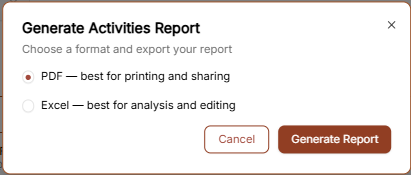
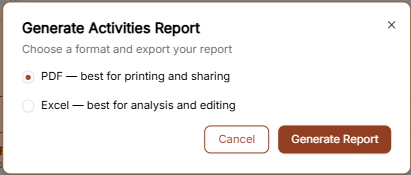
Click the "Generate Report" button in the top right corner to export the audit log. You can select your preferred format in the pop-up window: