
BuildRunKit Strategy Hub: Strategy Dashboard
TheBuildRunKit Strategy HubHub: Strategy Dashboard
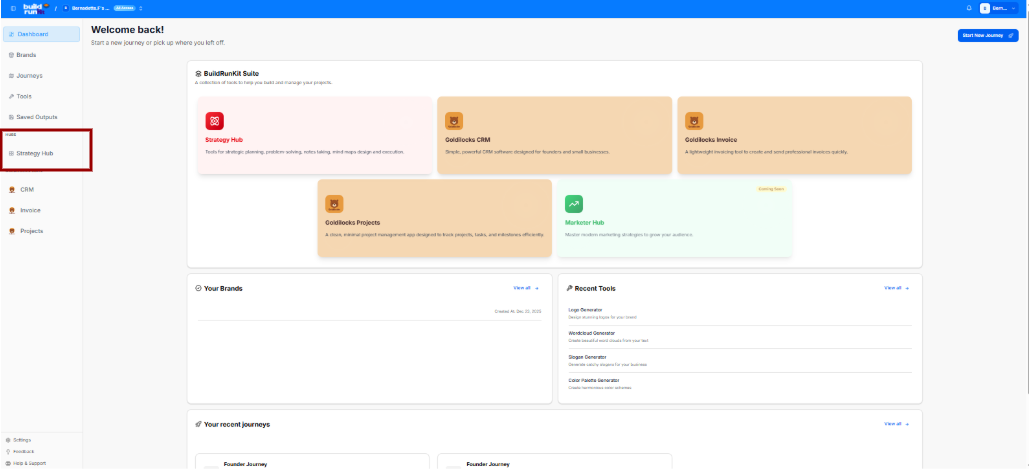
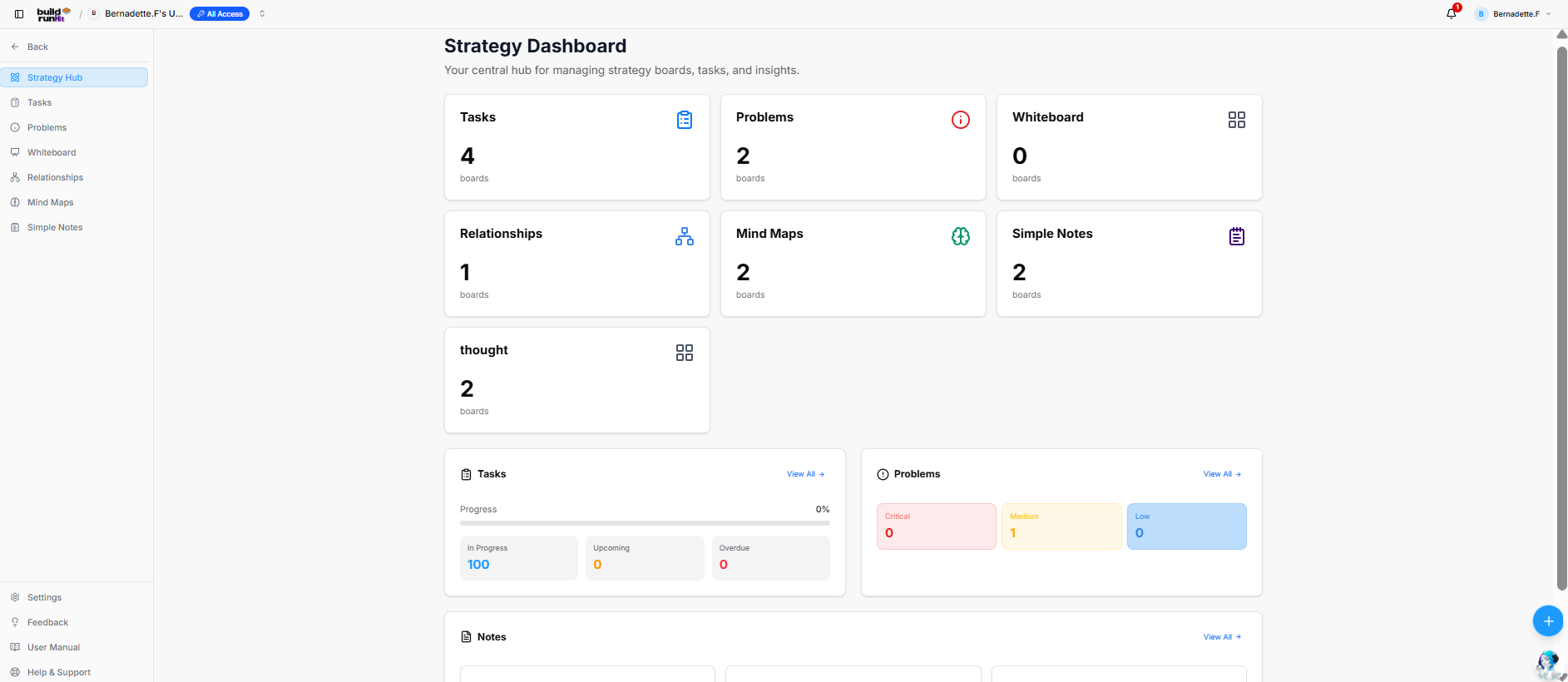
The Strategy Hub dashboardDashboard serves as yourthe centralizedcentral workspacehub for managing tasks,strategy problems,boards, ideas,task tracking, problem mapping, and notes.documentation Itinsights providesacross aprojects.
Strategy viewBoard ofCards
Top metrics cards display the total active boards andconfigured tracks real-time progress across key workflow segments.
Overview Cards
The top metric cards show the total number of active tracking boards withinfor each core strategic category:
-
Tasks:Tasks:Displays the total number ofTotal taskboards active in your workspace (e.g., 4 boards).
Problems: Tracks active issue or bug logging boards (e.g., 1 boards).
Thoughts: Aggregates brainstorms, ideas, and strategic thoughts (e.g., 1 boards).
Relationships: Manages network, partner, or team connection4 boards (e.g., 1 boards).
Mindmaps: Provides quick access to visual brainstorming or mind mapping workspaces (e.g., 1 boards).
Notes: Collects knowledge base and documentation folders (e.g., 1 boards).
Dashboard Trackers & Widgets
The lower half of the dashboard features dedicated summary panels to track your items and jump directly into deep-dive views:
Tasks Panel
This section helps you track your tasks and deadlines.
Progress Bar: Displays a total visual percentage completion rate of your combined task workload.
In Progress: Counts active tasks currently being worked on.
Upcoming: Lists scheduled or future action items.
Overdue: High-priority alert counting tasks that have passed their set deadlines.
View all: Click the blue View all → link to manage your complete task records.
Problems Panel
A dedicated tracking area to monitor workspace bugs and issues.
Log a Problem: If no items are listed, click the blue Log a Problem button to record a new bug or block.
View all: Click the blue View all → link to navigate directly to the dedicated Problems module.
Notes Panel
Acts as your personal knowledge base framework directly on the main dashboard layout.
Quick Access Blocks: Lists your recent documents, displaying individual row titles and their last updated relative timestamp (e.g., Updated 4 weeks ago).
ViewProblems: all:Total Clickproblem themapping blueboards View(e.g., all2 → link to open up the complete knowledge module.
Left Navigation Sidebar
Dashboard: Jumps back to your global dashboard hub.boards).
StrategyWhiteboard: Hub:Total Refresheswhiteboard orcanvas returnsboards you(e.g., to0 ).this primary workspace layout.boards
Tasks:Relationships: DirectTotal linkrelationship tomapping yourboards expanded(e.g., task1 ).listings.boards
Problems:Mind OpensMaps: yourTotal completemind workspacemap issueboards tracker.(e.g., 2 boards).
Thoughts:Simple AccessesNotes: yourTotal loggedsimple ideasnote andcollection concepts.boards (e.g., 2 boards).
Relationships:thought: OpensTotal yourthought contactcollection networkboards maps.(e.g., 2 boards).
Activity & Status Summary Panels
Tasks Panel:
View All ->: Navigation link to the main Tasks directory.
MindProgress Maps:Bar: LaunchesOverall yourtask visualcompletion planningtracking boards.percentage (e.g., 0%).
SimpleStatus Notes:Counters: LinksBreaks todown youractive fulltasks documentationby knowledgeoperational base.state (In Progress: 100, Upcoming: 0, Overdue: 0).
Problems Panel:
View All ->: Navigation link to the main Problems directory.
Severity Indicators: Tracks tracked issues by priority level (Critical: 0, Medium: 1, Low: 0).
Notes Panel:
View All ->: Navigation link to view all simple notes and documentation entries.
Header & Quick Actions
Page Title: Strategy Dashboard
Sub-description: "Your central hub for managing strategy boards, tasks, and insights."
Quick Create (+): Floating action button to instantly add new strategy items or boards.