
BuildRunKit Platform: Brands Management Walkthrough
BuildRunKit Platform: Brands Management Walkthrough
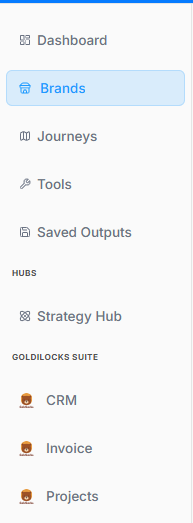
Here is the breakdown of the user flow when navigating, viewing, and managing brand properties within the workspace ecosystem, moving step-by-step through the layout interfaces.
1. Navigation Sidebar Initialization
The process begins on the platform's primary left-hand navigation panel:
-
Active Tab: The Brands menu option is highlighted with a light blue background, indicating it has been selected to open the brand repository.
2. Brands Directory Dashboard
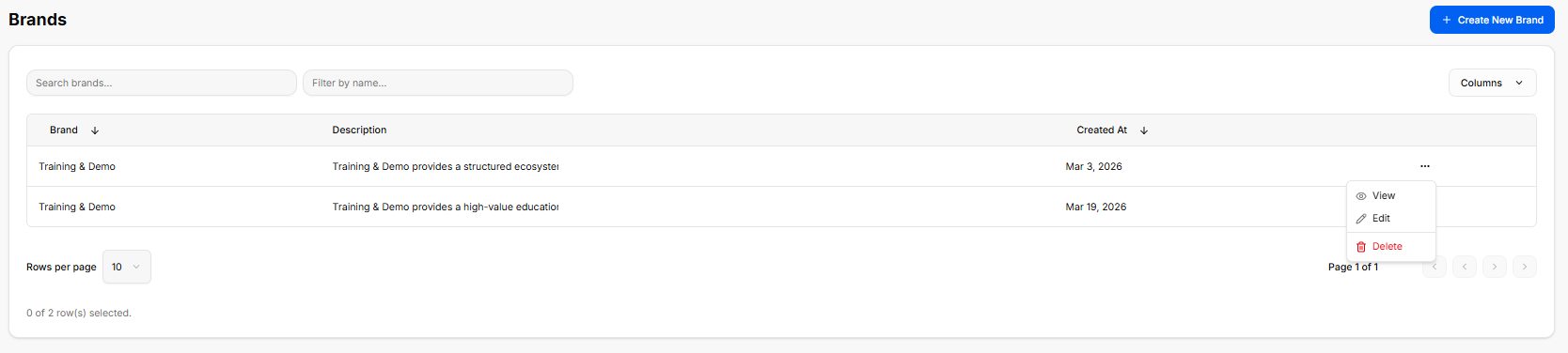
Once inside the directory, the workspace loads a master data table displaying all configured brand profiles:
-
Global Actions: A blue + Create New Brand button anchors the top right corner for deploying brand templates.
-
Search & Filter Utilities: Features a text input for "Search brands..." alongside a "Filter by name..." drop-menu tool.
-
The Brand Registry Table: Currently lists two active entries under the same primary name:
-
First Entry: Training & Demo | Description: "Training & Demo provides a structured ecosystem..." | Created At: Mar 3, 2026.
-
Second Entry: Training & Demo | Description: "Training & Demo provides a high-value education..." | Created At: Mar 19, 2026.
-
-
Inline Action Submenu: Clicking the ellipsis (
...) tool on a row unrolls an active contextual menu with three administrative routes: View, Edit, and a red-text Delete button.
3. Brand Profile Workspace Overview
SelectingThe Brand Profile is a central hub within the Viewplatform actiondesigned fromto thestore, directorymanage, opensand theshowcase completea brandcompany's assetfoundational library.identity. It ensures that all technical workflows, marketing campaigns, and business documents stay strictly aligned with a unified corporate image.
Header
Brand ControlsDetails & Brand Sidebar
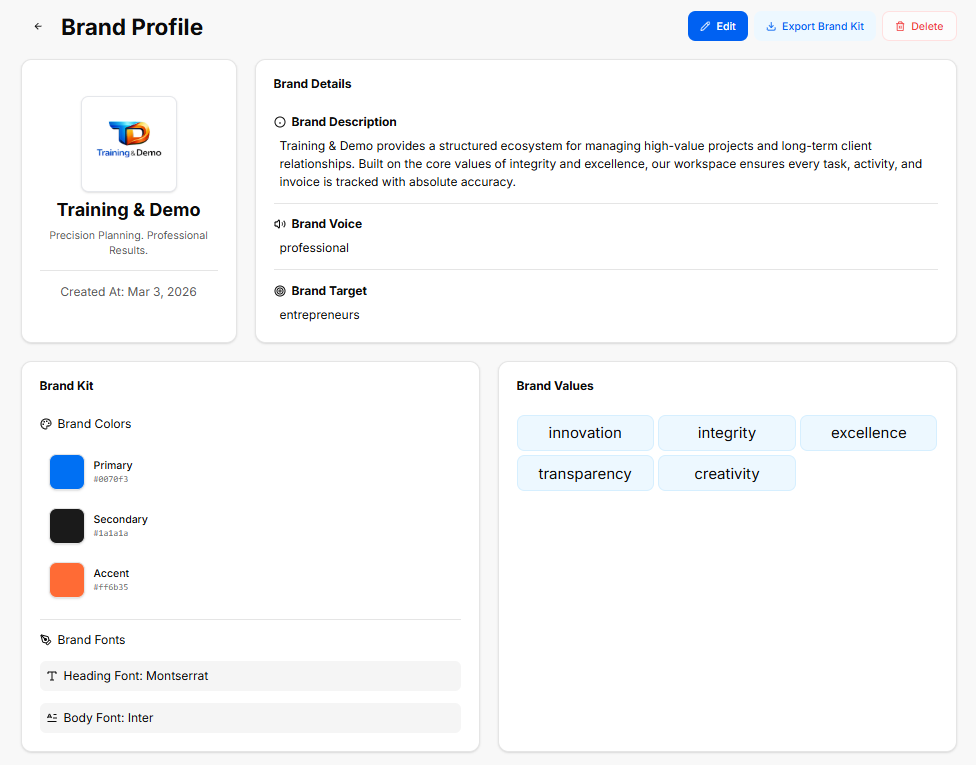
TopThis Utilitysection Bar: Displays global data controls including a blue Edit button, a white Export Brand Kit icon button, and a red Delete button.
Profile Summary Card: Displays the company logo graphic, the main title (Training & Demo), a brand slogan statement ("Precision Planning. Professional Results."), anddefines the core stampparameters Createdof At:the Marbusiness 3,entity, 2026.serving as the strategic reference point for all generated content:
Brand Details Canvas
-
Brand Description:
"TrainingA&definitiveDemosummaryprovidesexplainingawhatstructuredtheecosystembusinessfordoes,managingitshigh-valueoperationalprojectsframework, andlong-termhow it handles clientrelationships.relationshipsBuiltoron the core values of integrity and excellence, our workspace ensures every task, activity, and invoice is tracked with absolute accuracy."projects. -
Brand Voice:
ConfiguredThe consistent tone, style, and personality used across all company communications (for example, keeping language strictlyasprofessionalprofessional.and avoiding specific forbidden internal terms). -
Brand Target:
ConfiguredTheforprimaryentrepreneurs.audience, demographic, or ideal customer profile the platform's tools and messaging are tailored to reach.
Visual Asset Specification (The Brand Kit)
The Brand Kit Assetacts Specificationas a visual guide, ensuring that any user-facing asset matches the company's aesthetic requirements:
-
Brand
ColorsColors:Grid:A structured palette containing hexadecimal color codes for consistent interface and asset styling:-
Primary:
#007bff(ClassicdominantBlue)color used for primary buttons, headers, and major brand elements. -
Secondary:
#1a1a1a(DarksupportingCharcoal)shade used for text, background contrast, or neutral structural components. -
Accent:
#ff6b35(Vibranthigh-contrastOrange)color reserved for call-to-action buttons, notifications, or specific highlights.
-
-
Brand Fonts: The typography rules defined for the ecosystem, standardizing a clean look across both high-level Headings and readable Body text.
The Role of Brand Values
Instead of looking at them as operational settings, the platform treats Brand Values as the definitive identity markers of your company:
-
HeadingTheFont:CoreMontserratIdentity: They define the unchanging principles, ethics, and beliefs that your brand is built upon. -
Body Font: Inter
Brand Values Configuration
The finalBlueprint sectionfor collectsTrust: theThey foundationalshow coreclients, valuespartners, poweringand thisyour specificteam profile'sexactly identitywhat architecture,your renderedbusiness acrosscares distinctabout pilland tags:
innovationto showing up every single day.
integrity
excellence
transparency
creativitystandards that give the business its unique personality, making it more than just a list of products or services.