
BuildRunKit Invoice: Invoice Dashboard Overview
GoldilocksBuildRunKit Invoice: IntroductionInvoice Dashboard Overview
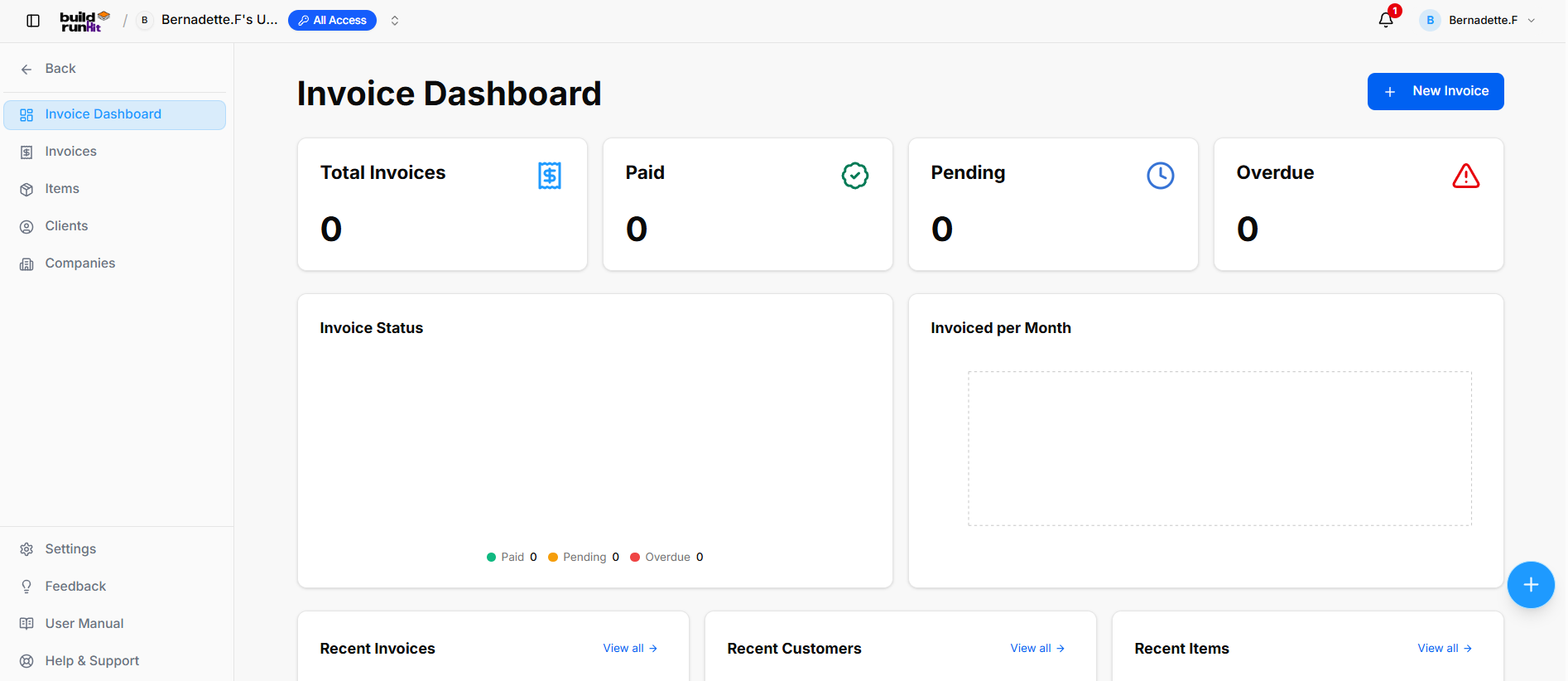
GoldilocksLocation Invoice& Navigation Sidebar is the professional billing and payment management module within the BuildRunKit ecosystem. Designed specifically for founders and growing teams, it provides a "just right" balance of professional features and ease of use, allowing you to manage your revenue without the complexity of traditional accounting software.
Getting Started
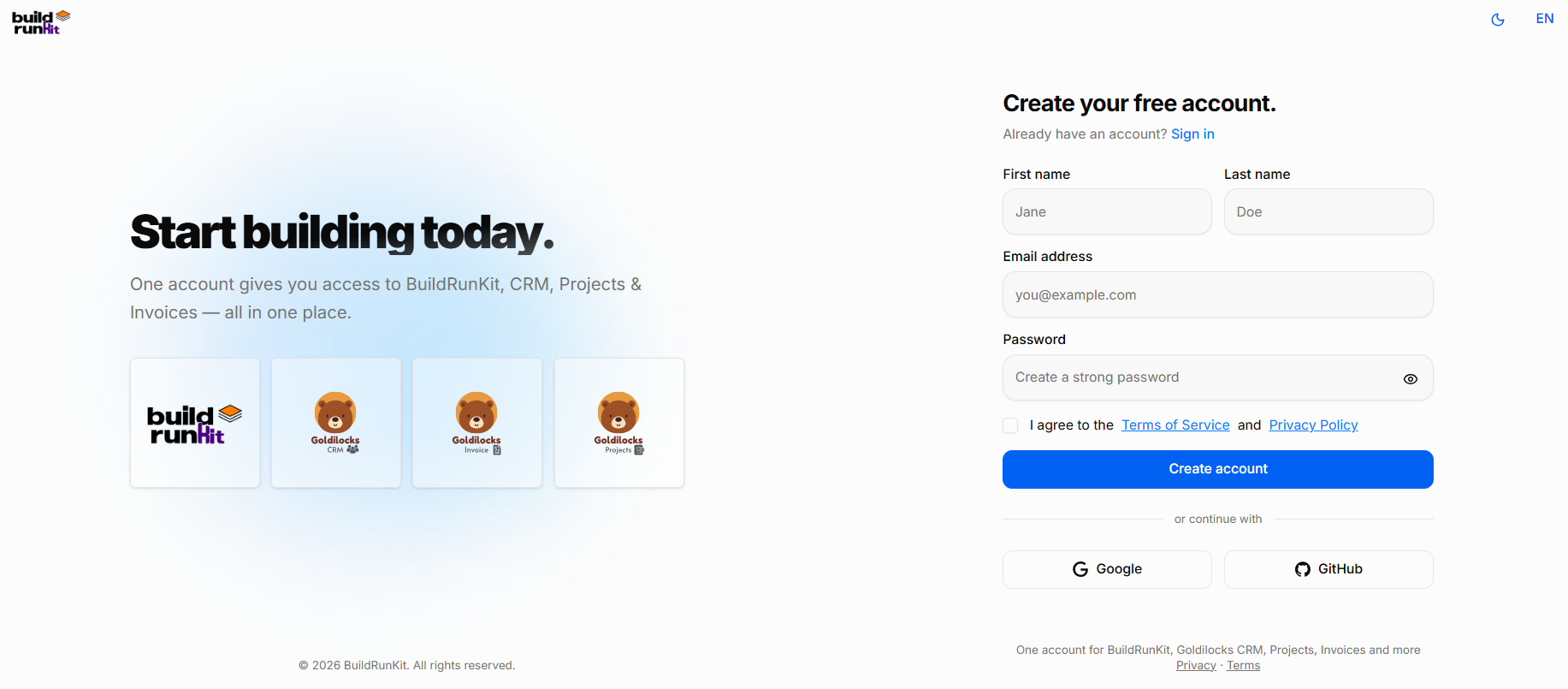
BuildRunKit is a unified workspace designed to help you plan, build, and run your business. One account gives you full access to the core platform plus the Goldilocks Suite (CRM, Invoices, and Projects).
Creating Your Free Account
Using Email Registration:
-
Name:TopEnterLeftyourAction:First<-nameBackandbuttonLasttonamereturnintothemaindesignatedworkspacefields.navigation. -
EmailModuleAddress:Views:Provideyour -
primaryInvoice
workDashboardemail(Currentlyaddress.Active) -
Password: Create a strong, secure password. You can click the eye icon to reveal the text and double-check your typing.Invoices -
Terms & Privacy: Review the Terms of Service and Privacy Policy, then check the box to confirm your agreement.Items -
Create Account: Click the blue Create account button to finalize your registration.
-
GoogleClients
GitHub
Accessing Your Account
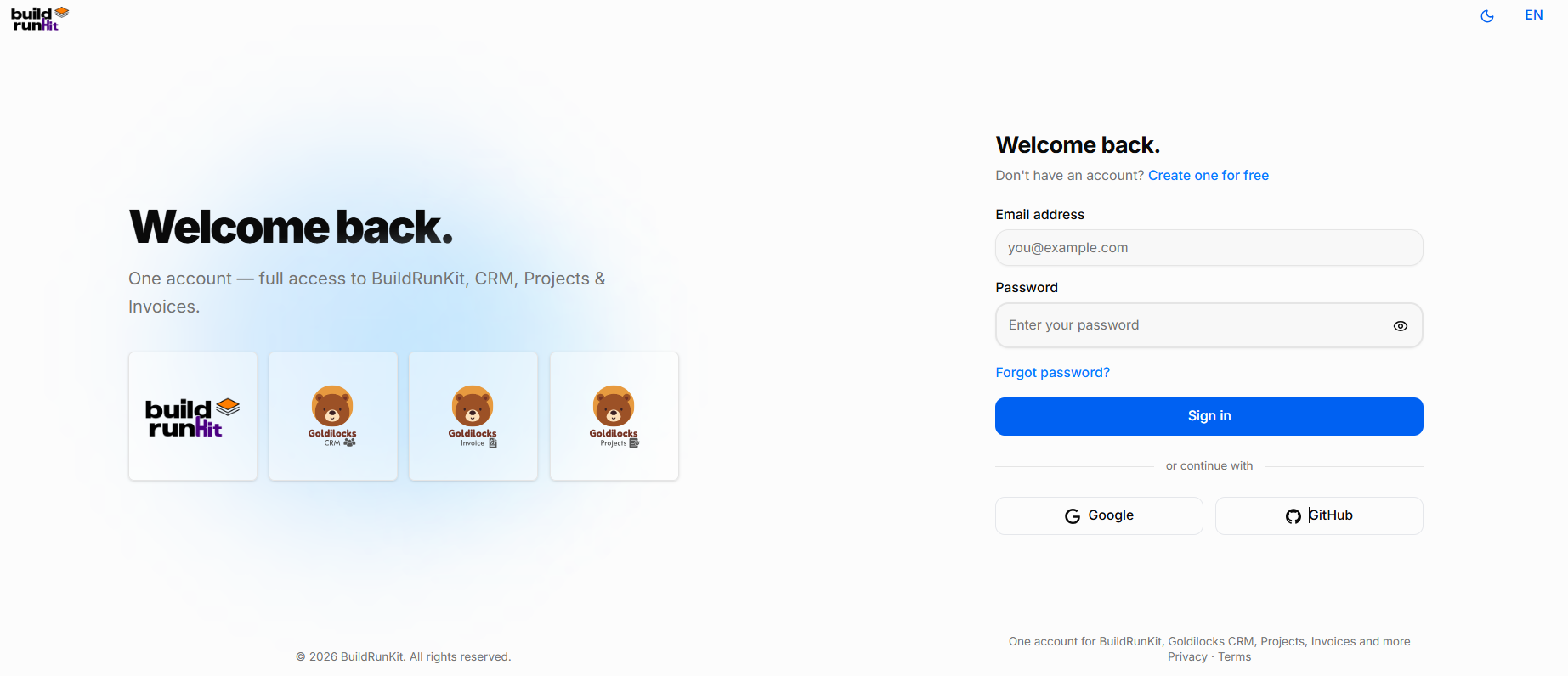
Once you have created your account, you can return to BuildRunKit at any time by using the Sign In screen. This grants you full access to the core platform, including the Goldilocks Suite (CRM, Projects, and Invoices).
How to Sign In
Email Address: Enter the email address associated with your account in the first field.
Password: Enter your secure password.
Tip: Click the eye icon on the right side of the password field to temporarily reveal the text and ensure it is typed correctly.Companies
ForgotBottom Password?Sidebar Links: IfSettings, youFeedback, cannotUser rememberManual, yourHelp credentials,& clickSupport.
Header password?"Actions
Page theTitle: SignInvoice In button. A reset link will be sent to your registered email address.Dashboard
CompletePrimary Access:Action: Click+ theNew blueInvoice Sign In button to enter your workspace.button.
AlternativeTop LoginMetric OptionsSummary Cards
If you registered using a third-party account, you can log in instantly by clicking:
-
GoogleTotal Invoices: Tracks total generated billing records (e.g.,0). -
GitHubPaid: Tracks successfully settled invoices (e.g.,0).
Pending: Tracks outstanding invoices awaiting payment (e.g., 0).
Overdue: Highlights unpaid invoices past their due date with an alert icon (e.g., 0).
Analytics & Visual Chart Panels
Note:InvoiceIfStatus:youDonutarebreakdownonchartthismonitoringpagepaymentbystatesmistake(Paid 0, Pending 0, Overdue 0).Invoiced per Month: Visual timeline chart displaying historical revenue volume.
Recent Activity Panels (Lower Dashboard)
Recent Invoices Section: Displays latest generated invoice records with a View all -> quick link.
Recent Customers Section: Displays recently added client contacts with a View all -> quick link.
Recent Items Section: Displays recently created line items and
needservicestowithregister,aclickViewtheall"Create->onequickfor free" link at the top right of the login box.link.