
BuildRunKit CRM: Deals Sub-Section
GoldilocksBuildRunKit CRMCRM: Deals DashboardSub-Section
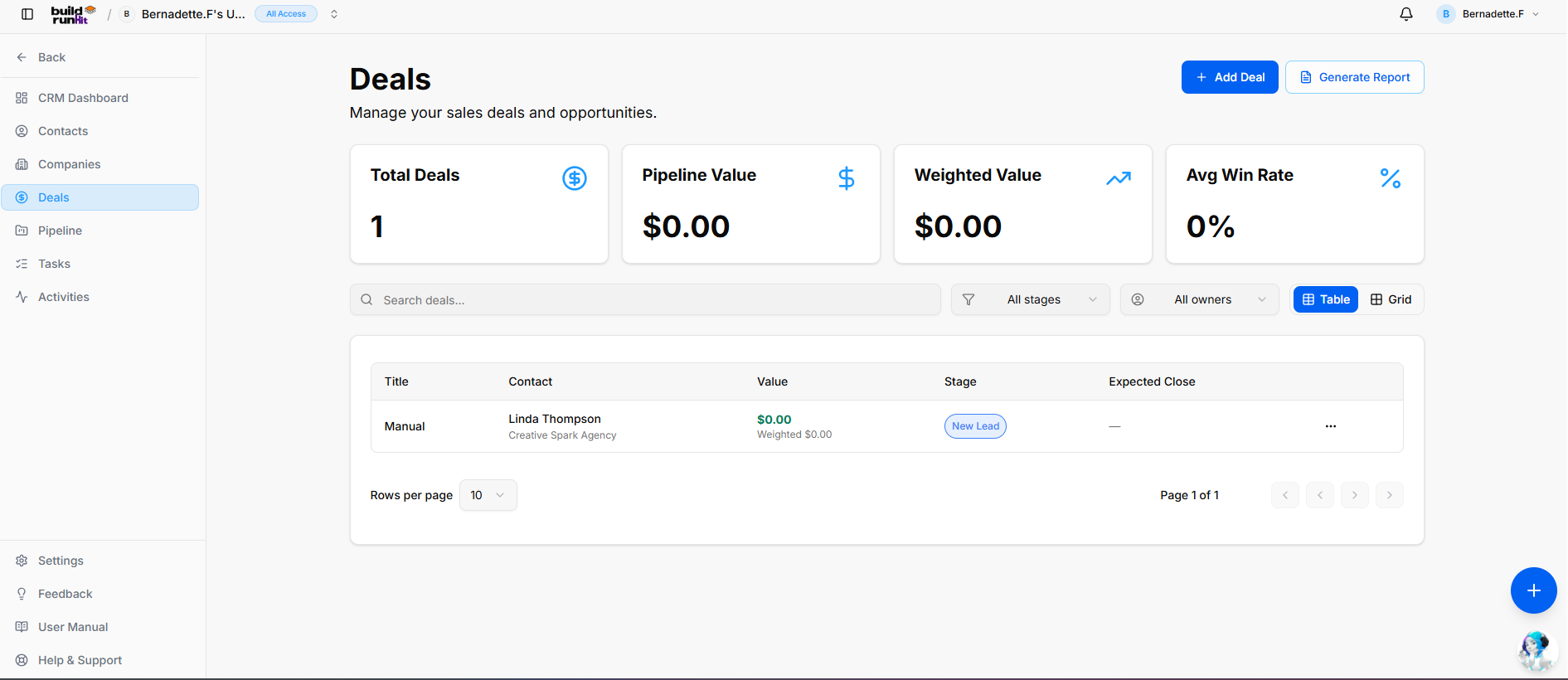
The Deals modulesub-section isprovides wherecentral youpipeline tracktracking revenueto opportunitiesmanage active sales opportunities, forecast revenue, and theirmonitor progressdeal throughconversion yourmetrics.
Header cycle.& TheAction dashboardButtons
+ metricsAdd Deal: Direct action button to monitoropen yourthe salesnew health:deal creation modal.
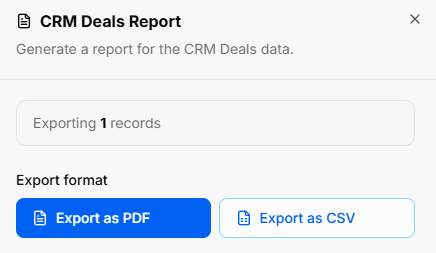
Generate Report: Opens the CRM Deals Report export modal:
-
TotalExportDeals:Count:TheDisplays totalnumbertargetedofdeal records (e.g., Exporting 1 records).
Export Format Options: Download data instantly as Export as PDF or Export as CSV.
Deal Summary Metrics
Top KPI cards display key revenue and pipeline performance metrics:
Total Deals: Counts all active sales opportunities currentlylogged in yourthe system.
Pipeline Value:Value: TheDisplays combinedthe financialtotal unweighted monetary value of all active deals.
Avg Deal Size: The average value of your openpipeline opportunities.
WinWeighted Rate:Value: TheCalculates percentageprojected ofrevenue dealsweighted successfullyby closed.
across
Howcurrent to Add a Deal
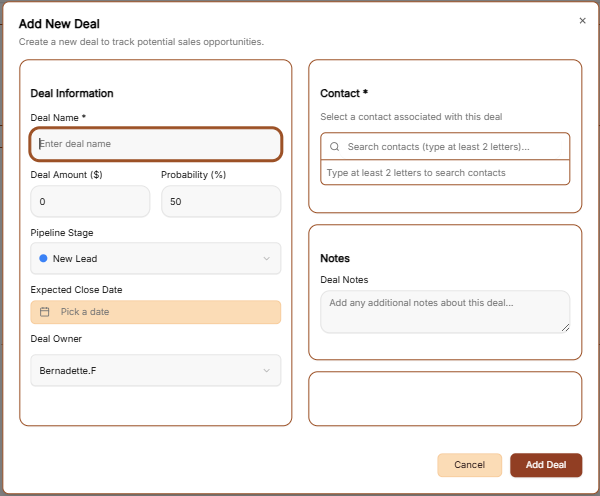
To record a new sales opportunity, click the brown + Add Deal button at the top right of the screen. This opens a form with the following fields:
Basic Information: Enter the Deal Name and the expected Amount.stages.
CustomerAvg Win Rate: Tracks the overall historical deal conversion percentage.
Directory Controls & Timeline:Search SelectBar
Search fromdeals...: yourGlobal contactstext andsearch setinput anto estimatedlocate Closeopportunities Date.by title or keyword.
PipelineAll Placement:stages AssignDropdown: theFilter dealopportunities toby apipeline specific Pipeline and Stagestatus (e.g., New Lead, Discovery,Proposal Proposal)Sent).
OwnershipAll &owners Priority:Dropdown: DesignateFilter adeals Dealby Ownerassigned internal account managers.
View Switches: Toggle view modes between Table (list view) and set a Priority levelGrid (Low,card Medium, or High)view).
TagsRows per page & Notes:Pagination: CategorizeDropdown menu and directional controls to navigate multi-page lists.
Deals Table Data Columns
Title: The primary name assigned to the sales opportunity.
Contact: Associated primary contact name and parent organization profile.
Value: Total deal monetary value alongside calculated weighted revenue value.
Stage: Current pipeline status badge (e.g., New Lead).
Expected Close: Target completion date for closing the sale.
Row Actions Menu (...): Context menu providing direct View, Edit, and Delete options for individual deal records.
BuildRunKit CRM: Adding a New Deal
Clicking the + Add Deal button opens the creation modal divided into two tabs:
1. Details Tab
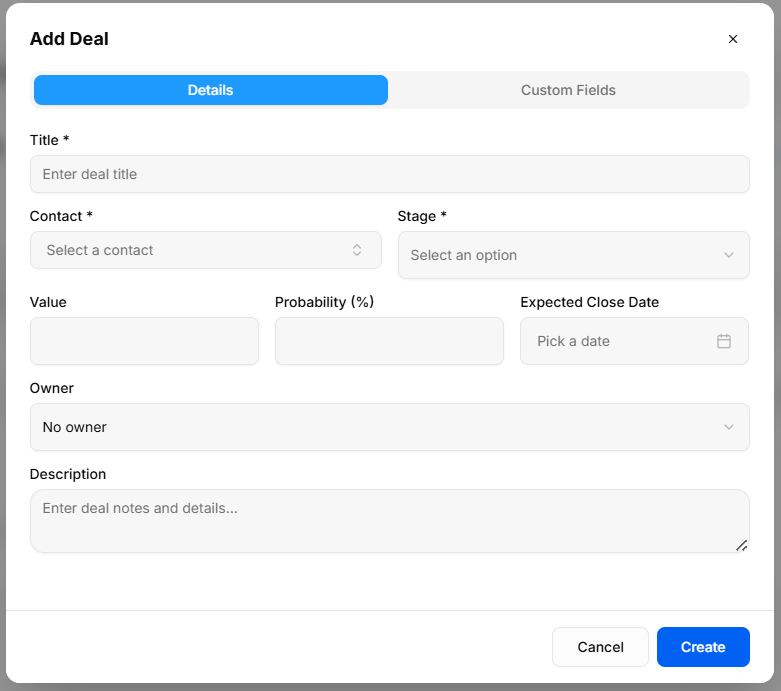
Captures primary deal parameters and financial forecasts:
Title *: Required field to enter the opportunity name.
Contact *: Required dropdown selector to associate the deal with Tagsan andexisting includecontact any background context in the Notes section.record.
Finalize:Stage Click*: Required dropdown selector to set the browninitial Addposition Deal button to save the record.
Generate Report
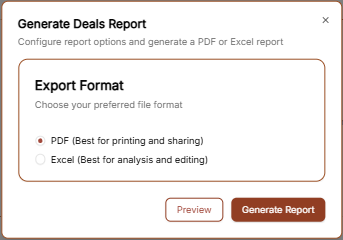
You can export your deal data by clicking the Generate Report link in the top right corner.
Export Format: Choose your preferred file type.
PDF: Best for sharing a visual summary ofwithin your sales performance.pipeline.
Excel:Value: BestMonetary forworth calculatingof commissionsthe opportunity.
Probability (%): Estimated likelihood percentage of winning the deal, used to compute weighted pipeline value.
Expected Close Date: Date picker input to target target contract execution or closing.
Owner: Dropdown menu to assign deal management responsibility to a workspace team member.
Description: Multi-line text field to enter context, negotiation notes, and detailedopportunity revenue forecasting.details.
2. Custom Fields Tab
Tailored Deal Data: Dynamic inputs populated from Settings > Custom Fields to capture business-specific deal properties.
Action:Modal SelectActions: PreviewClick Cancel to reviewdiscard inputs or Create to record the datadeal orin Generateyour Report to download the file immediately.pipeline.