
BuildRunKit CRM: Contacts Sub-Section
Goldilocks
BuildRunKit CRMCRM: Dashboard
Contacts Sub-Section
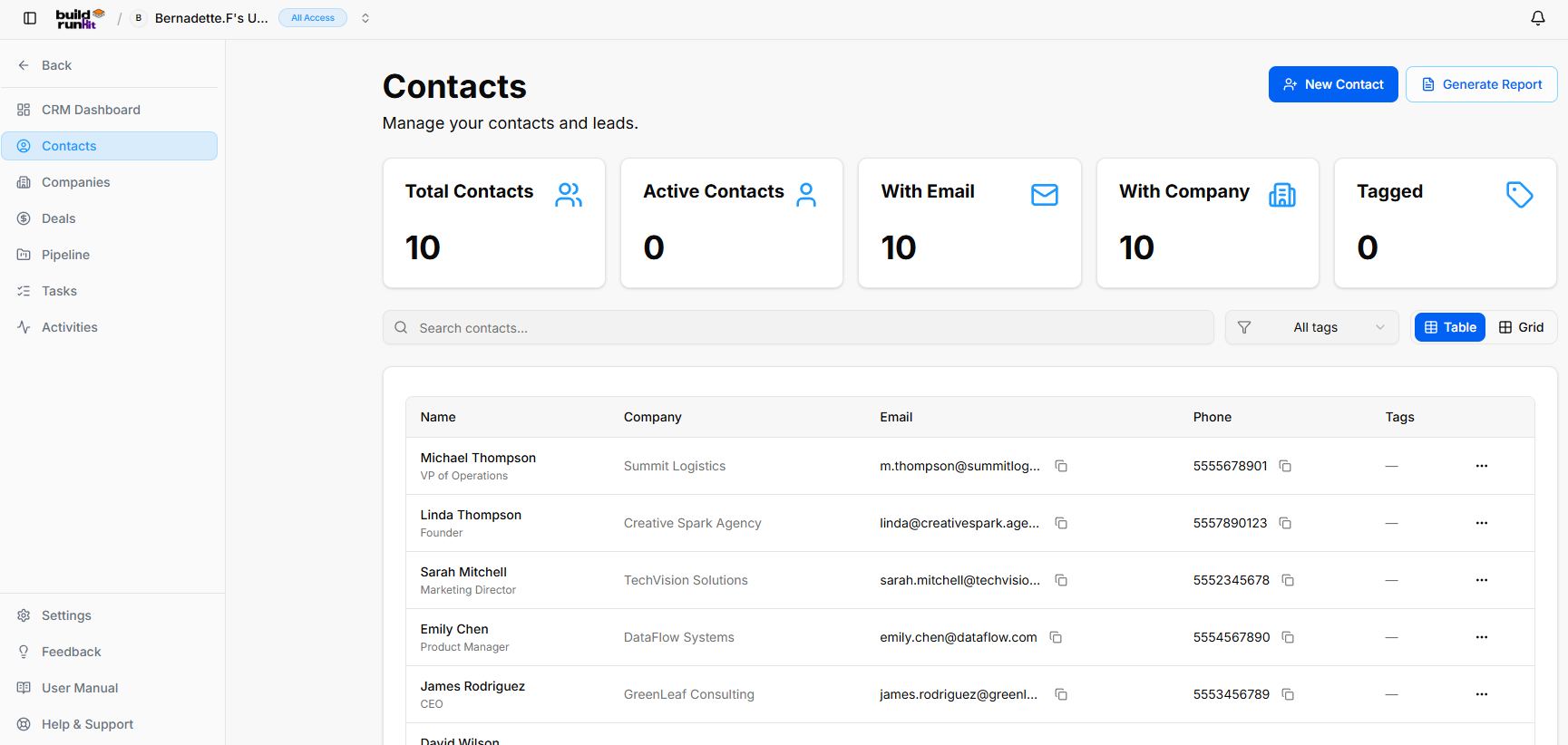
OnceThe youContacts havesub-section successfullyprovides signedcentral in,directory youmanagement willfor betracking greetedleads, byindividual client representatives, and account contacts.
Header & Action Buttons
New Contact: Direct action button to open the Dashboard.contact Thisregistration pagemodal.
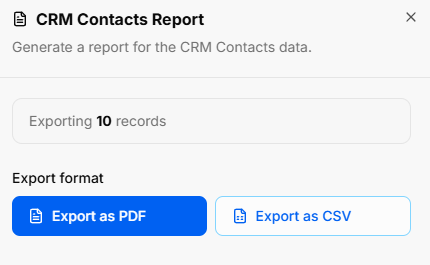
Generate Report: Launches the CRM Contacts Report modal to giveexport youcontact andataset "at a glance" view of your latest sales activity, offer advanced filtering for your records, and provide fast jumps into your most important CRM workflows.
Managing Your Workspace
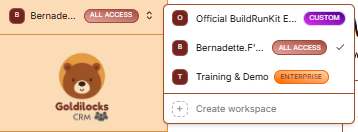
At the very top of the left sidebar, you will see your current workspace name. The platform allows you to manage multiple business environments from a single account.
How to Switch Workspaces:snapshots:
-
ClickExporttheCount:WorkspaceDisplaysSelector:totalClickactiveonrecordsthetargetedworkspacefornamedownloadat(e.g.,theExportingtop10of the sidebar.
Select from the List: A dropdown menu will appear showing all workspaces you have access to, such as "Official BuildRunKit Employee Workspace" or "Training & Demo"records).
InstantExport Switch:Options: ClickDownload onfile theas desiredExport nameas toPDF instantlyor switchExport allas dataCSV.
Contact Summary Metrics
Top KPI cards display real-time audience breakdowns:
Total Contacts: Displays total registered contacts (Contacts,e.g., Deals, and Tasks) to that workspace.10).
CreateActive New:Contacts: ClickTracks +currently Createactive workspacelead atinteractions.
With thisEmail: menuDisplays total records with valid email addresses attached.
With Company: Counts records linked to startparent aorganization brandprofiles.
Tagged: Displays total contacts assigned custom organizational tags.
Directory Controls & Search Bar
Search contacts...: Input field for searching contacts by name, email, or company.
Filter Toggle: Filter icon button to refine visible contacts.
All Tags Dropdown: Dropdown menu to filter records based on specific tags.
View Switches: Toggle between Table (list view) and Grid (card view).
Contacts Table Data Columns
Name: Primary contact name alongside job title (e.g., Michael Thompson - VP of Operations).
Company: Associated client or partner business.
Email: Direct email address with quick Copy button.
Phone: Direct contact phone number with quick Copy button.
Tags: Applied status or categorization tags.
Row Actions (...): Action menu for editing, viewing, or deleting individual contact records.
ActivityBuildRunKit OverviewCRM: CardsAdding a New Contact
TheClicking topthe cards+ provideNew aContact quickbutton countlaunches ofthe yourcreation latestmodal syncedorganized datainto four main tabs:
1. Details Tab
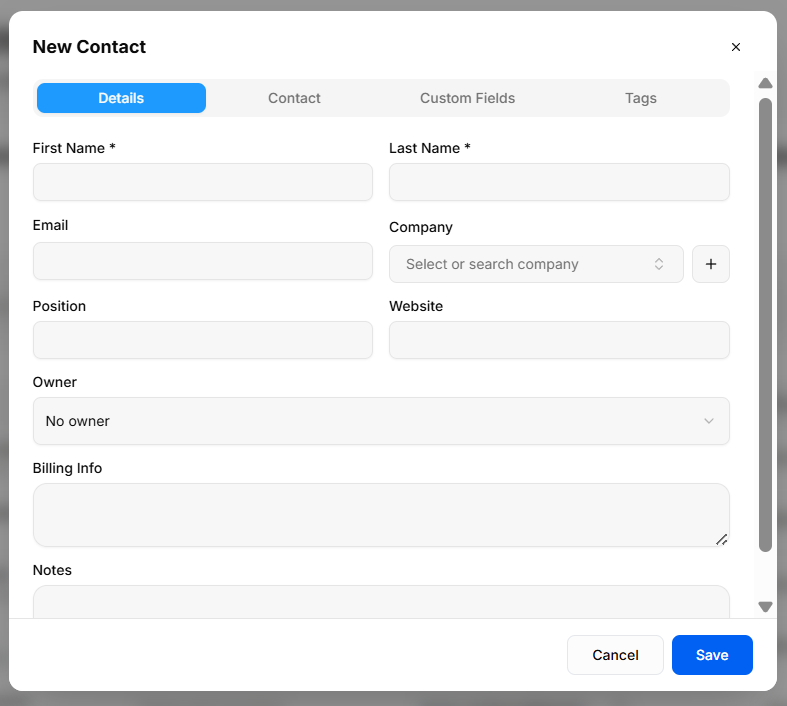
Captures core profile and performanceorganization metrics:assignment data:
-
TotalFirstContacts:NameTotal*count&ofLastpeopleNameand*:clientsRequiredinfieldsyourfordatabase.contact identification. -
PipelineEmail:Value:PrimaryTheelectronictotal financial value of all your active deals.address. -
ActiveCompany:Deals:SearchableThedropdownnumbertoofselectcurrentexistingsalesorganizations,opportunitiesorandclickyour+wintorate.add a new company instantly. -
PendingPosition:Tasks:TitleTheorcountroleofwithinupcomingtheirworkcompany.items
Website: completionPersonal rate.or company web address.
Owner: Select an internal account manager or sales representative.
Billing Info: Free-text field for invoice context, tax IDs, or payment notes.
Notes: Additional background context regarding the contact.
2.
AdvancedContact Filtering
Tab
To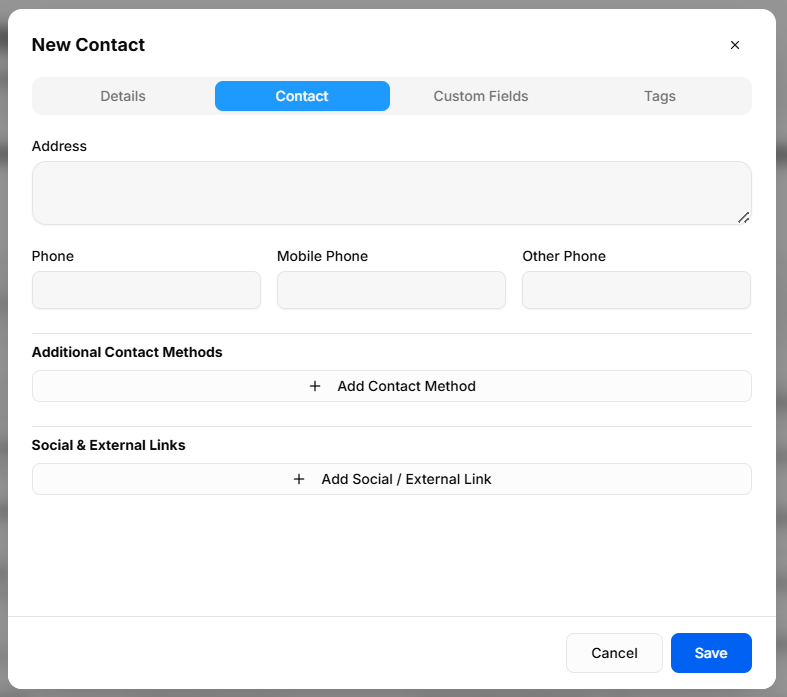
Captures teamsphysical navigatelocation largeand volumesadditional ofreachability data quickly, specialized sorting filters have been integrated directly into the primary core views:channels:
-
"Owner"Address:Filter:Multi-lineAvailablephysicalonmailingbothorthebillingCustomersaddressand Deals views, this feature allows you to instantly filter large data sheets to isolate and display only the registries explicitly assigned to a specific team member.
Quick Action Sections
Sales Pipeline: View your progress through various sales stages. Click View Pipeline to manage your active deals.block.
RecentPhone Activity:Numbers: ADedicated liveinputs logfor ofprimary yourPhone, latestMobile interactions, including callsPhone, and systemOther updates with specific timestamps.Phone.
RecentAdditional Deals:Contact ViewMethods: newlyExpandable created opportunities. If empty, click Add Deal at the top rightsection to start.add non-standard communication channels (e.g., Skype, WhatsApp).
LatestSocial Contacts:& SeeExternal aLinks: listExpandable ofsection newlyto addedattach contacts,web theirprofiles company(e.g., names,LinkedIn, andX, theirpersonal creation dates.portfolio).
3.
DashboardCustom EntityFields Deletion
Tab
You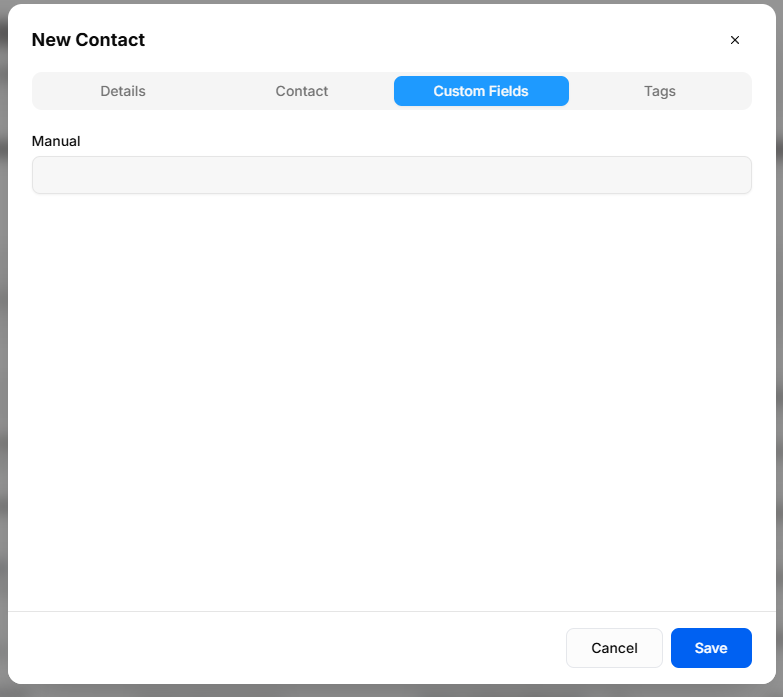
Displays managetailored anddata prunefields aconfigured contact'sspecifically relatedfor recordsyour cleanlybusiness from their main overview board without opening separate global lists:operations:
-
DirectBusiness-SpecificRemoval:Inputs:DeletePullsassociated Deals, Tasks, and Activities rightdirectly fromtheuser-definedindividualpropertiescontactconfigureddashboardinview.Settings > Custom Fields. -
StreamlinedDynamicWorkflow:Loading:ThisAnyupdatecustomeliminatesfieldstheaddedhassleviaofsystemnavigatingsettingsthroughautomaticallymassivepopulateregistryinliststhistotabremoveduringobsoletecontactor outdated relations.creation.
4.
NavigationTags Sidebar
Tab
The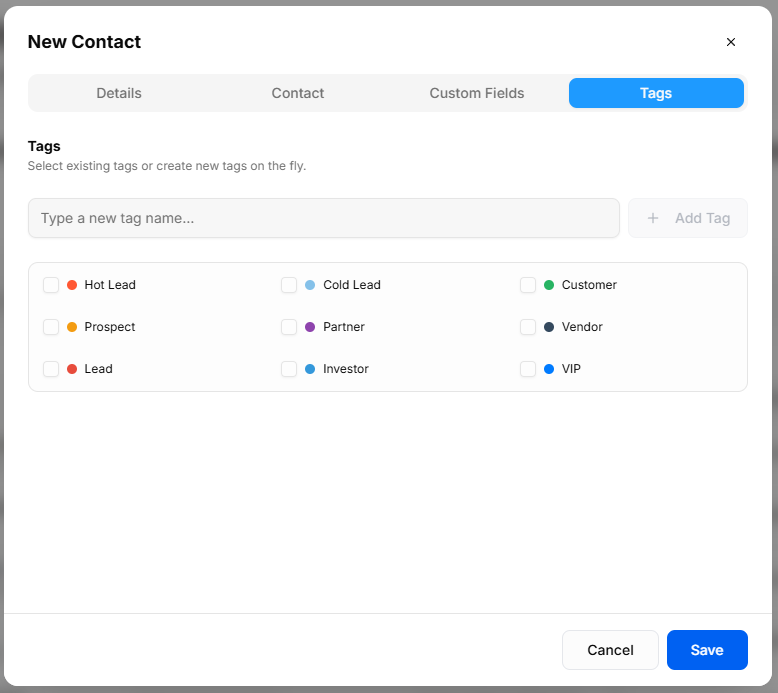
Categorizes providescontacts for audience segmentation and quick links to the core CRM modules:filtering:
-
Dashboard:CreateReturnsNewyouTag: Input box tothistypeoverviewcustompage.tag names and click + Add Tag to create them on the fly. -
Contacts:Pre-DefinedAccessTags:yourCheckboxfullselectionclientfor standard stages andleadcategories,directory.including: -
Status Tags: Hot Lead, Cold Lead, Lead, Prospect
-
Deals:RelationshipManageTags:yourCustomer,salesPartner,opportunitiesVendor,andInvestor,revenue.
Pipeline: View and customize your sales workflow stages.
Tasks: View and manage your assigned action items.
Activities: Review the full history of interactions across your workspace.VIP