Mentor Alliance Business Coach Kit – Journeys
Mentor Alliance Business Coach Kit – Journeys
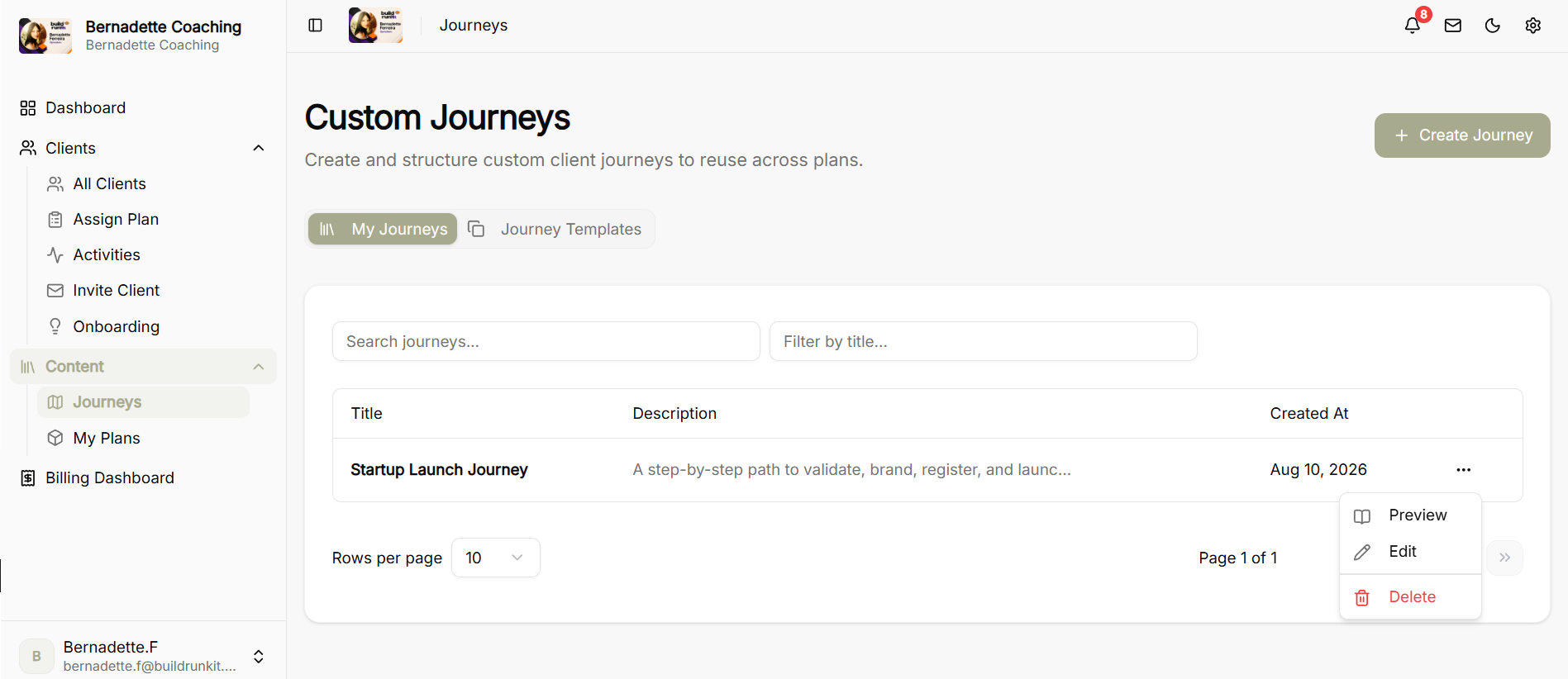
The Journeys module allows coaches to create, manage, preview, and structure custom client journey paths and leverage pre-built templates to build structured coaching content plans.
Custom Journeys Dashboard & Preview Options
-
My Journeys View: Displays a table of all custom journeys with their title, description, and creation date.
-
Action Menu (... Options): Clicking the three dots on any listed journey opens the quick menu to Preview, Edit, or Delete the journey.
-
Preview Journey Screen: Renders a read-only overview showing total stages, total substages, tag type (e.g., Custom), and an expandable breakdown of every stage and substage in the sequence. Includes an Edit button in the top header for quick updates.
Edit Custom Journey Builder
-
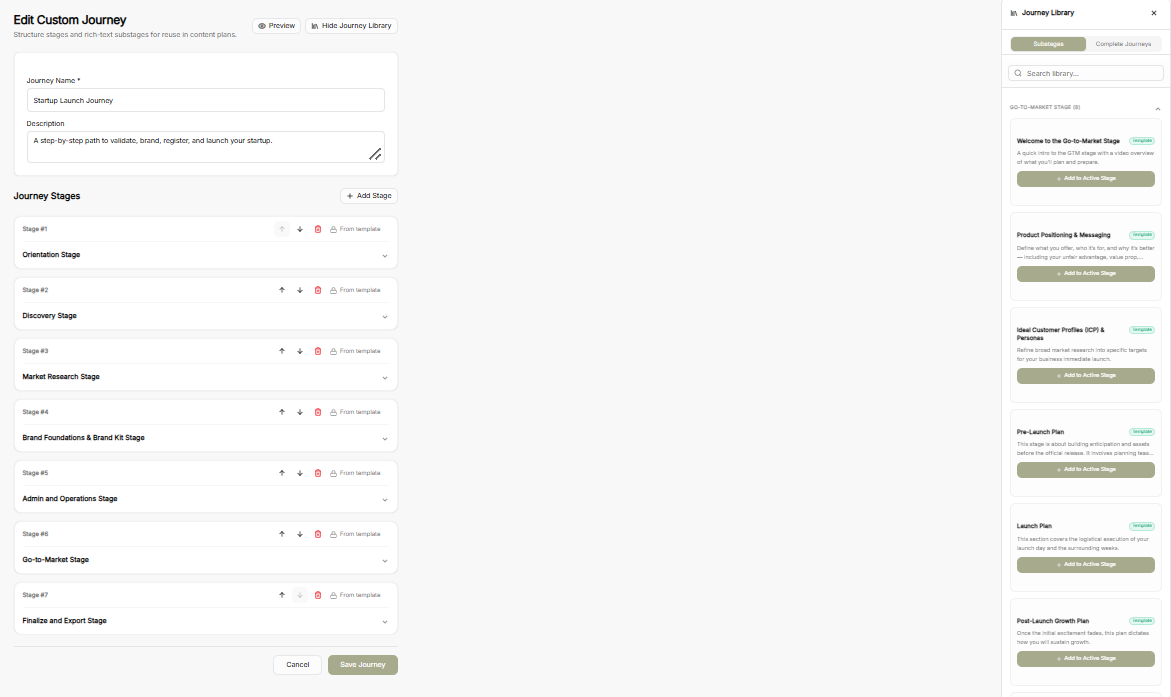
Journey Information: Update the mandatory Journey Name and Description fields.
-
Stage Management: Reorder stages using up/down arrows, delete stages, or collapse/expand stage details.
-
Side-Panel Journey Library: Access pre-made Substages or Complete Journeys from the library side panel and insert them into active stages via Add to Active Stage.
-
Header Controls: Use Preview to check the layout or Hide Journey Library to expand your main editing view.
Journey Templates Library
-
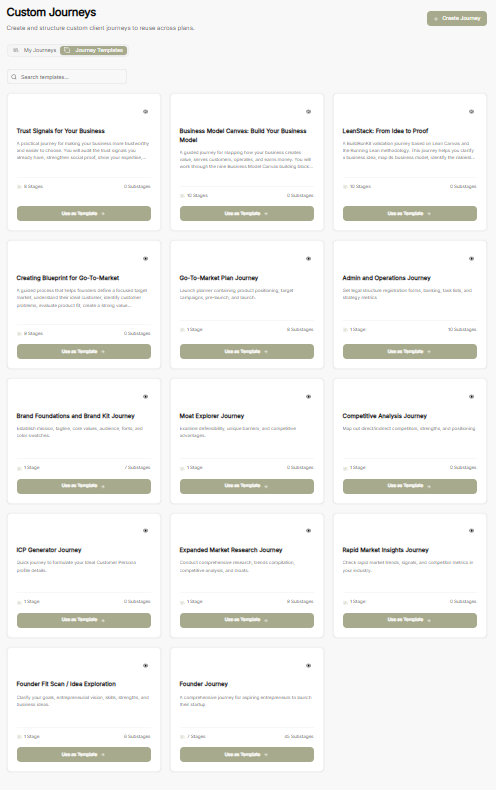
Templates Overview: Switch to the Journey Templates tab to browse pre-built frameworks (e.g., Business Model Canvas, LeanStack, Go-To-Market Plan, Brand Foundations).
-
Template Cards: Each template displays stage counts, substage counts, and a brief summary.
-
Use as Template: Converts any pre-built framework into an editable custom journey.
Create Custom Journey Builder
-
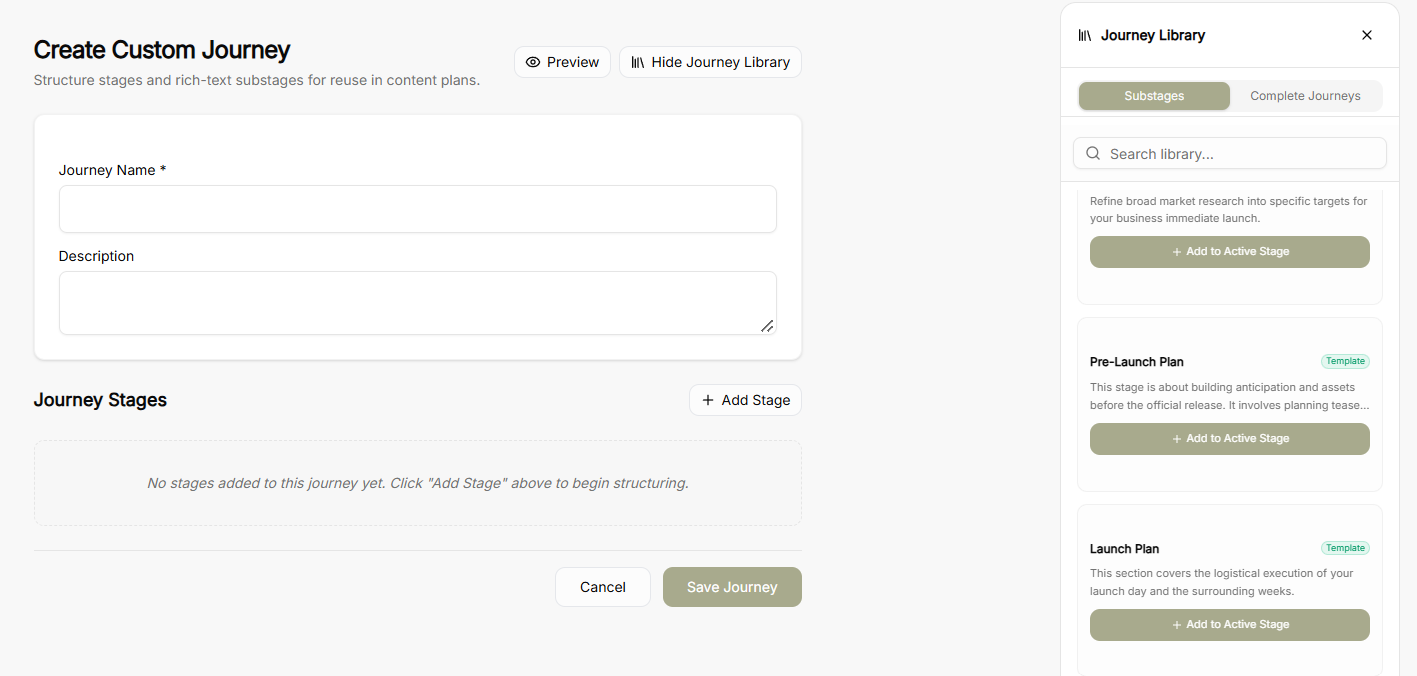
Create Journey Button: Click + Create Journey from the top right of the main dashboard to launch a blank canvas.
-
Canvas Options: Enter a Journey Name and Description, then start building from scratch using + Add Stage or select pre-built assets directly from the Journey Library side panel.