Mentor Alliance Business Coach Kit – Assign Plan to Client
Mentor Alliance Business Coach Kit – Assign Plan to Client
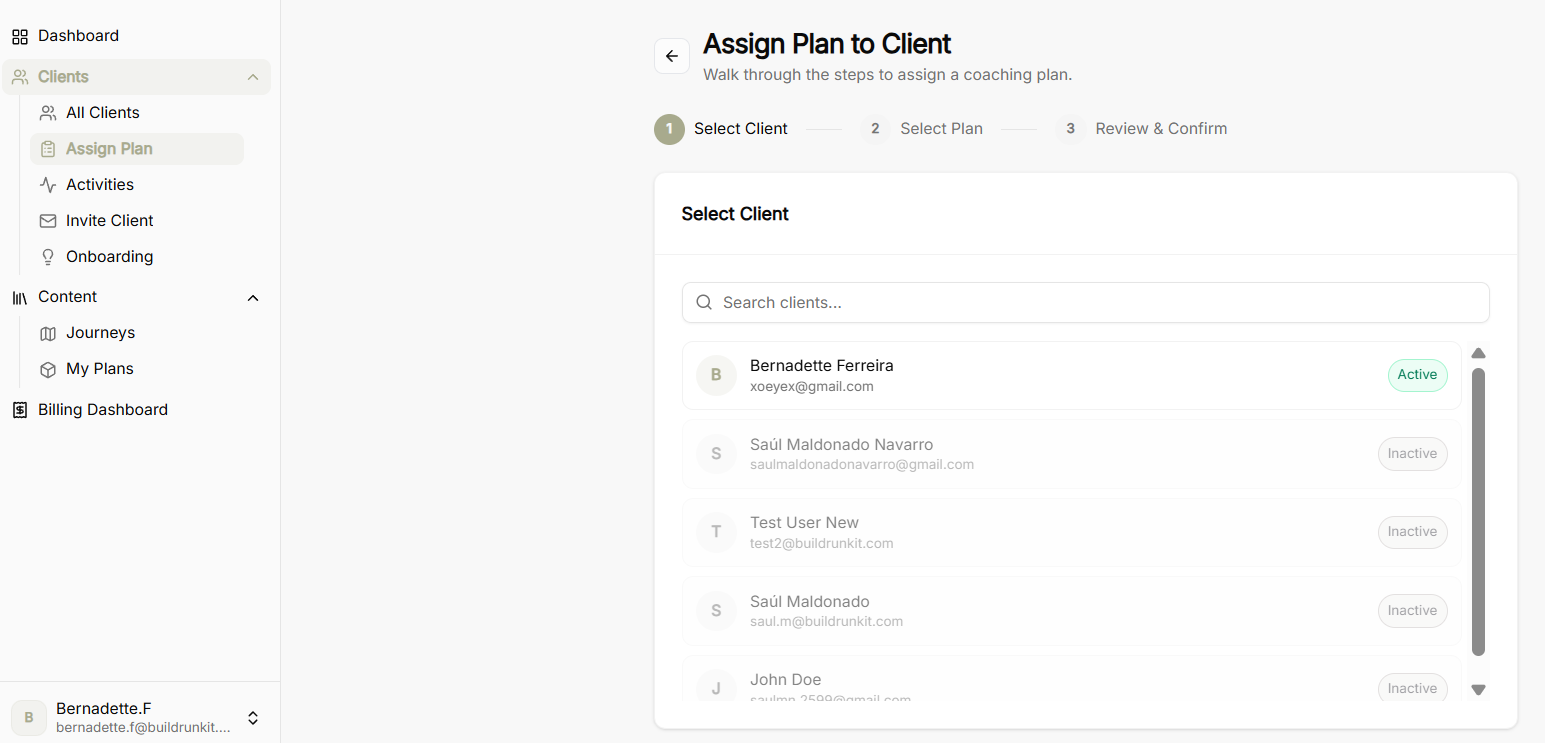
The Assign Plan to Client tool provides a guided step-by-step wizard to attach structured coaching plans and business journeys directly to a client's workspace.
Step 1: Select Client
-
Search Bar: Quickly search and filter through enrolled clients by name or email.
-
Client Selection List: Displays registered coaching clients alongside their account status badges (Active or Inactive).
-
Selection Action: Select the intended client to highlight them and proceed to plan selection.
Step 2: Select Plan
-
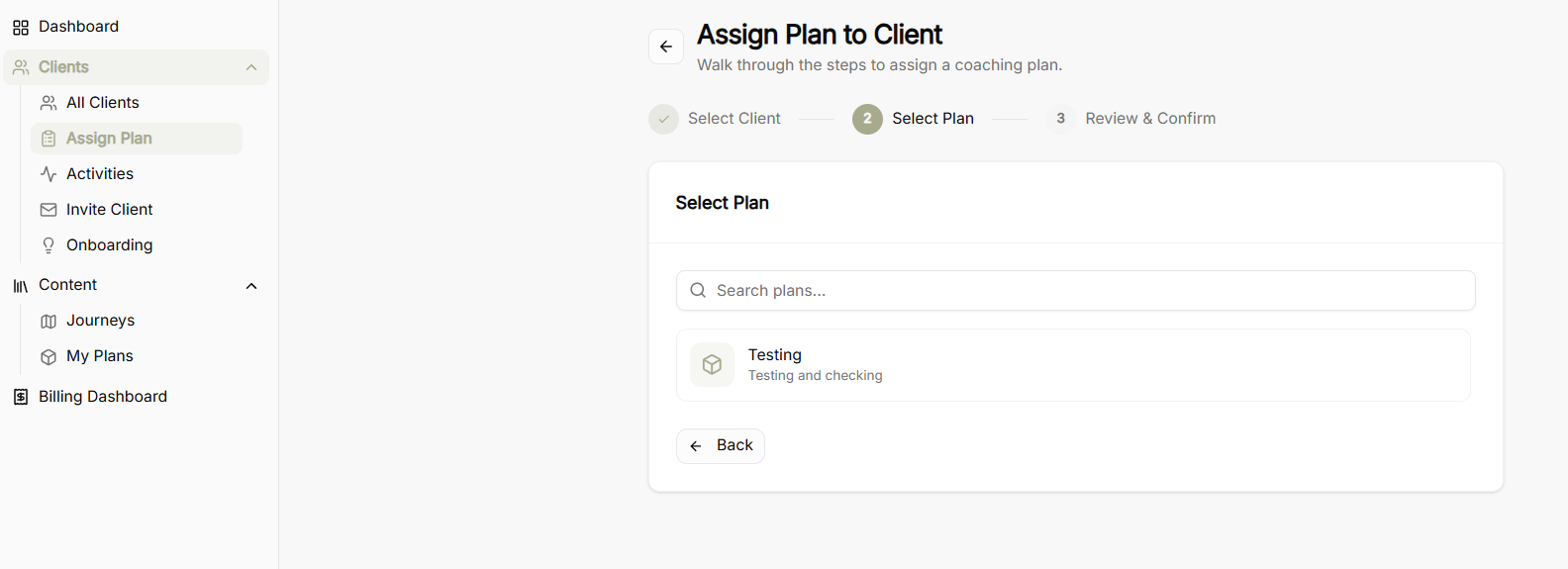
Search Plans: Search bar to locate specific coaching plans saved in your My Plans library.
-
Plan Library List: Displays custom coaching plans and blueprints created within the platform.
-
Navigation Controls:
-
Back Button: Return to Step 1 to reselect or change the client.
-
Plan Selection: Click on the desired plan card to advance to final review.
-
Step 3: Review & Confirm
-
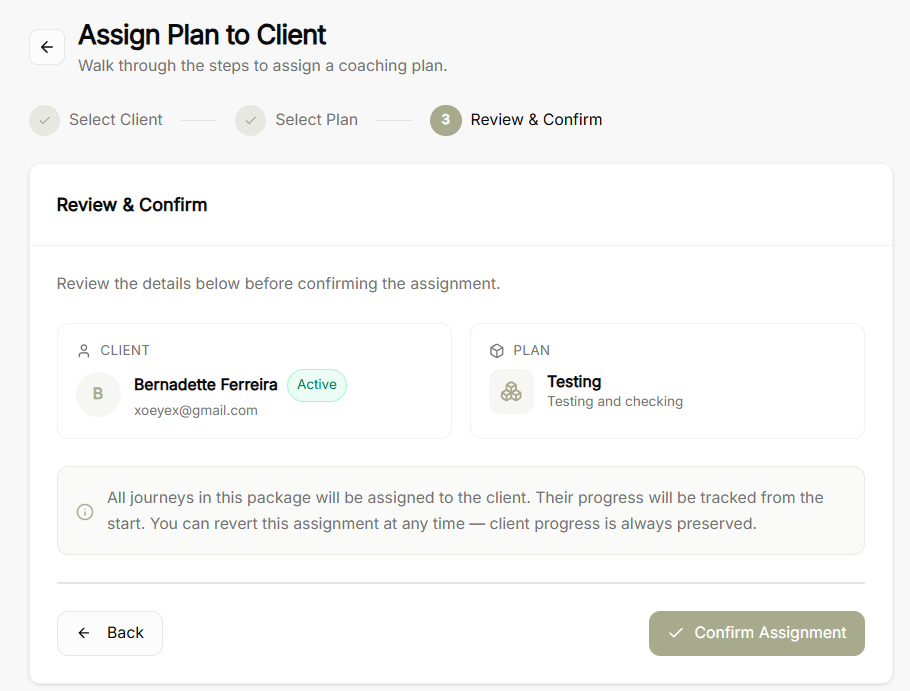
Selected Client Summary: Displays chosen client details, email address, and active account status.
-
Selected Plan Summary: Displays the assigned plan title and description.
-
Assignment Operational Notice: Explains that all journeys included in the package will be assigned to the client, with progress tracked from the start and full preservation of client data if reverted later.
-
Final Controls:
-
Back Button: Return to previous steps to make adjustments.
-
Confirm Assignment Button: Finalize and activate the plan assignment for the client.
-