Managing Your Tasks
Managing Your Tasks
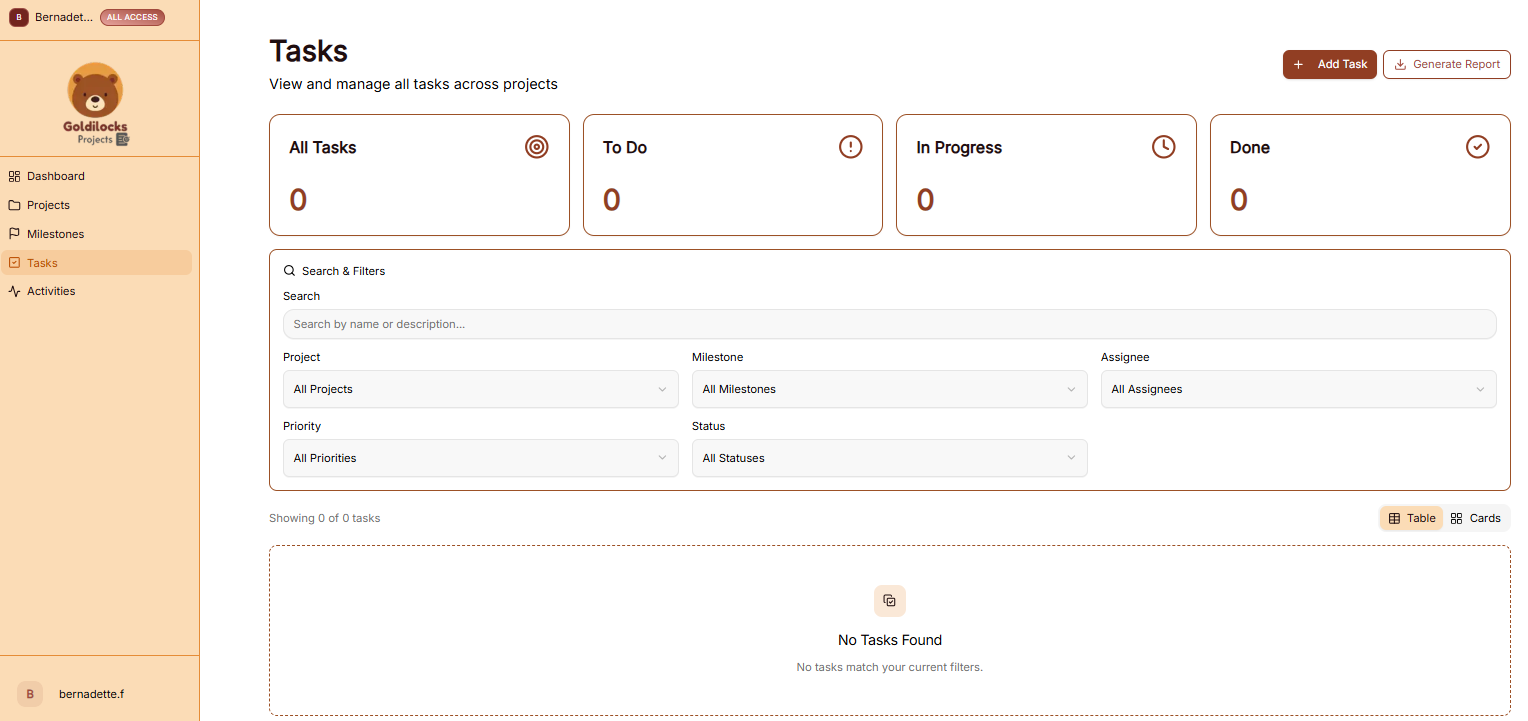
The Tasks module is where you manage individual work items to ensure your projects stay on schedule. This section provides a centralized view of all to-dos across your various initiatives.
Managing Your Tasks
The Tasks page allows you to organize and filter your workload to stay focused on high-priority items:
Important: Before creating tasks, you first need to create a project. All tasks must be assigned to an existing project to ensure they are properly tracked and organized.
Tabbed Task Modals

The task view layout inside Projects utilizes a clean, three-tab modular interface to separate operational info:
-
Details: Manage target parameters, due dates, descriptions, and assign External Assignees (optimized for mobile screen responsiveness).
-
Comments: Centralizes ongoing team discussion strings and feedback.
-
Attachments: Houses all uploaded files and documents linked to the task.
How to Create a Task
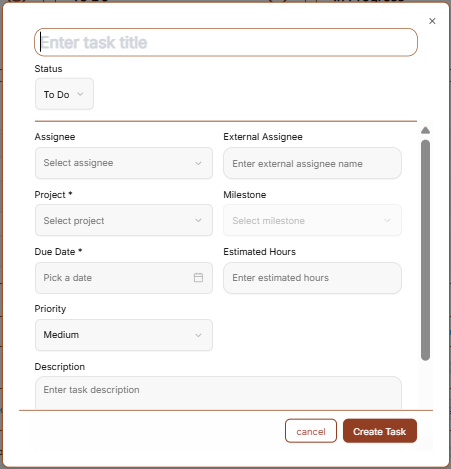
To add a new work item, click the brown "+ Add Task" button in the top right corner to open the creation form:
-
Title *: Enter a clear name for the task (Required).
-
Description: Provide details about what needs to be done.
-
Assignee: Use the dropdown to select which team member is responsible for the task.
-
Project *: Select the project this task belongs to (Required).
-
Milestone: Optionally link the task to a specific project milestone.
-
Due Date *: Select the deadline for this task (Required).
-
Estimated Hours: Enter the predicted time required to complete the task.
-
Priority: Set the urgency level (e.g., Low, Medium, High).
-
Status: Set the current phase of the task (e.g., To Do, In Progress).
-
Create Task Button: Click the brown button to save the task to your project.
" Note: Clear visual indicators are present for all mandatory fields. If any required fields are missing, the form validation feedback will explicitly show you what needs to be completed instead of letting the window freeze or hang in a loading state.
Exporting Task Data
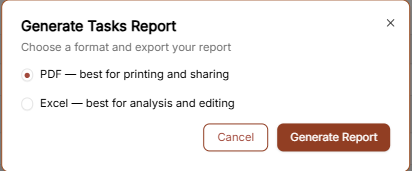
Click the "Generate Report" button to export your task list. You can choose between two formats:
-
PDF: Best for printing and sharing task summaries.
-
Excel: Best for detailed analysis and manual editing of task data.