Managing Your Milestones
Managing Your Milestones
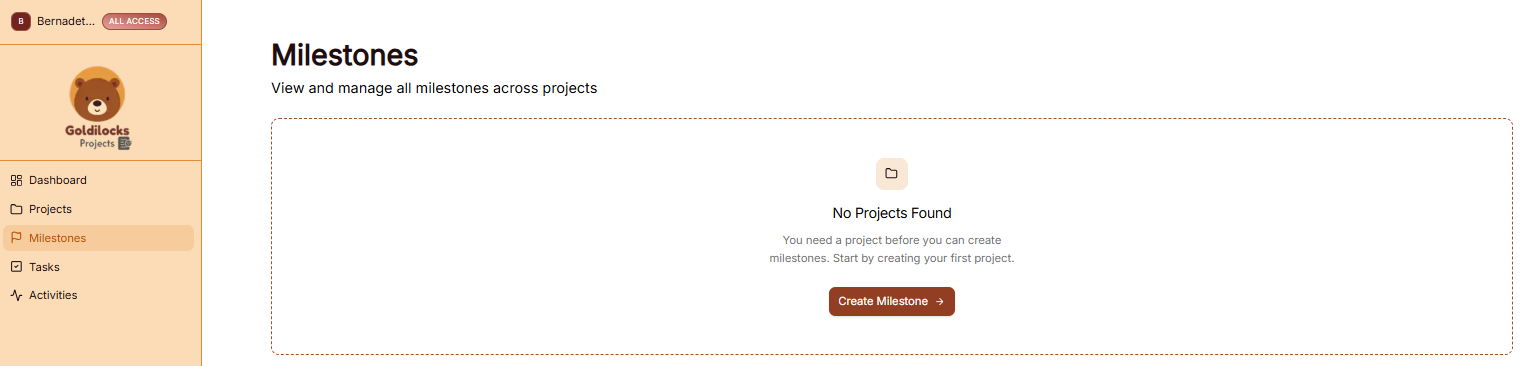
The Milestones module allows you to track major goals and key phases across your various projects. This ensures that high-level targets are visible and manageable.
Managing Your Milestones
The Milestones page is designed to give you a clear view of your project roadmaps and upcoming deadlines.
Important: Before you can create a milestone, you first need to create a project. BuildRunKit requires a project to act as the "home" for any milestone you define. If no projects exist in your workspace, the platform will prompt you to create your first project before proceeding.
How to Create a Milestone
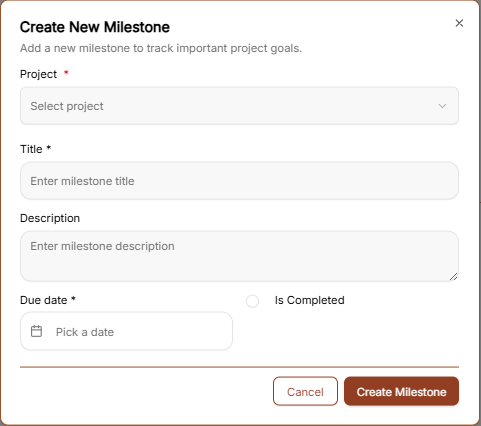
To define a new project goal, click the brown "Create Milestone →" button to open the configuration window:
-
Project *: Use the dropdown menu to select the specific project this milestone belongs to (Required).
-
Title *: Enter a clear name for the milestone (e.g., "Beta Launch" or "Design Approval") (Required).
-
Description: Provide a detailed summary of what this milestone entails.
-
Due Date *: Select the target deadline for reaching this milestone (Required).
-
Is Completed: A checkbox used to mark the milestone as finished once the goal is met.
-
Create Milestone Button: Click the brown button at the bottom to save the milestone to your project roadmap.
-
Milestone Progress Tracking
Milestone Task Toggles: Inside your milestones view, you can now turn on a dedicated toggle mode. This instantly displays all tasks that are explicitly linked to that specific milestone right on the screen, making progress tracking much more intuitive.