Items Catalog
Items Catalog
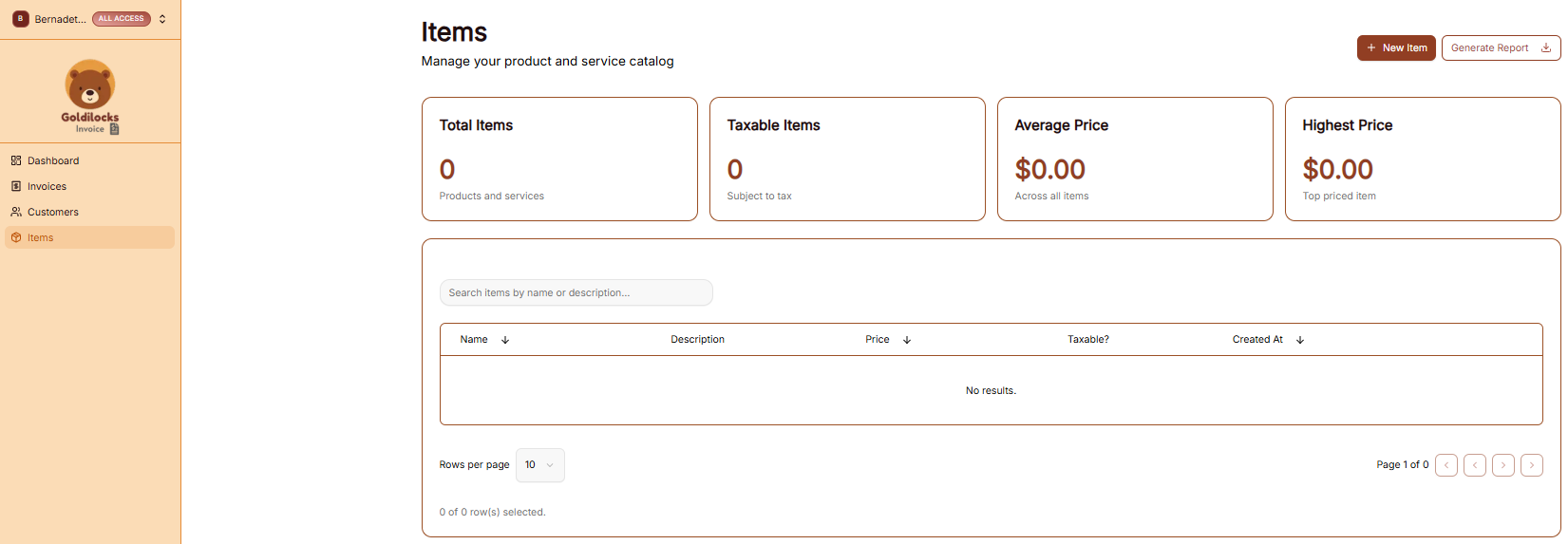
The Items page is your library of products and services. Saving your standard offerings here allows you to quickly pull them into any new invoice without re-typing details.
The Items Overview
At the top of the screen, you can see the overall status of your service catalog:
-
Total Items: The number of unique products or services you have saved.
-
Taxable Items: A count of items currently marked as subject to tax.
-
Average Price: The middle-point price across your entire list.
-
Highest Price: The price of your most expensive single offering.
Managing Your Catalog
The main table lists all your saved items and their key details:
-
Search: Use the "Search items by name or description..." bar to find a specific service.
-
Information Columns: The table displays the Name, Description, Price, and Taxable? status for each entry.
-
Organization: You can see when an item was first added under the Created At column.
-
New Item: Click the brown + New Item button at the top right to add a new service to your library.
Generating Items Reports
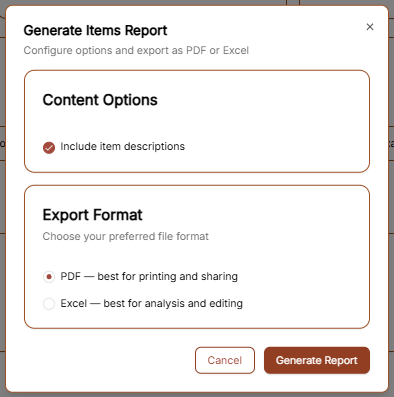
To export a list of your products and services, click the Generate Report button. The configuration window offers the following:
-
Content Options: Check "Include item descriptions" if you want the full text of your services included in the export.
-
Export Format: Choose between PDF (best for printing) or Excel (best for analysis and editing).
Click the brown Generate Report button to finalize the download.
Adding a New Item
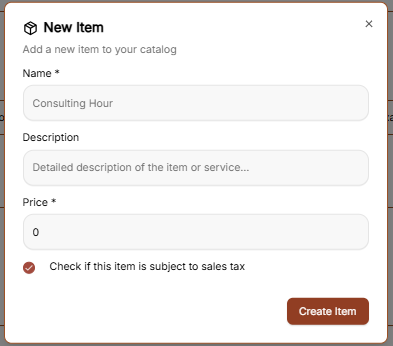
To build your catalog of standard services or products, click the brown + New Item button at the top right of the Items page. This opens a creation form with the following fields:
-
Name: Enter a clear, professional title for the service (e.g., "Consulting Hour").
-
Description: Provide a detailed explanation of what is included in this item. This text can be included in your generated reports.
-
Price: Set your standard rate for this item. This price will automatically populate whenever you add the item to a new invoice.
-
Taxable Status: If this service is subject to sales tax, ensure the "Check if this item is subject to sales tax" box is selected.
Once the details are finalized, click the brown Create Item button to add it to your permanent catalog.