Goldilocks Invoice Dashboard
Goldilocks Invoice Dashboard
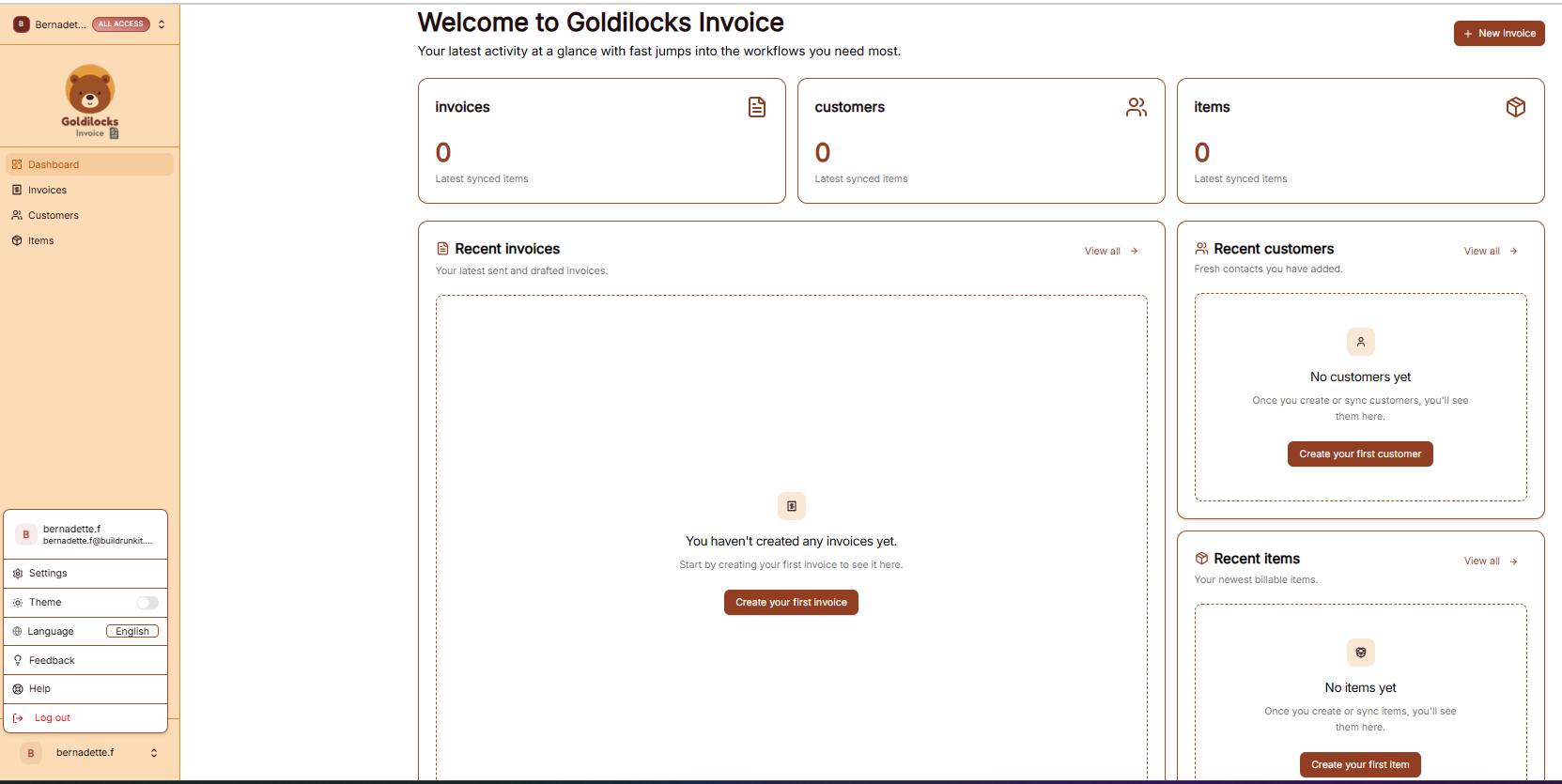
Once you have successfully signed in, you will be greeted by the Dashboard. This page is designed to give you a "at a glance" view of your latest activity and provide fast jumps into your most important billing workflows.
Managing Your Workspace
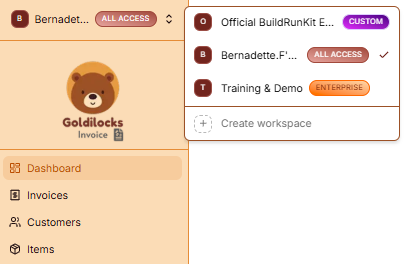
At the very top of the left sidebar, you will see your current workspace name. BuildRunKit allows you to manage multiple business environments from a single account.
How to Switch Workspaces:
-
Click the Workspace Selector: Click on the workspace name at the top of the sidebar.
-
Select from the List: A dropdown menu will appear showing all workspaces you have access to (such as "Official BuildRunKit Employee Workspace" or "Training & Demo").
-
Instant Switch: Click on the desired name to instantly switch all data (Invoices, Customers, and Items) to that workspace.
-
Create New: You can also click "+ Create workspace" at the bottom of this menu to start a brand new business environment.
Activity Overview Cards
The top cards provide a quick count of your latest synced data:
-
Invoices: Total count of recent billable documents.
-
Customers: Total number of clients in your database.
-
Items: Total number of saved services/products in your catalog.
Quick Action Sections
-
Recent Invoices: View your latest drafts or sent items. Click "Create your first invoice" to start a new bill.
-
Recent Customers: See newly added contacts. Click "Create your first customer" to add a new client.
-
Recent Items: View recently saved services. Click "Create your first item" to expand your service catalog.
Navigation Sidebar
-
Dashboard: Returns you to this overview page.
-
Invoices: View your full history of sent, paid, and overdue bills.
-
Customers: Access your full client directory.
-
Items: Manage your full library of billable products and services.