Goldilocks CRM: Activities
Goldilocks CRM: Activities
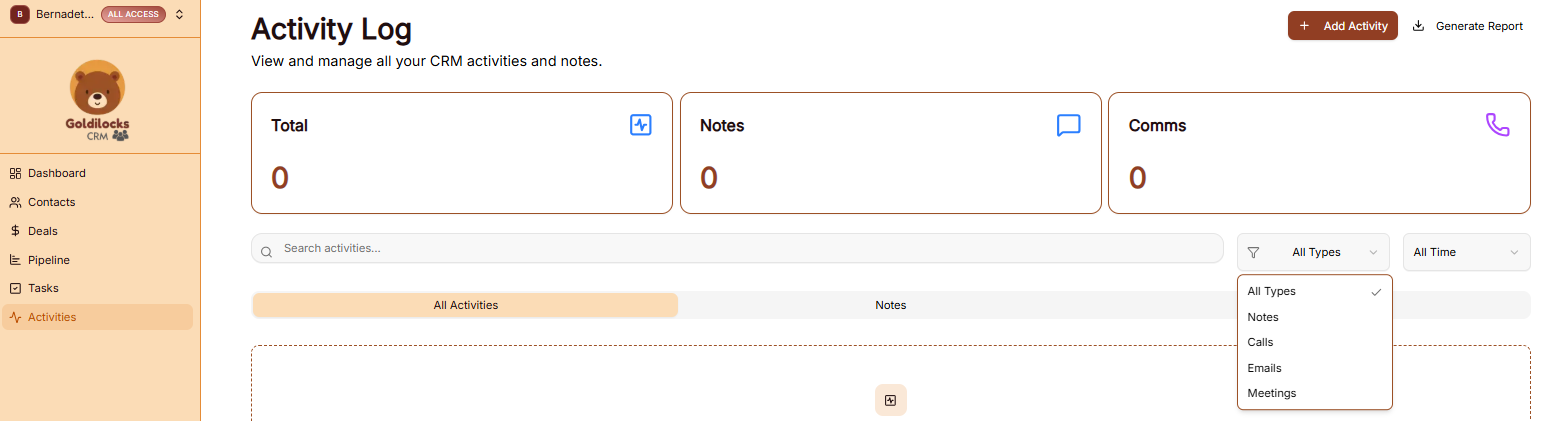
The Activities module provides a chronological log of every interaction and system update within your workspace, ensuring you have a complete history of your engagement with contacts and deals.
Activities Dashboard Overview
The main dashboard helps you track the volume and type of interactions across your team:
-
Total Activities: The overall count of all logged interactions.
-
Calls: Specifically tracks the number of phone interactions recorded.
-
Notes: Displays the count of text-based updates or internal memos saved.
-
Emails: Tracks the number of email communications logged in the system.
-
Meetings: Shows the total number of scheduled or completed appointments.
Managing the Activity Log
Use the following tools to organize your history and find specific records:
-
Search Bar: Quickly find specific interactions by searching for keywords within the notes or activity titles.
-
Filtering: Use the All Types and All Owners dropdown menus to narrow the log down to specific interaction categories or team members.
-
Activity List: Each entry in the list displays the interaction type (e.g., Call), a brief summary (e.g., "Follow up on GoldilocksCRM activities import"), and a timestamp of when it occurred.
How to Add an Activity
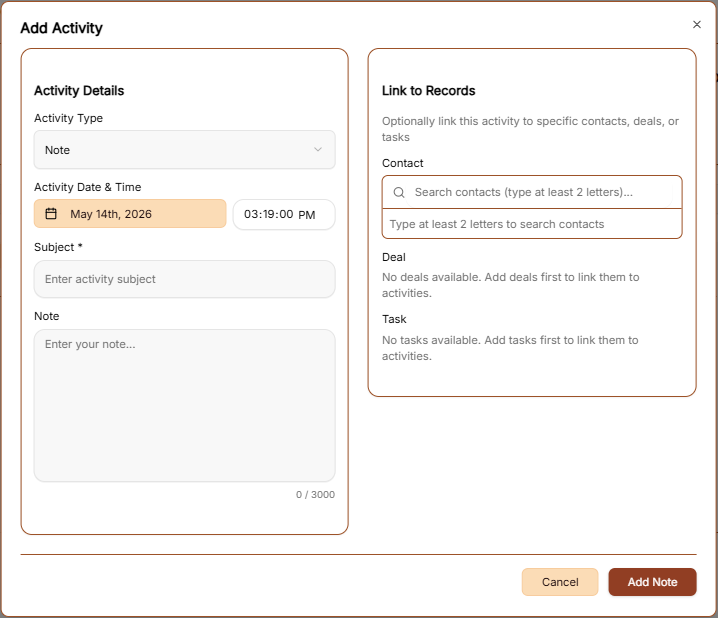
To manually record a new interaction, click the brown + Add Activity button at the top right. This opens a configuration window:
-
Activity Title: Enter a brief name for the interaction.
-
Activity Type: Use the dropdown to categorize the entry (e.g., Call, Meeting, Email, or Note).
-
Date & Time: Set the exact timing of when the activity took place.
-
Notes: Add detailed context or specific outcomes from the interaction.
-
Connections: Link the activity to a specific Contact or Deal to ensure it appears in their respective histories.
-
Add Activity: Click the brown button at the bottom right to save the record.
Generate Report
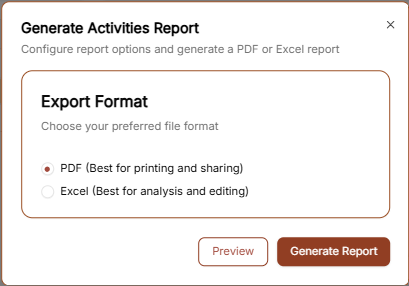
To export your interaction history, click the Generate Report link in the top right corner.
-
Export Format: Select between PDF for a clean visual log or Excel for detailed data review.
-
Action: Choose Preview to see the layout or Generate Report to download the final file.