BuildRunKit Dashboard Infrastructure Overview
BuildRunKit Dashboard Infrastructure Overview
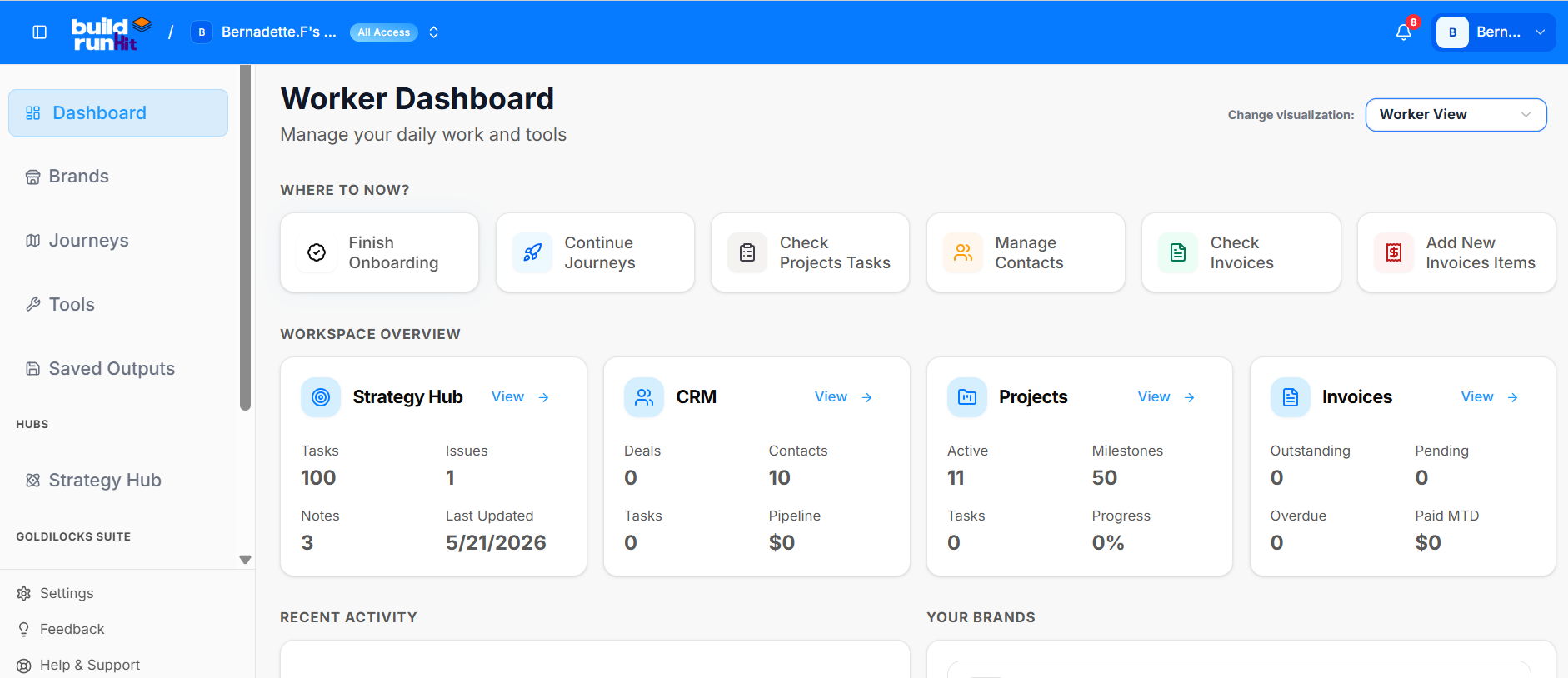
The BuildRunKit interface provides a multi-layered, role-based dashboard system tailored for modern startup ecosystems. The core setup features deep integration with the Goldilocks Suite and supports seamless switching between operational perspectives.
1. Role-Based Dashboards & Visualization Switching
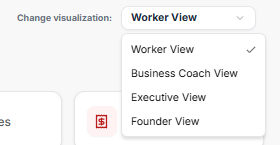
Users can dynamically shift their view depending on their operational focus via a dropdown menu in the upper right-hand corner of the platform. The system architecture supports four distinct, role-based dashboard options:
-
Worker View (Currently Selected)
-
Business Coach View
-
Executive View
-
Founder View
2. Workspace Selector
-
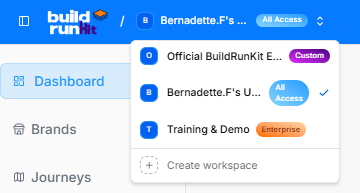
Official BuildRunKit Ecosystem (Labeled as "Custom")
-
Bernadette.F's Workspace (Currently Active with "All Access" privileges)
-
Training & Demo (Labeled as "Enterprise")
-
Create Workspace ($+$): A dedicated utility to deploy new isolated team environments.
3. Main Interface Layout (Worker View)
The full workspace structure is segmented into distinct navigational, strategic, and tool-based panels designed for day-to-day workflow tracking.
Sidebar Navigation & Hubs
-
Core Paths: Dashboard, Brands, Journeys, Tools, and Saved Outputs.
-
Hubs Section: A dedicated entry point for the Strategy Hub.
-
Goldilocks Suite Integration: Direct sidebar modules for managing CRM, Invoice, and Projects.
-
Footer Utilities: Settings, Feedback, and Help & Support.
"Where to Now?" Action Bar
Positioned right at the top of the main canvas to guide immediate focus:
-
Finish Onboarding
-
Continue Journeys
-
Check Projects Tasks
-
Manage Contacts
-
Check Invoices
-
Add New Invoices Items
Workspace Overview Grid
This section details active numbers, pipeline evaluations, and tracking counters across individual hubs:
-
Strategy Hub: Tracks 100 Tasks, 1 Issue, 3 Notes, and notes a Last Updated milestone of 5/21/2026.
-
CRM: Tracks 0 Deals, 10 Contacts, 0 Tasks, and a $0 Pipeline.
-
Projects: Displays 11 Active elements, 50 Milestones, 0 Tasks, and 0% Progress.
-
Invoices: Features clear zeroed baselines (0 Outstanding, 0 Pending, 0 Overdue, and $0 Paid MTD) waiting for financial entry data.
4.Universal Task Database
Tasks are synchronized in real time across the entire platform ecosystem. A task created or modified in the Strategy Hub, CRM, or Projects updates a single central data table, ensuring identical information is displayed across all workspaces.
5. Ecosystem Tools & Recent History
The lower portion of the workspace dashboard transitions into chronological tracking and immediate tool deployment options:
-
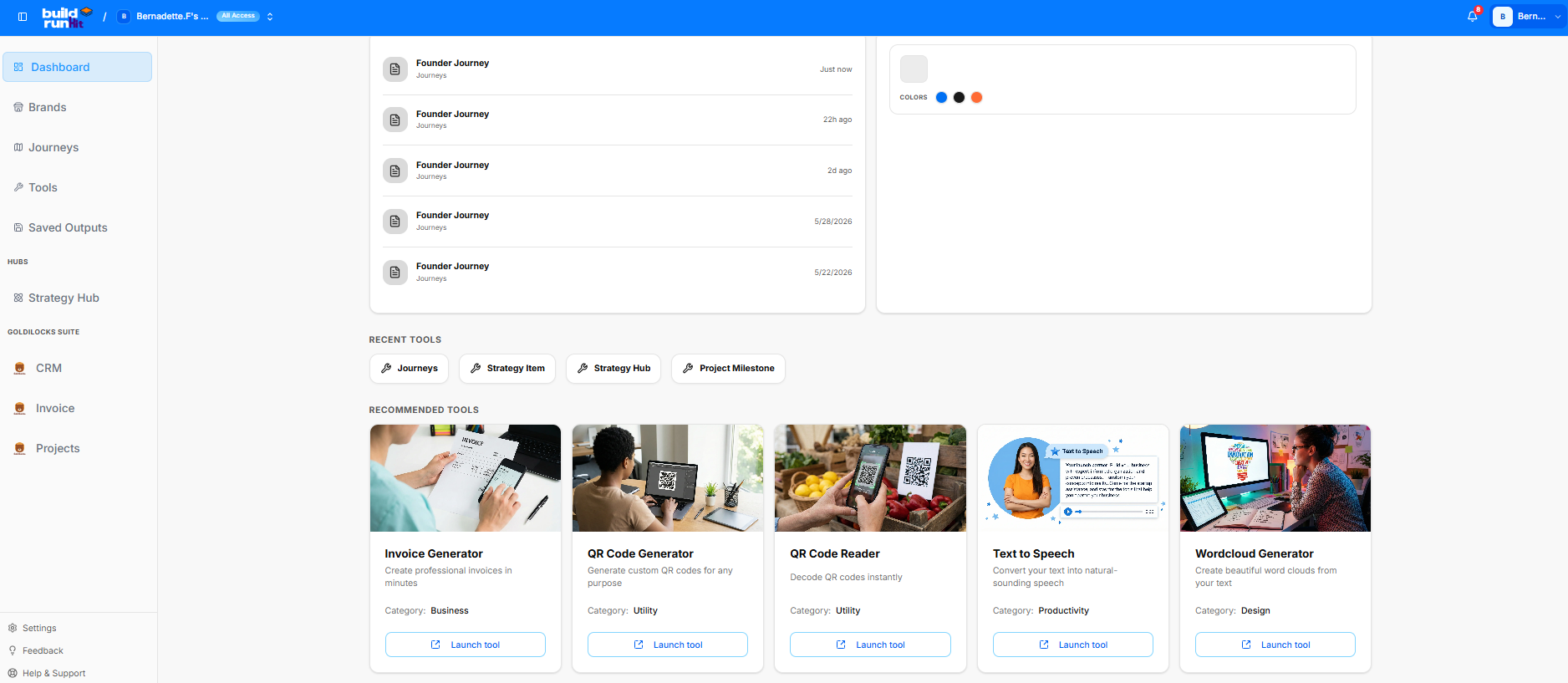
Recent Activity Log: Chronologically lists ongoing iterations of the Founder Journey, tracking updates from "Just now," "22h ago," "2d ago," stretching back through 5/28/2026 and 5/22/2026.
-
Recent Tool Short-keys: Quick buttons to spawn new entries for Journeys, Strategy Items, Strategy Hubs, or Project Milestones.
-
Recommended Tools Grid:
-
Invoice Generator: Built to create professional invoices in minutes (Category: Business).
-
QR Code Generator: Designed to generate custom QR codes for any purpose (Category: Utility).
-
QR Code Reader: Instant decoding optimization for mobile or layout use (Category: Utility).
-
Text to Speech: Converts raw text inputs into natural-sounding audio speech assets (Category: Productivity).
-
Wordcloud Generator: Visualizes input copy into beautifully mapped brand word clouds (Category: Design).
-